Google is rolling out another “upgrade,” and the next campaign type on the chopping block is Dynamic Search Ads (DSA). The proposed replacement is AI Max (which sounds impressive, I guess). Naturally, this raises a few questions, but I believe there’s only one that truly matters if you value account control and clean data.
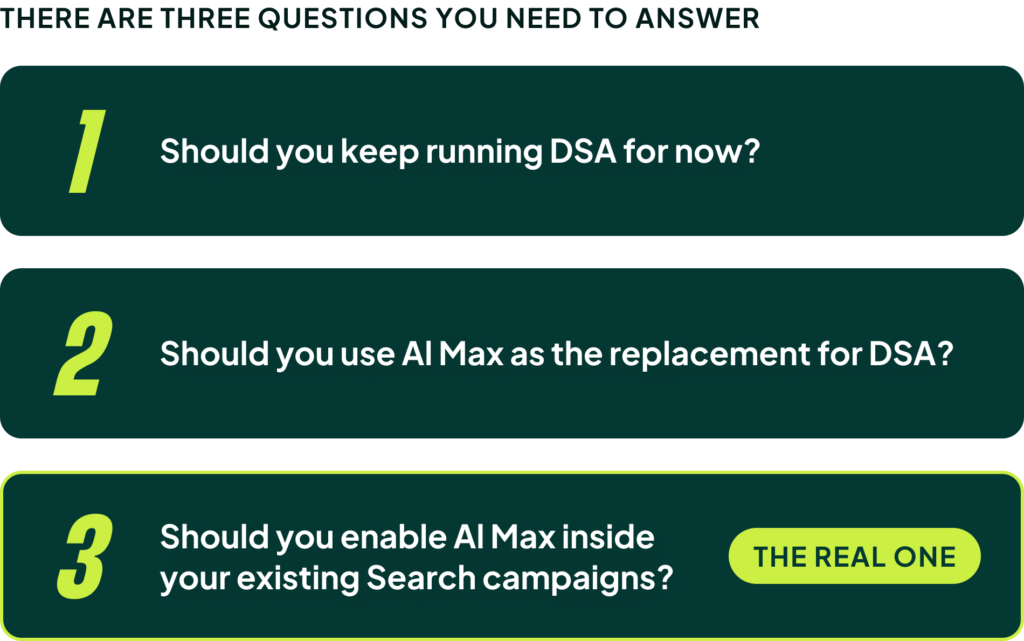
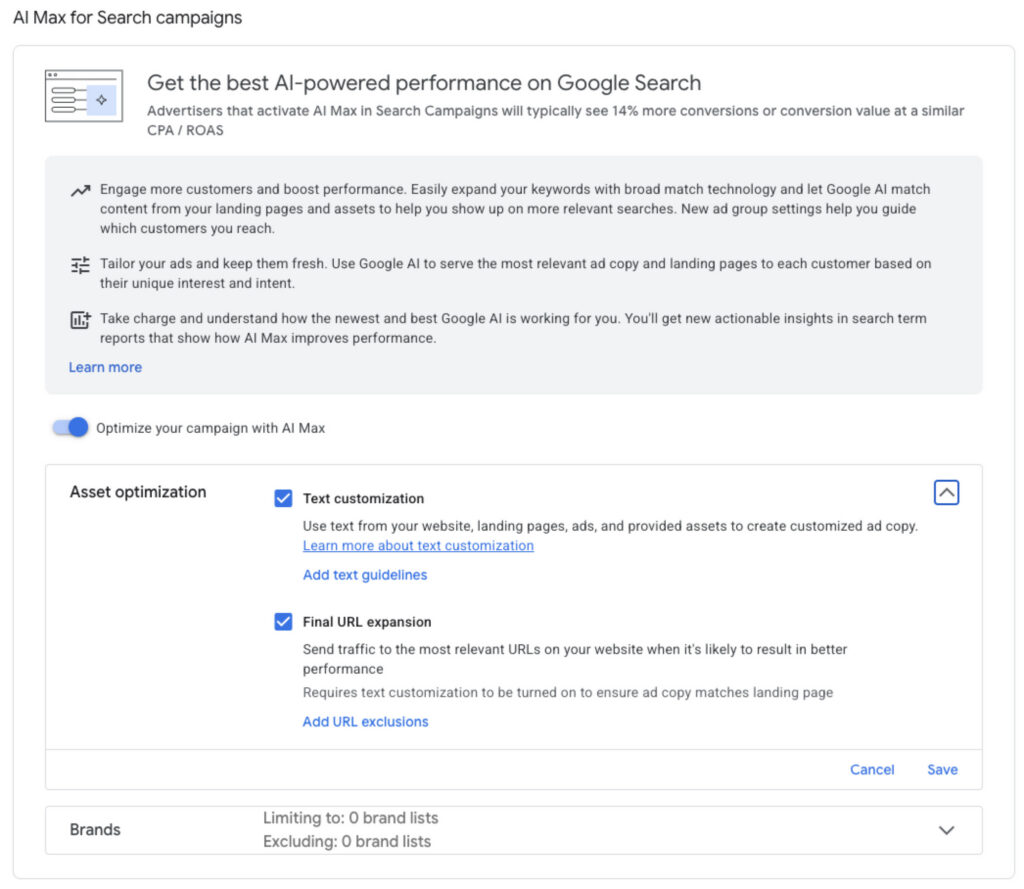
You need to decide: should you enable AI Max inside your existing Search campaigns? The other questions about whether to keep DSA for now or if AI Max is a good replacement are secondary. The real risk lies in how you implement it. Flipping the switch inside a campaign that already works could cost you control, reporting clarity, and your fallback options while you figure out what this new feature actually does.
Déjà Vu: Why AI Max Reminds Me of the Old DSA Mess
We’ve seen this pattern before. When DSA was first introduced, the “easy” way to implement it was by enabling it within your regular ad groups. The result was a structural mess.
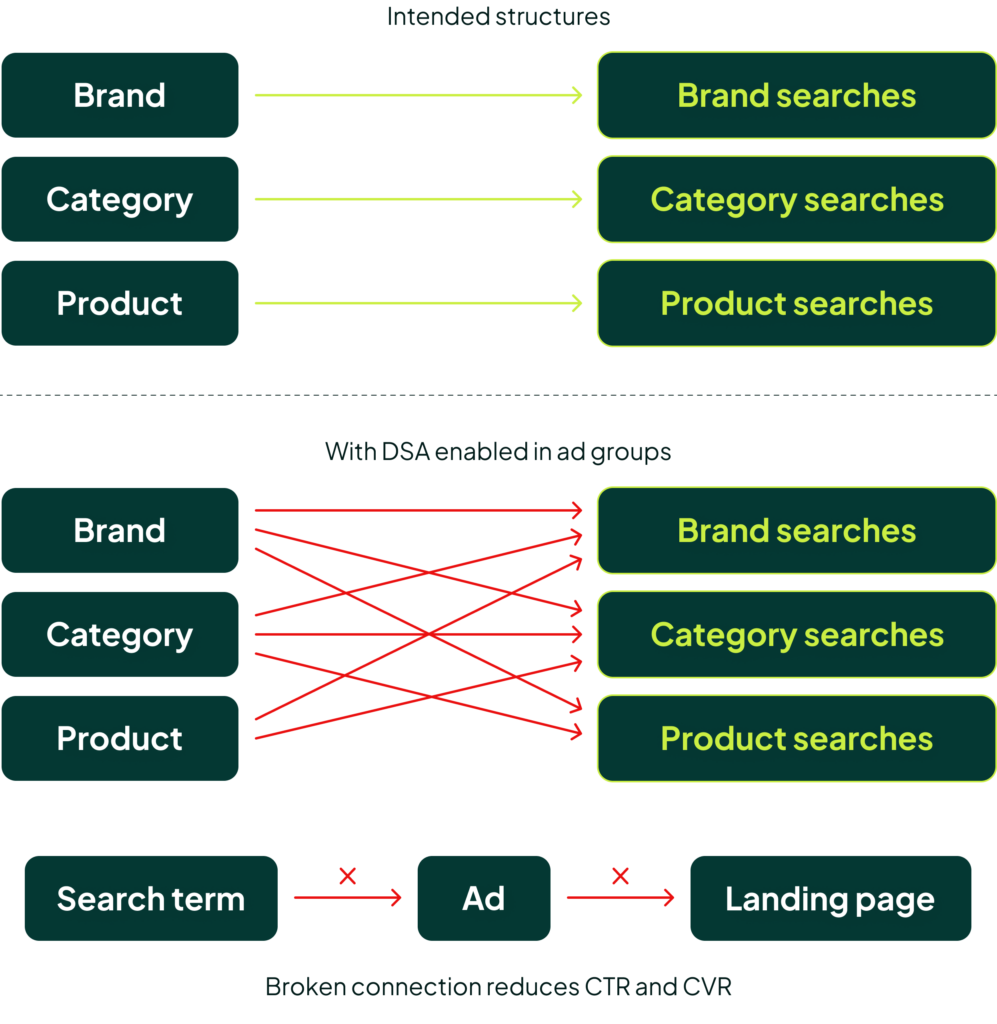
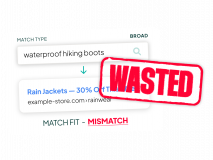
We saw brand campaigns suddenly triggering non-brand searches. Category campaigns started pulling in searches for third-party brands. Product campaigns began matching to the wrong user intent. In every scenario, the critical connection between the search term, the ad, and the landing page was compromised, which hurts both click-through rate and conversion rate. On top of that, keywords you had intentionally paused could be re-activated through the DSA ad group.
My concern is that the same thing will happen with AI Max if you enable it in existing campaigns without fully understanding what it’s doing under the hood.
AI Max Isn’t Just “DSA 2.0″—It’s Three Things at Once
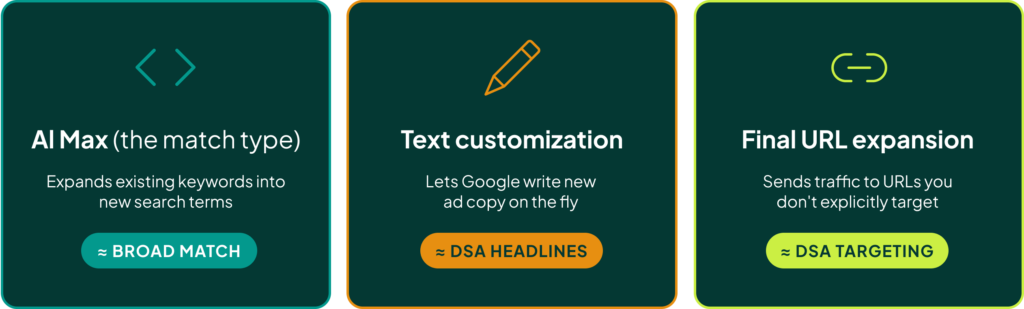
The core of the issue is that AI Max doesn’t just change one thing; it changes three things simultaneously. It’s a hybrid feature that combines:
- Keyword Expansion: It expands your existing keywords into new search terms. In this sense, it acts like a new match type, somewhere in the neighborhood of Broad Match.
- Text Customization: It lets Google write new ad copy for you. This is similar to DSA headlines but potentially much broader in scope.
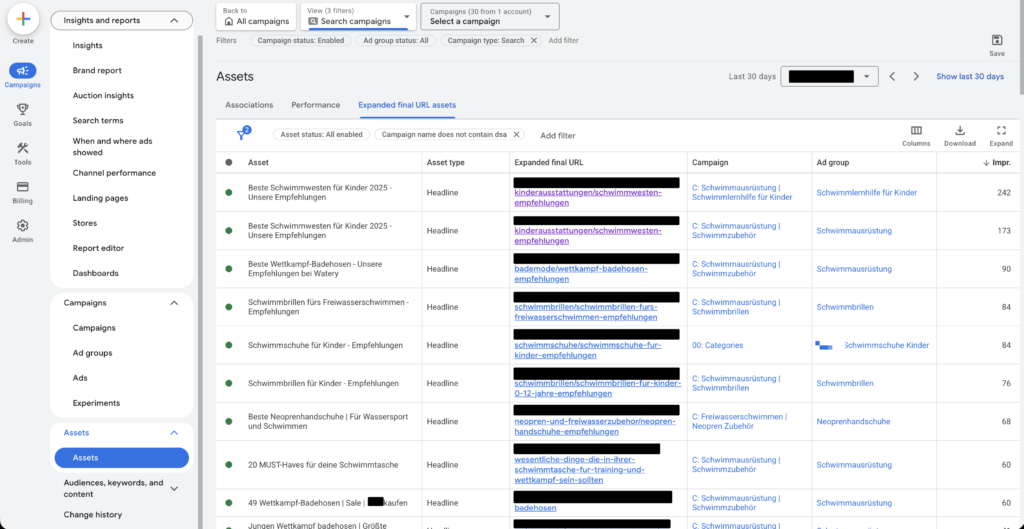
- Final URL Expansion: It lets Google send traffic to URLs you are not explicitly targeting in your ads. This is the part that directly replaces DSA.
This distinction is crucial. If AI Max only gave you broader keyword matching, you’d treat it like Broad Match. But the true value of DSA wasn’t just finding long-tail searches; it was matching those specific searches to a better, more relevant landing page than your standard keyword structure could have found. That’s the part AI Max has to prove it can do effectively.
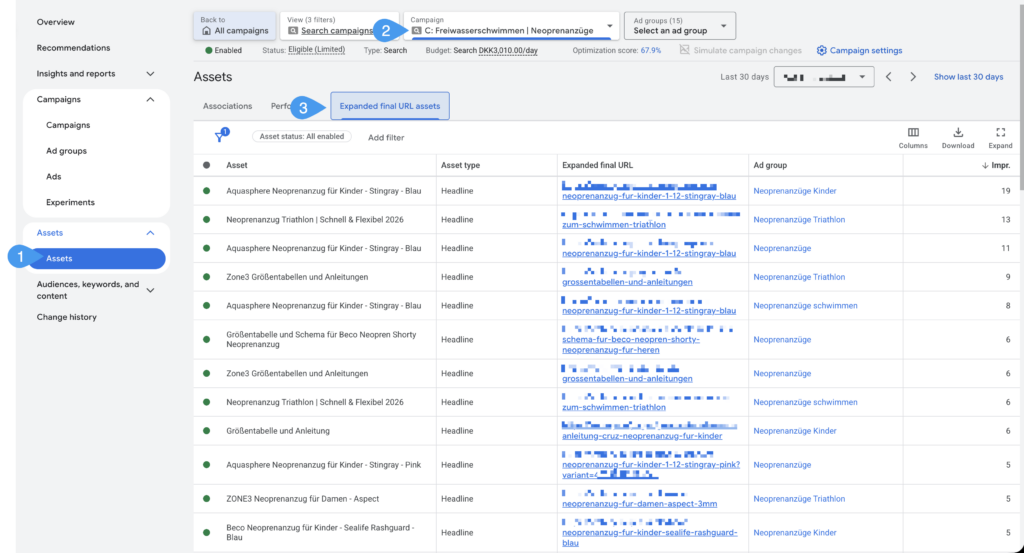
I am starting to see some early positive signs. The URL expansions seem focused on product pages and are pulling page titles for headlines, which is a good start. But we need a more reliable way to test this than just hoping for the best.
Our Test Results: What Happens When You Flip the Switch?
I was tired of speculating, so we tested three different setups to see what would actually happen in a live account.
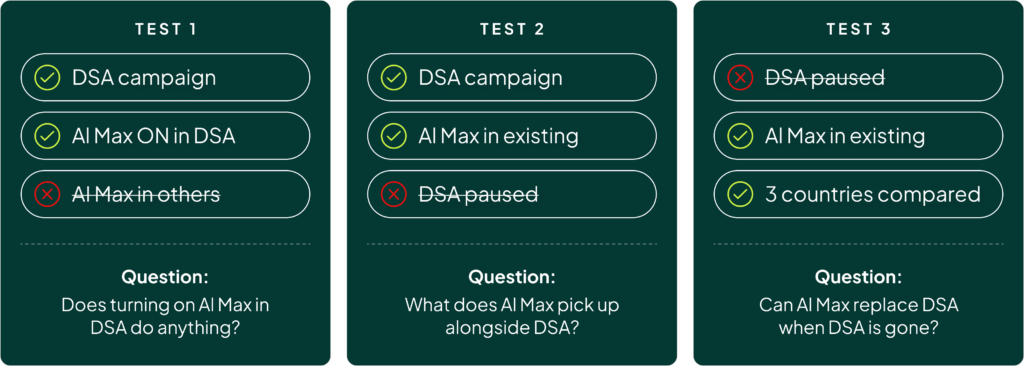
Test 1: Enabling AI Max on a DSA Campaign
The result? Absolutely nothing happened. No additional AI Max activity was recorded.
Test 2: Enabling AI Max on Existing Campaigns Alongside an Active DSA Campaign
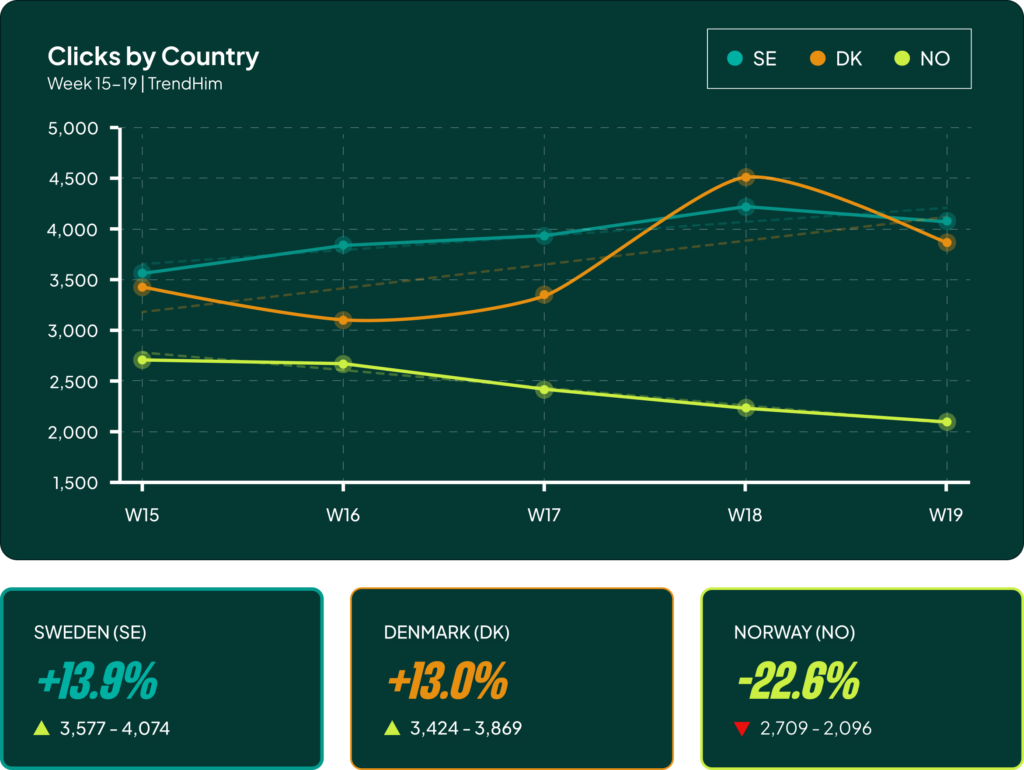
This test was also a bust. Out of over 3,000 total clicks in the campaign, AI Max as an expansion layer generated a mere 72 clicks. AI Max as a match type generated zero clicks. The impact was negligible.
Test 3: Enabling AI Max on Existing Campaigns and Pausing the DSA Campaign
This is where it got interesting. As soon as we paused the DSA campaign, AI Max immediately appeared to take over its function. In this account, AI Max behaved much more like a direct DSA replacement than a Broad Match expansion layer.
The most important takeaway is this: testing AI Max alongside your active DSA campaign probably won’t tell you anything. It seems designed to kick in only when the old system is turned off. This single insight should fundamentally inform your migration strategy.
The Decision Framework: How to Migrate from DSA to AI Max Safely
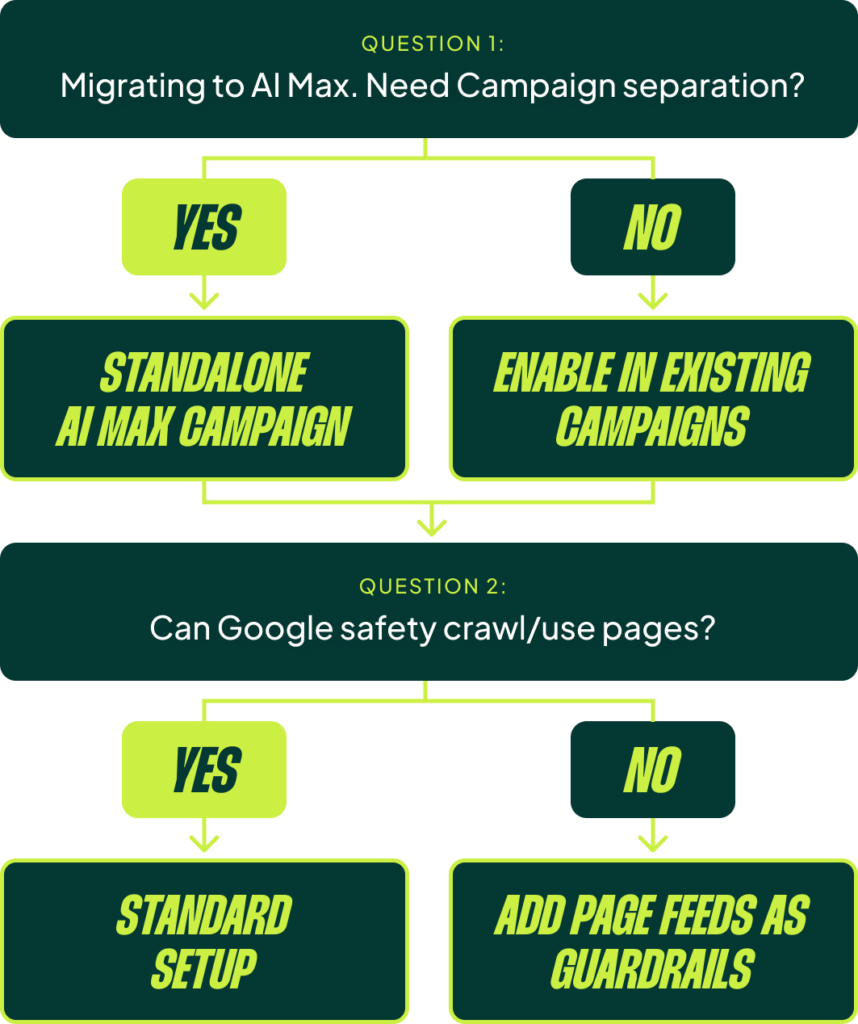
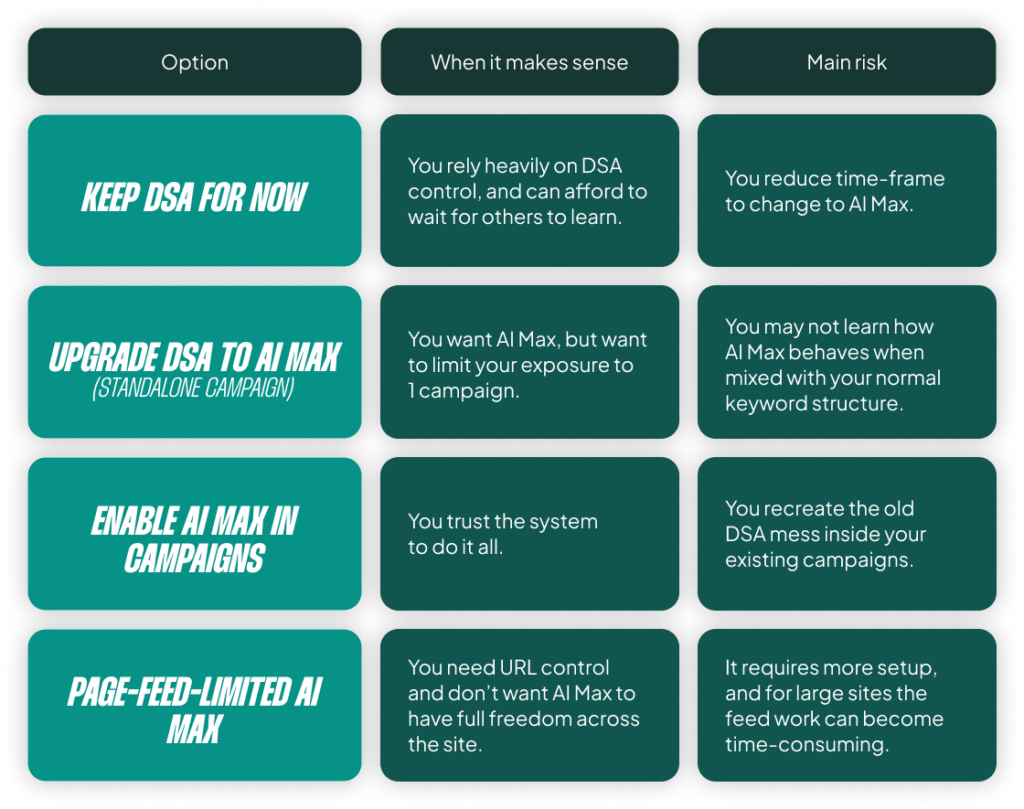
Based on our tests, my current bias is to isolate the first test completely. A standalone migration isn’t always perfect, but it gives you the cleanest possible answer to the most important question: Can AI Max replace what DSA did without breaking the rest of the account?
If the answer is yes, then you can move on to deciding if AI Max deserves access to your other existing Search campaigns. But start with an isolated test.
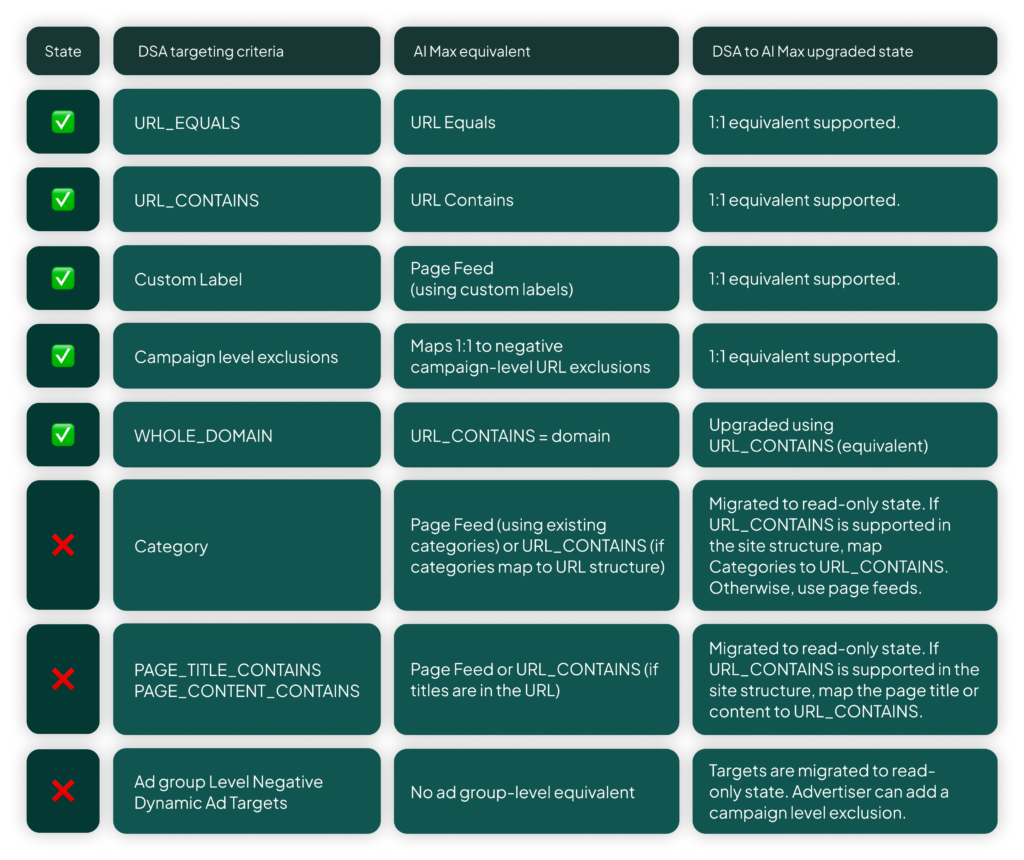
When you set up the migration, you also have to account for some functionality differences. The biggest loss is the page_content contains targeting rule from DSA. This was a critical guardrail for many accounts. Now, you will need to create a page feed to handle things like:
- Out-of-stock products
- Empty category pages
- Pages with long delivery times
- Any other pages you previously excluded with a content rule
If your site is large and you relied heavily on page_content rules, setting up a robust page feed is not optional—it’s essential for maintaining quality control.
How to Measure if Your AI Max Migration Succeeded
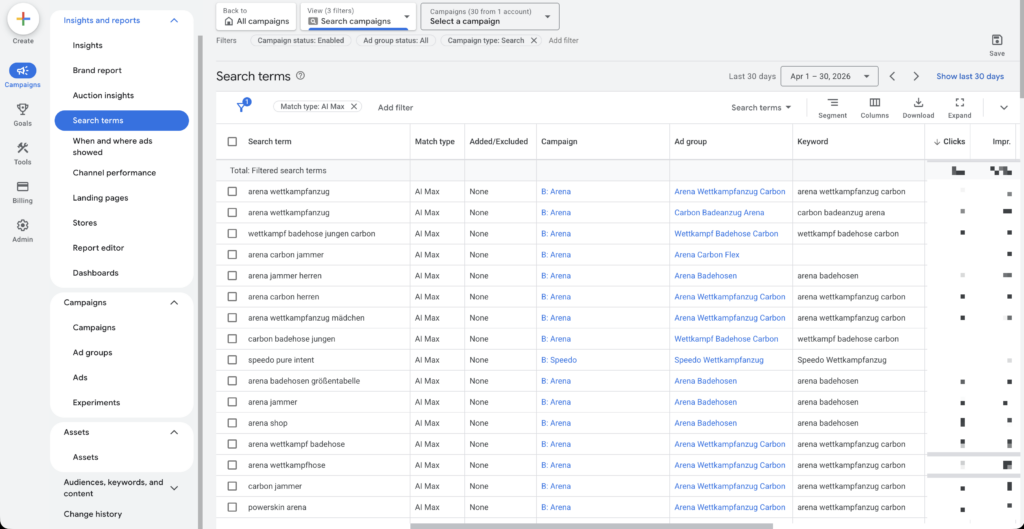
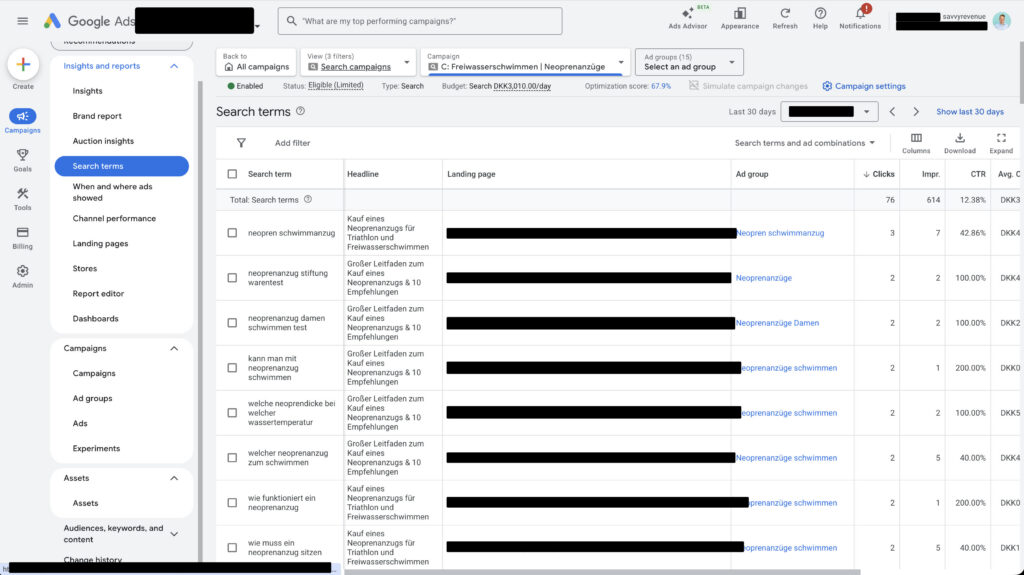
Once you’re running, there are a few places to look for performance data. The primary location is the Search terms report, where you can filter by match type to see when AI Max is expanding an existing keyword into a new search term.
A quick note: if you can’t see the match type in the dropdown menu or there’s no data, it doesn’t necessarily mean it’s broken. It often just means there isn’t any data associated with that match type yet.
[TL;DR]
- The biggest risk with AI Max is enabling it in existing campaigns without testing, as it can disrupt your account structure and reporting clarity.
- AI Max is not a simple DSA replacement; it’s a combination of keyword expansion, ad copy generation, and URL expansion.
- Our tests show that AI Max only seems to activate once DSA is paused. Running them side-by-side yields almost no useful data.
- The safest way to migrate is to create a standalone AI Max campaign as a direct replacement for your paused DSA campaign. Isolate the test first.
- You must use page feeds to replicate the control you had with
page_contentrules in DSA, especially for excluding out-of-stock products or empty categories.