Dansk
Dansk
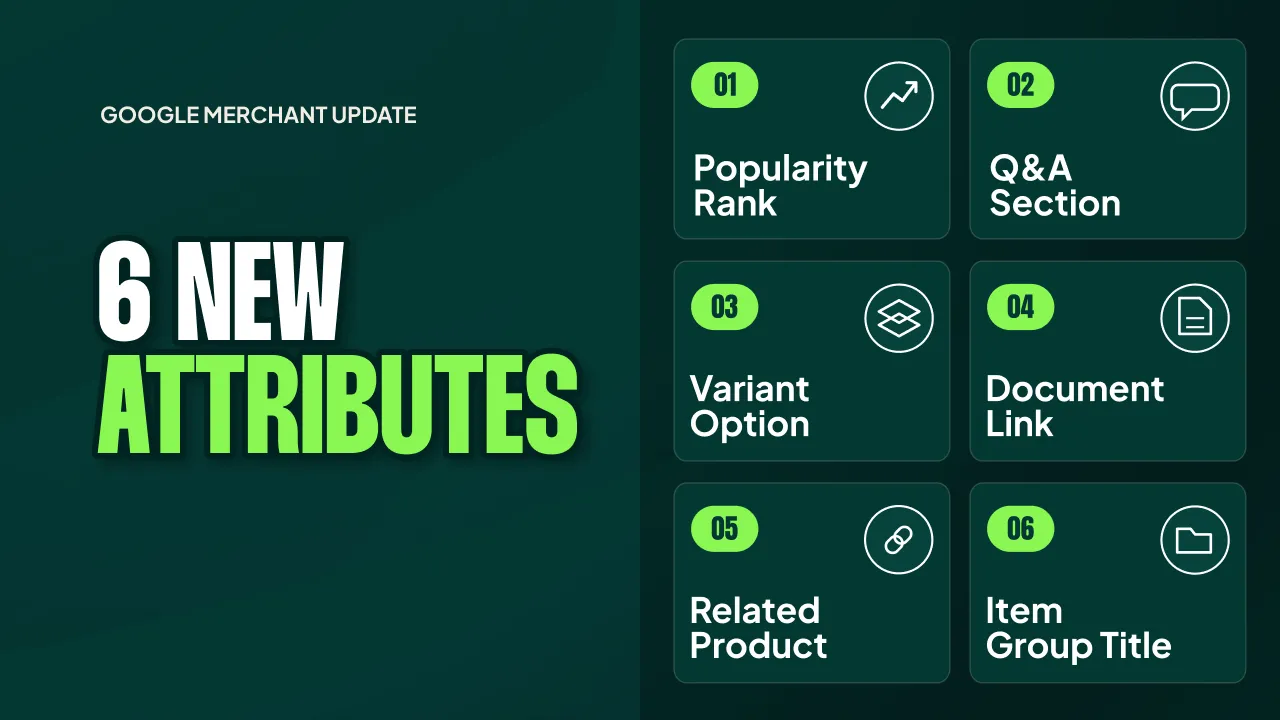
When Google rolled out conversational attributes for AI Mode Shopping Ads, my first reaction to most of them was one word: why?
Q&A should already be covered by an LLM. Google has access to all the text on the web. Variant options and item group titles are already linked in my feed through item group IDs. Document links (manuals, spec sheets, and so on) are already widely available online. Shouldn’t Google have all of this already?
The only attribute that made sense to me immediately was popularity rank. It’s proprietary data, and Google doesn’t have it.
Then I dug into each of them properly, and I found out I was wrong about enough of them that I’ve changed my recommendation. Out of the six attributes, I’d now add five. Below I’ll go through each one, show you where it earns its place in your feed, and finish with the order I’d implement them in.
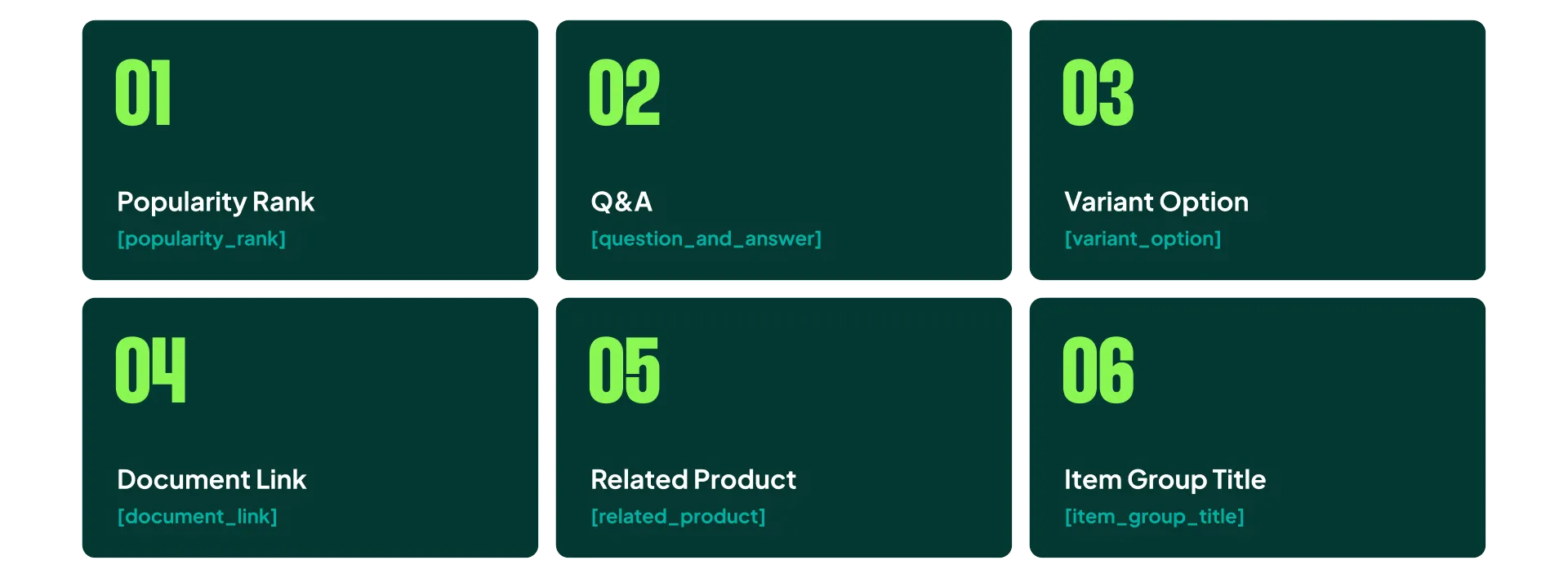
The Ground Rules for Conversational Attributes
Before we get into the individual attributes, it’s worth understanding the ground rules, because they shape how much effort you should put in.
All six conversational attributes are optional. They complement the standard product data specification, and they don’t affect your approval status. Nothing gets disapproved if you skip them. Google recommends adding them through a supplemental feed, and it explicitly says not to duplicate data you already have in your description or product details.
That last point decides where your effort should go. These attributes exist to give the AI information it can’t get elsewhere, or can’t get cleanly. If you’re just copying your description into a new field, you’re doing work for zero benefit.
My overall verdict: important, not urgent. Don’t pause your other feed projects for this. But don’t ignore it either.

Popularity Rank Made Sense From Day One
Watch this part (0:35) (opens in a new tab)This is my favorite attribute of the six.
We’ve used internal metrics to build popularity ranks for years, mainly to prioritize bestselling products in campaigns. I expect Google’s popularity rank to sit alongside that work. It lets you tell the AI which products are more popular within a category or across variant combinations, so it can surface the right product at the right time.
Say someone opens AI Mode and types “find designer handles for my kitchen.” The AI has 1,000 different handles in your Shopping feed it could match to that chat. Which ones should it start with?
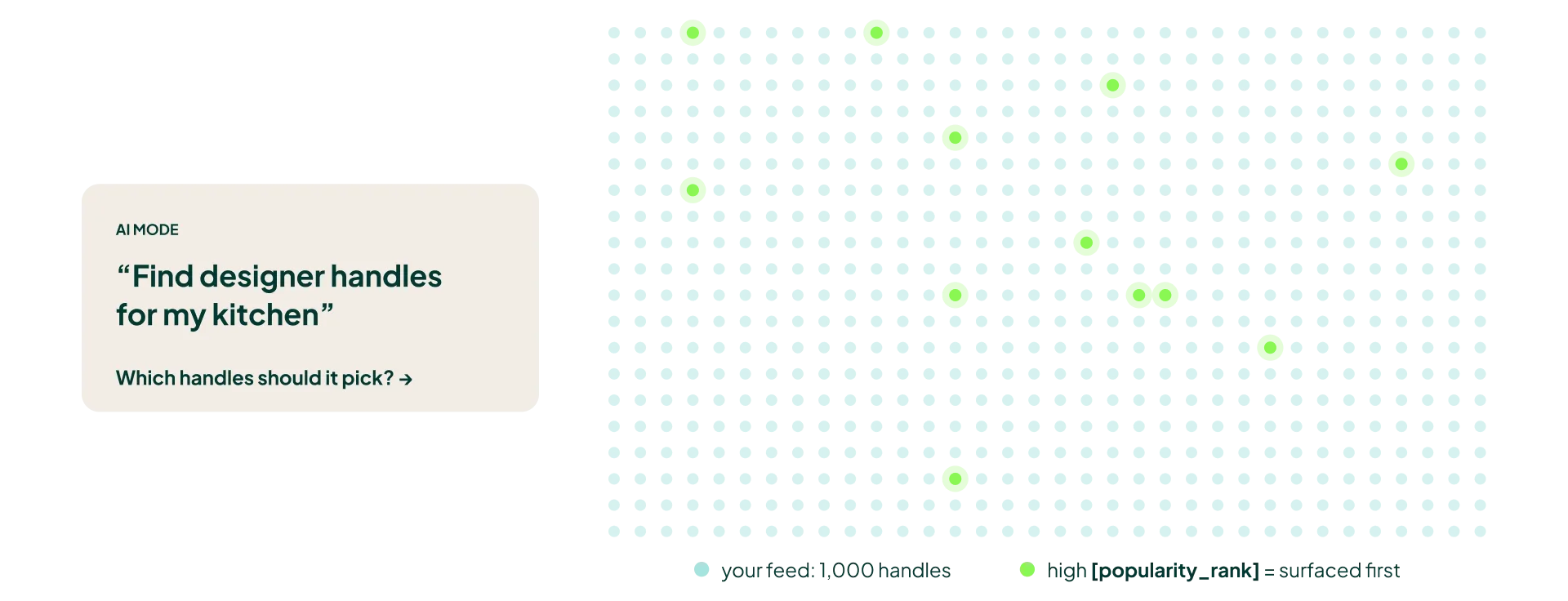
The popular ones, obviously. That’s the best starting point for any recommendation, whether it comes from a human sales assistant or an LLM.
Why I Disagree With Google’s Documentation
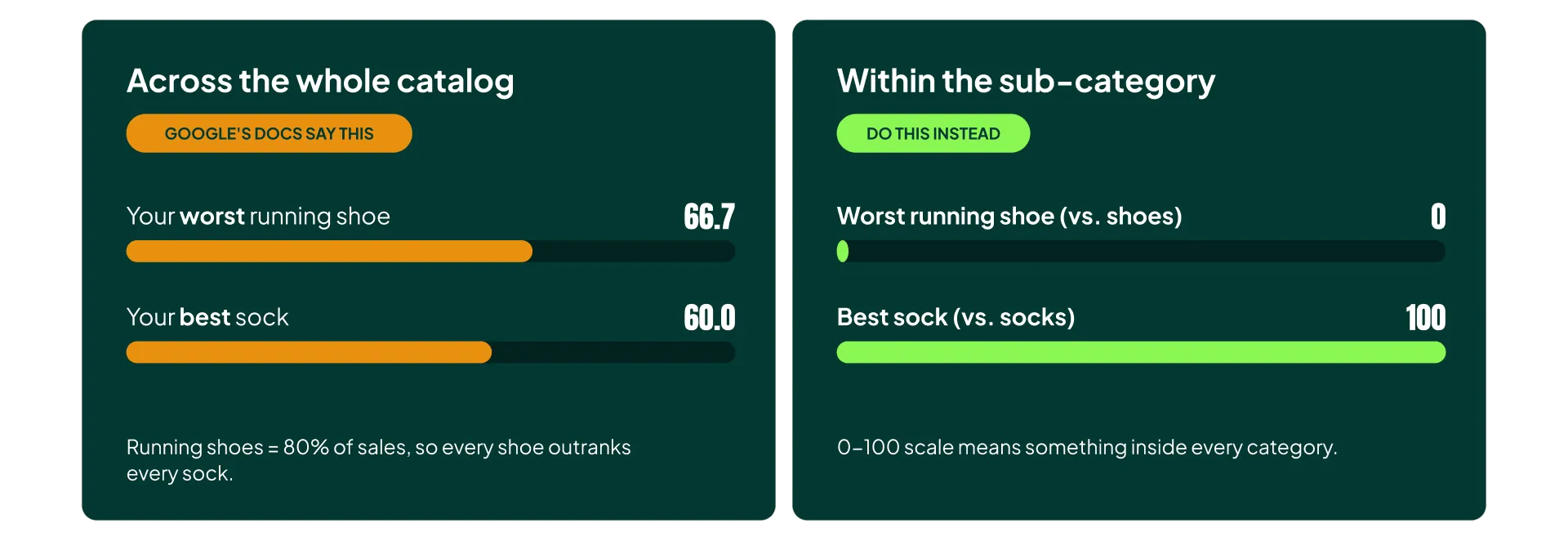
The official documentation says the popularity rank should be calculated across your entire catalogue. That makes little sense in my book.
If running shoes make up 80% of your sales, then even your worst-selling running shoe will outrank every pair of socks you sell. The rank stops telling the AI anything useful about socks, because your socks are all crammed into the bottom of the scale. And when someone asks for socks, the AI still has to pick between them.
The ranking is only useful when it compares products that compete with each other. That means ranking within sub-categories.
How I’d Build It
I’d build an internal ranking system that compares products within the same sub-category and scores them between 0 and 100, with a maximum of one decimal point.
There are two ways to do this:
- Feed your sales numbers to an AI or a Google Sheet (or an n8n workflow) once a month, and generate a supplementary feed with the popularity ranks.
- Build an internal calculator in your CMS that pushes the data straight into your Shopping feed.
Both are fairly easy. Even if you have little experience with algorithms (or math, for that matter), AI can get you all the way there if you give it the playbook above.
One warning: setting all your products to 100 gives you no benefit. This is for internal use on your own account, the same way campaign priority works in Standard Shopping. The rank only compares your own products with each other. Inflate everything and you’ve told it nothing.
Q&A: Dumb for Most Stores, Key for Some
I scoffed when I saw this attribute.
Q&A? For thousands of products? So I need to run an AI to produce Q&As, for another AI to ingest, so it can serve my products on the right Q&A string in AI Mode?

The more I thought about it, though, the more use cases I found. They just don’t apply to everyone.
For a general store with a large catalogue, this attribute is kind of dumb. You’d be generating thousands of low-value questions about generic products that the AI can already figure out on its own.
But if you’re a DTC brand with 10 hero SKUs and deep product knowledge, this is where Q&A becomes a key attribute. Your product knowledge is your differentiator, and this is a direct line to feed it to the AI.

A Real Example
One ad I get served a lot lately is for organic shorts designed for sauna use. Their landing page is packed with content: questions and answers, plus specifics about the materials and how the product performs in heat.
That’s exactly the kind of brand where feeding the right Q&A content makes sense. The questions a buyer asks (“Is this safe at high temperatures?” or “Why organic?”) aren’t obvious from a product title, and they’re what separates this product from generic shorts.
Two Rules for Q&A
- Don’t do it across your whole catalogue if you sell generic products. The effort-to-value ratio is terrible.
- Don’t create fake questions that are already covered elsewhere, such as in your description or in the document link attribute I’ll cover below. That’s duplicated data, and Google explicitly tells you not to do it.
Variant Option Confused Me, Then Won Me Over
Watch this part (4:03) (opens in a new tab)Like I said, this one confused me. Mainly because of the way Google presents the examples in its help docs, which don’t make the purpose obvious.
But once I thought it through, I realized it’s almost genius. Instead of creating thousands of different variant attributes, Google gave us one flexible field. The variant option attribute is something we fill in ourselves, with whatever variation the product has. Including the non-standard ones.
Right now, the main variant attributes are color, material, pattern, and size. That’s fine. But a huge number of products vary along dimensions that don’t fit any of those boxes.
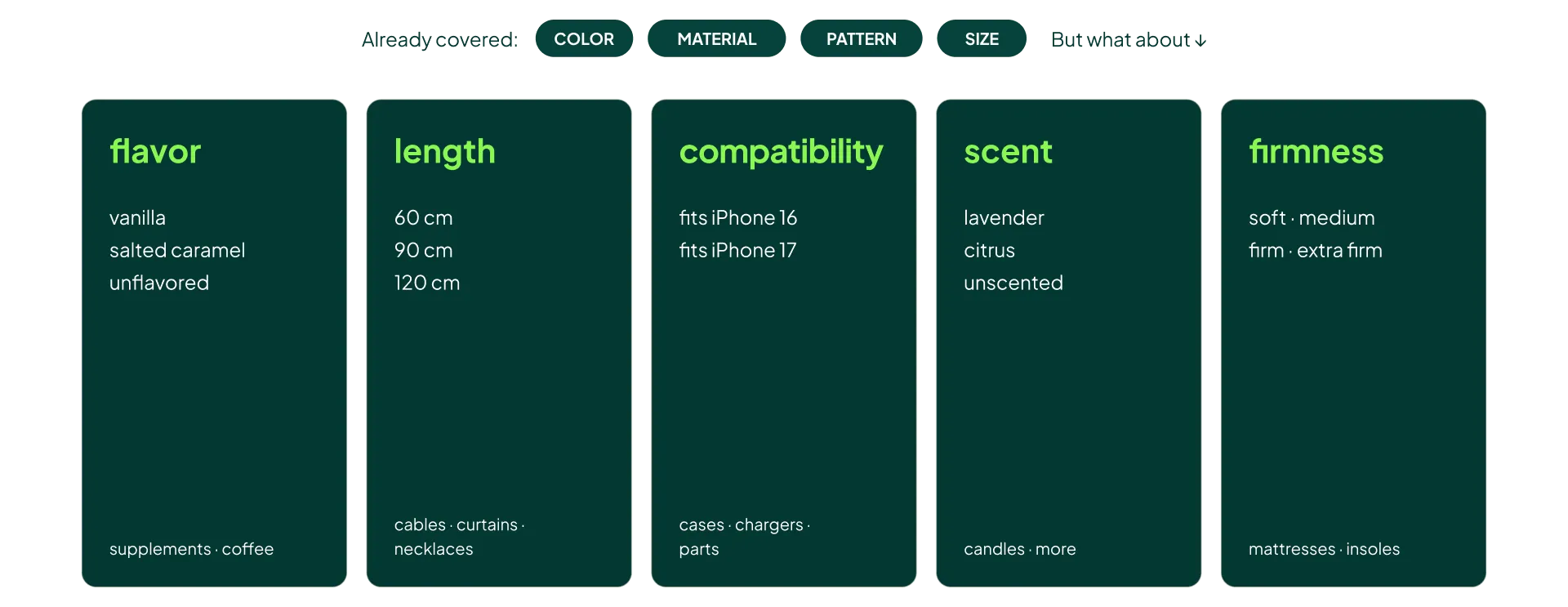
A few examples:
- Flavor: vanilla, salted caramel, unflavored. Works for supplements, protein powder, and coffee.
- Length: 60 cm, 90 cm, 120 cm. Works for cables and curtains, and for necklaces too.
- Compatibility: fits iPhone 16, fits iPhone 17. Works for cases, chargers, and spare parts.
- Scent: lavender, citrus, unscented. Works for candles (and, yes, adult products too).
- Firmness: soft, medium, firm, extra firm. Works for mattresses, pillows, and insoles, to mention a few.
So I’ve firmly changed my mind. Variant option is a key attribute that most ecom stores should prioritize. You already have this information, and building the values is quick.
One caveat: if an existing field already covers the variation (color, size, and so on), you get no additional value from repeating it here. Leave it alone and use variant option for everything else.
Why You Should Add Document Links Anyway
Watch this part (5:29) (opens in a new tab)Yes, Google should already have your manuals and spec sheets. But relying on what Google already knows is a flawed strategy. If there’s a direct way to hand the AI your product documentation, you take it.
Adding manuals and spec lists to your products gives the AI deep product knowledge: installation details and maintenance instructions, plus the specs that never make it into a product description.
Imagine someone asking AI Mode for the best air purifier, and one of their follow-up questions is how easy it is to replace the filter. If your manual shows it’s a 30-second job, feeding that to the AI can make sure it ranks you higher in the answer. Or, more fundamentally, that it knows the right answer at all.

Build It in Your CMS
In my opinion, this has to be built inside your CMS. Unless you have fewer than 100 products, don’t try to manage document links through a supplementary feed. It becomes unmaintainable the moment you update a manual or add a product.
Your documents should already live on your site, attached to the relevant product. If they don’t, that’s the real project, and the attribute becomes a simple output of it.
Related Product Was the One I Dismissed Fastest
Watch this part (6:26) (opens in a new tab)This was the attribute I wrote off quickest. Google sits on more cart data than anyone. They know what’s frequently bought together better than any merchant will.
But this attribute solves a different problem.
Cart data tells Google what’s bought together, but it leaves out why. It can’t reliably tell the difference between a filter that fits your air purifier and a filter that just happens to be popular among people who buy air purifiers.
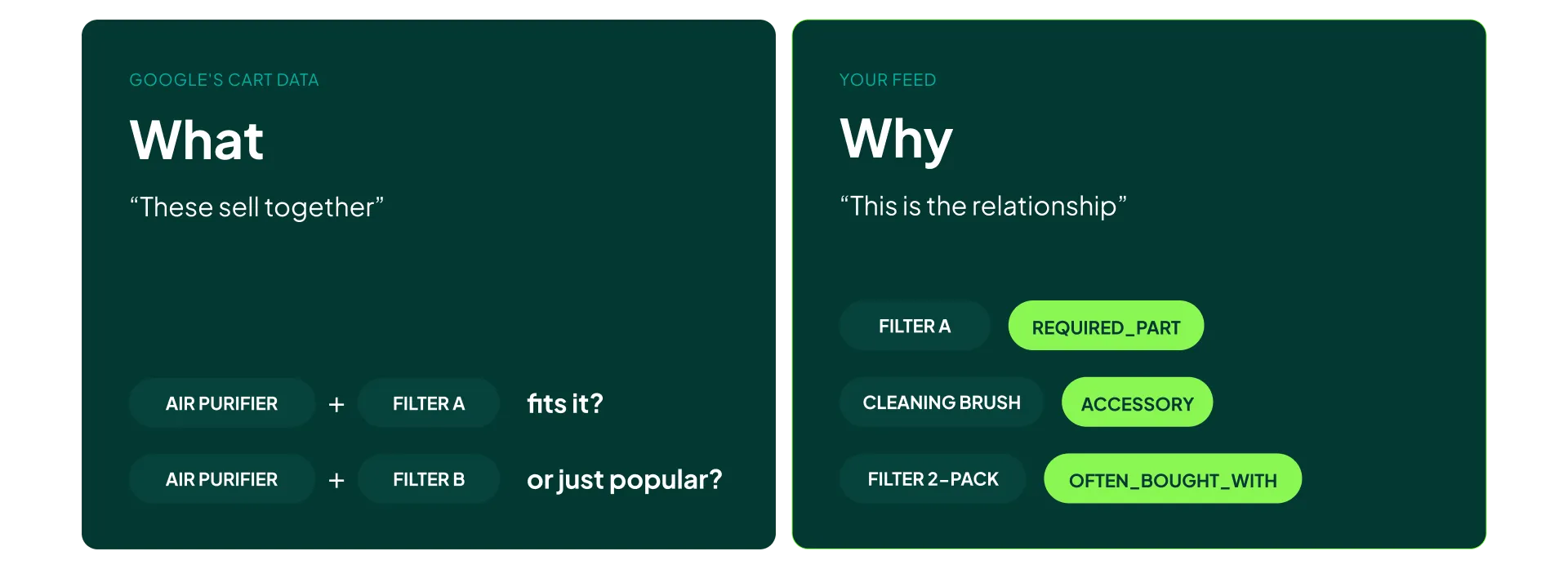
The related product attribute closes that gap. It also covers a second use case: new products, or stores just starting out, where there isn’t enough cart data for Google to learn from yet.
The related product attribute comes in three formats:
- Required part
- Accessory
- Often bought with
If someone asks the AI “which filter fits this air purifier?”, the required part relationship lets you make sure the AI surfaces the filter that fits, even if a different one sells more. I think this is an important attribute, especially for any store selling parts, consumables, or compatible accessories.
Item Group Title: Underrated and the Easiest to Set Up
Watch this part (7:47) (opens in a new tab)My initial take was that this one can be deduced from existing titles. Honestly, I still think that’s true in theory.
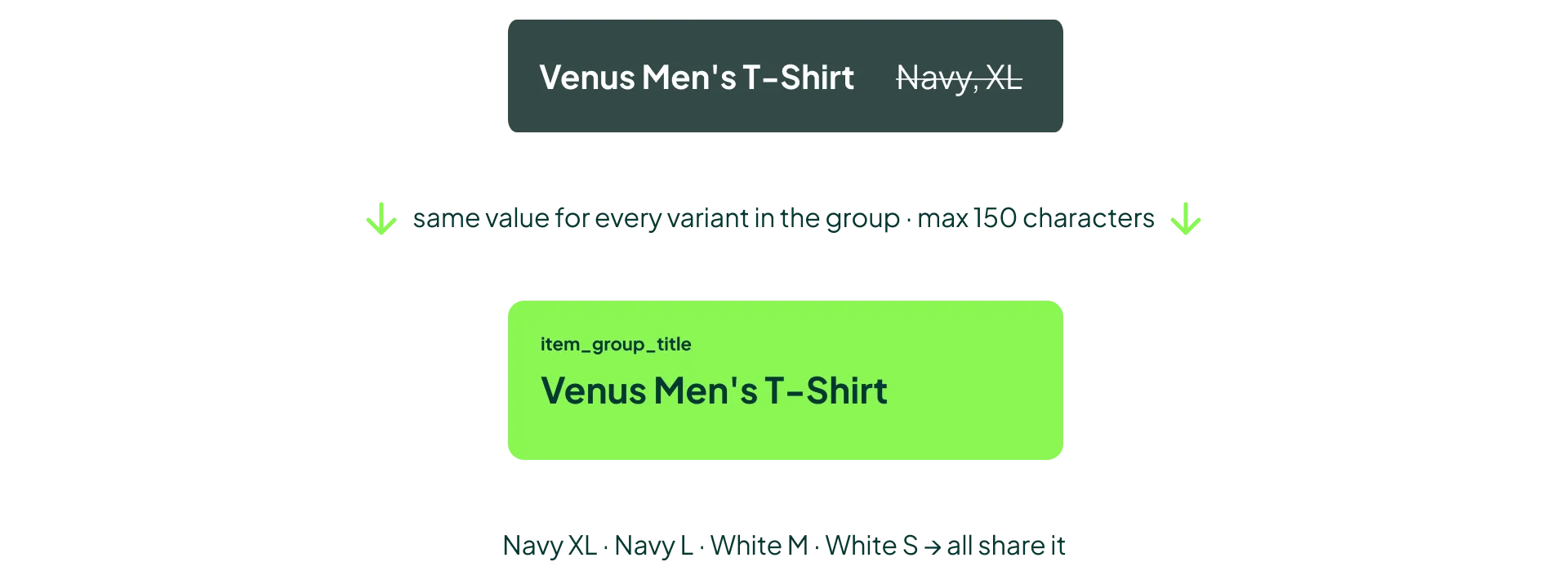
If your variant title says “Venus Men’s T-Shirt, Navy, XL”, any AI should be able to figure out that the item group title is “Venus Men’s T-Shirt.”
But I’d still add it. After years of title optimization, most feeds are stuffed with brand, category, attributes, and identifiers. Titles are built for keyword matching, and that makes it hard for an AI to deduce what the product name is. Case in point: when I asked an AI to give me an example for this attribute, it got it wrong.
It’s also the easiest of the six to set up. One rule in your feed tool that strips the variant values from your title. Keep it under 150 characters, and use the same value for every variant that shares an item group ID.
How Your Ads Will Read Inside AI Mode
I think item group title is the most underrated attribute of the bunch, and the reason is how ads will look inside AI Mode.
AI Mode is conversational. The answers read like recommendations from someone who knows the category. Drop a keyword-stuffed Shopping title into that context and it sticks out immediately. Users will know it’s an ad before they’ve read the whole line.
If you’ve ever looked at Performance Max ads in discovery placements, you’ve seen the problem already. The headlines are written purely for search:
“Ooni Pizza Oven - Best Ooni Pizza Oven - Ooni Pizza Oven for the Home”
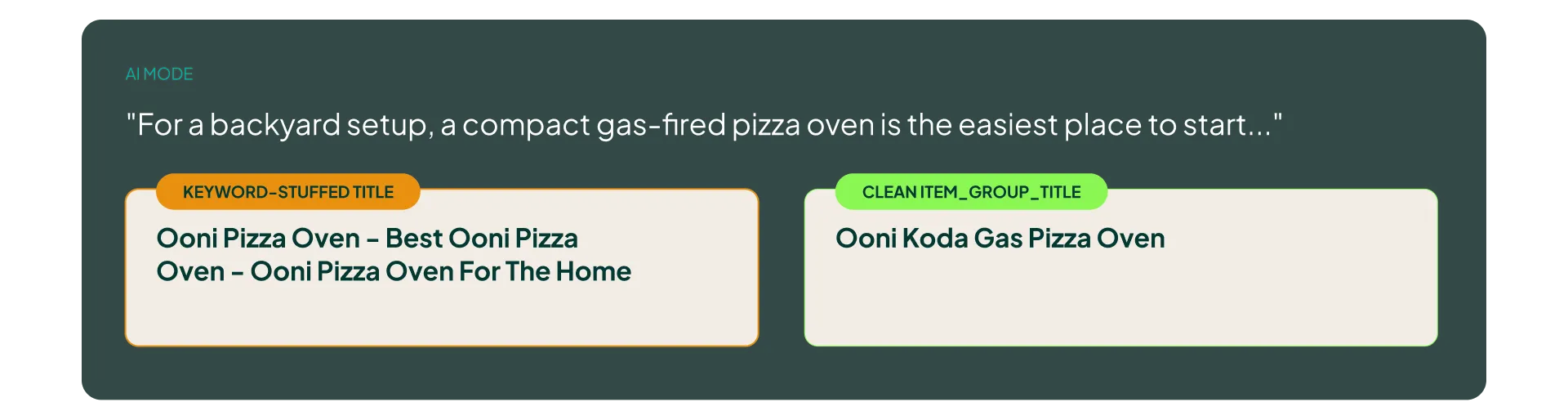
Now imagine that inside a conversational answer. Product titles for Shopping are, bluntly, keyword-stuffed junk from a reader’s perspective. That works for matching queries and falls apart in a chat.
A clean item group title helps AI Mode serve readable product names. Oddly enough, the best value is often the title you had in your feed before you optimized it.
The Order I’d Implement Them In
I’d prioritize the six conversational attributes based on effort versus impact:
- Item group title. One feed rule, immediate improvement in how your products read in AI Mode.
- Variant option. You already have the data. Building the values is fast, and it covers variations the standard attributes can’t.
- Popularity rank. Needs a simple internal calculation per sub-category, then a monthly refresh.
- Related product. High value for parts and accessories. Some mapping work required.
- Document link. Build it properly into your CMS so it stays maintainable as your catalogue changes.
- Q&A. Only if you’re a DTC brand with a small number of hero SKUs and real product depth. Everyone else can skip it.
Again, treat this as a background project. Start with item group title and variant option, then work through the rest as you get to them. Don’t stop other feed projects for this.
My Final Take
I went into this expecting to dismiss most of these attributes. I came out recommending five of the six. That surprised me.
The pattern I kept seeing is that Google “should” already know most of this information, but in practice it either can’t get it cleanly (keyword-stuffed titles, cart data without context) or doesn’t have it at all (your internal sales data, your manuals). Conversational attributes are how you stop relying on Google’s guesswork and hand the AI the answers directly.
If you’ve already started adding any of these, I’d like to hear what you’re seeing on your end. This is what I work on all day, and results from real accounts will tell me more than the documentation does.
[TL;DR]
- Five of the six conversational attributes are worth adding. Q&A only makes sense for DTC brands with a handful of hero SKUs and deep product knowledge.
- Start with item group title (one feed rule, cleaner product names in AI Mode) and variant option (covers non-standard variations like flavor, length, compatibility, scent, and firmness).
- Build popularity rank within sub-categories on a 0-100 scale (Google’s docs say whole catalogue, and I disagree), and don’t set everything to 100.
- Related product and document link fill gaps Google can’t close on its own: why products belong together, and the specs buried in your manuals.
- All six are optional, don’t affect approval, and shouldn’t duplicate existing data. Treat them as important but low urgency.