Every shopping account I audit falls into one of two camps. Either it’s been oversegmented from day one, or it’s stuck on a single campaign, basically forever. Most people get this wrong because they assume more campaigns equal better performance. The reality is quite the opposite.
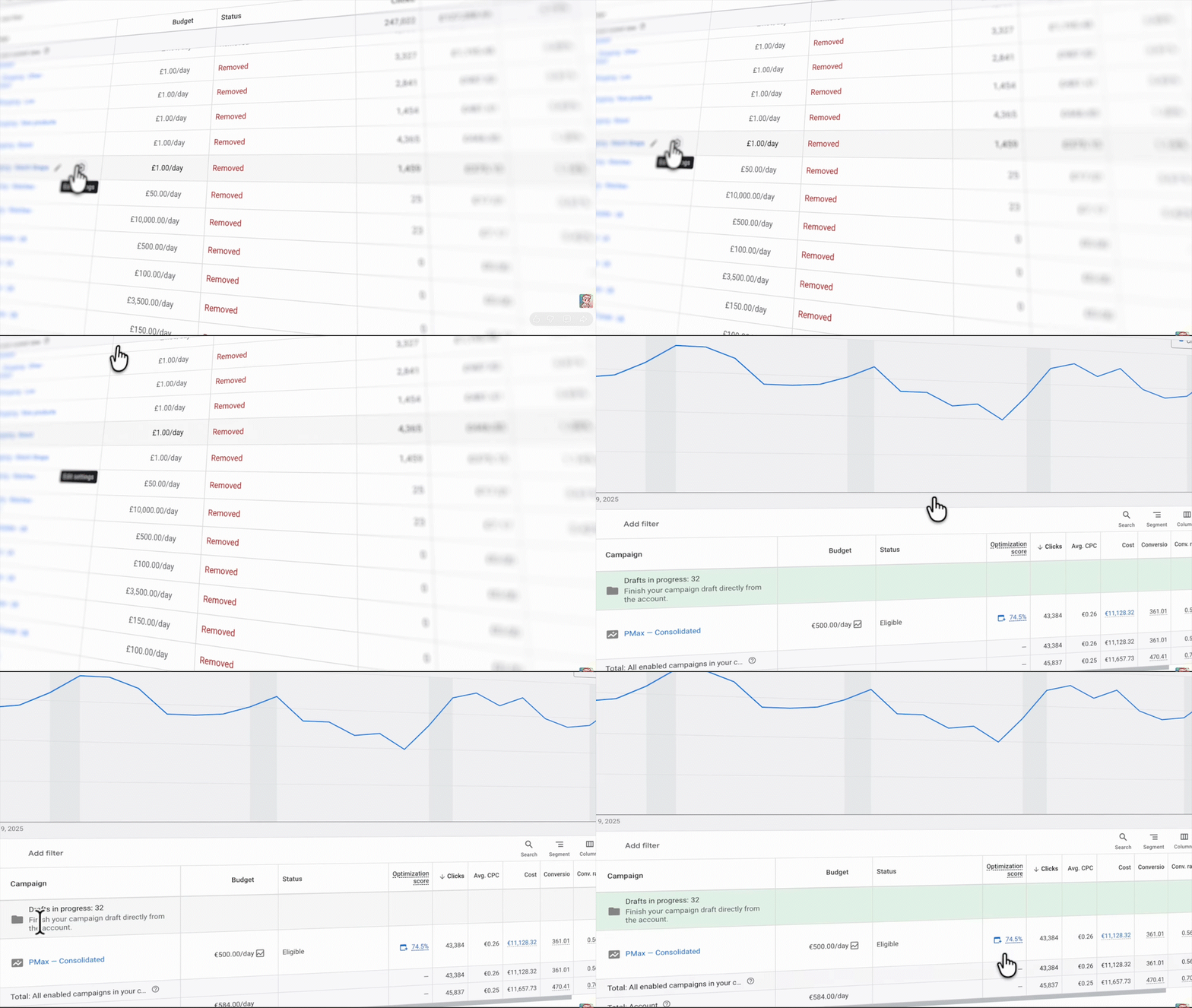
When you split your shopping campaigns too early, you’re starving Smart Bidding of the data it needs to optimize. This also applies to Performance Max (PMax), but today I’m focusing on Standard Shopping. The principles are the same: premature complexity is a performance killer.
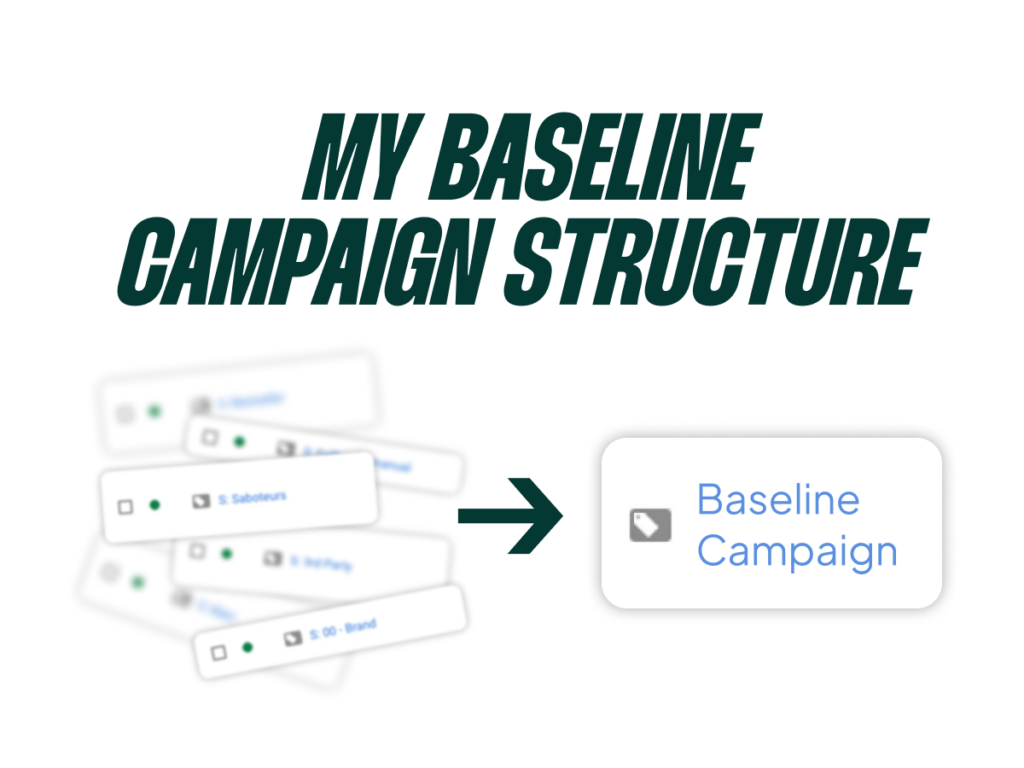
Today, I’m walking you through my exact baseline campaign structure—the one setup I use to launch every single new shopping account or restart an existing one. By the end, you’ll know the one metric that tells you when you’re actually ready to segment. Most advertisers miss this completely.
Go Beyond the Article
Why the Video is Better:
- See real examples from actual client accounts
- Get deeper insights that can’t fit in written format
- Learn advanced strategies for complex situations
The Old Way is Now the Wrong Way: Why Segmentation Kills New Accounts
Back in the early days of Google Ads, segmentation was everything. (Yup, I’m that old; I worked online BEFORE Facebook Ads were effective). If you wanted to set a specific bid for a search term, product, device, or location, you had to isolate it in its own campaign. It was the only way to get control.
But in the age of Smart Bidding, the very tactics that made us successful back then will absolutely torpedo your performance today. Oversegmenting your campaigns means that Smart Bidding has less data to work with. It’s one of the main reasons why accounts with more campaigns often perform worse than those with fewer.
But what counts as oversegmentation? When are you under-segmenting? When is your segmentation just plain wrong? These are the questions we need to answer.
Rule #1: If You Can’t Win With One Campaign, You Can’t Win at All
This is the number one rule of Shopping Ads: you must be profitable with a single campaign.
If you’re not profitable with one Standard Shopping or feed-only PMax campaign, then you need to go back to the baseline: your product, your price, your website. No amount of campaign segmentation can solve a fundamental business problem. If you can’t make a single campaign work, the issue isn’t Google Ads.
This isn’t to say complex structures can’t help. They can, and it’s a core part of what we do at SavvyRevenue. But Standard Shopping combined with Smart Bidding just works really, really well out of the box. If you’re not performing well with this baseline, you risk tinkering with structure, spreading your data too thin, and wondering what to try next when you should be asking:
- How can I optimize my website?
- Do I have the right product-market fit?
- What prices should I be testing?
If you start segmenting from the beginning without this profitable baseline, you have no benchmark. You end up creating campaign structures based on arbitrary lines like product categories or brands, you don’t know what’s actually working, and you can’t tell if your “complex” structure is any good because you have nothing to compare it to.
Your Baseline Setup: Standard Shopping vs. PMax Feed-Only
So we’ve established you need one baseline campaign. Now, which type should you choose? You have two main options.
When to Use Standard Shopping
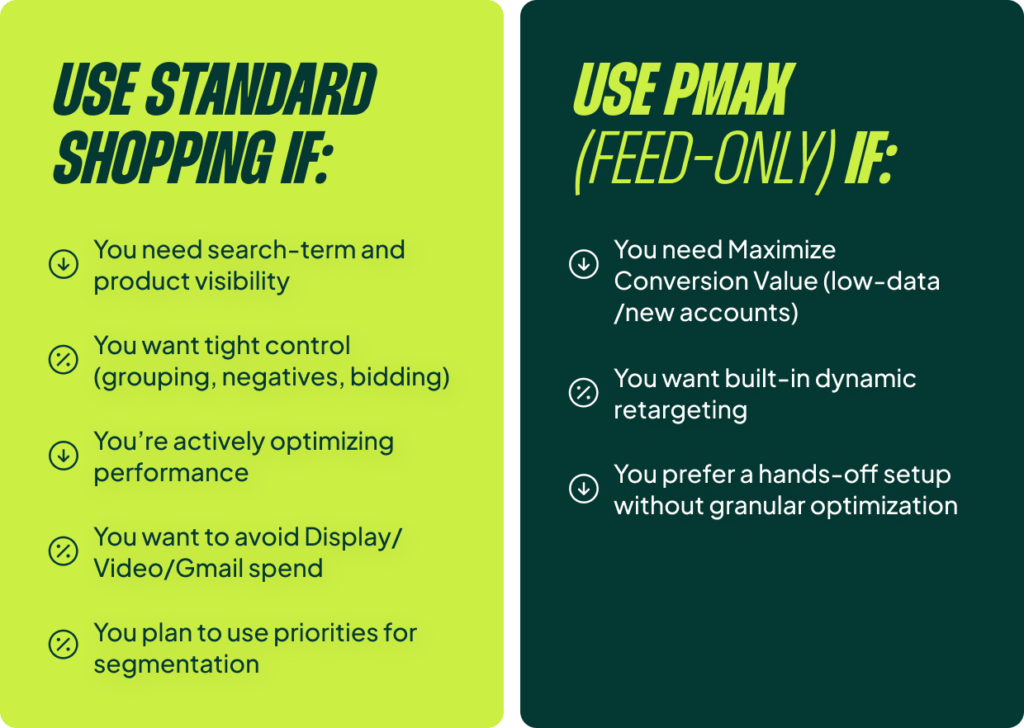
You should use Standard Shopping when you want full visibility into search terms and product performance. It gives you precise control over product grouping and negative keywords. You can also see which specific products (e.g., your jeans) are matching up with relevant search terms (e.g., “jeans”). You should also use it if you plan on actively optimizing—analyzing impression share, adjusting max bid limits, and so on. And, of course, it lets you avoid the budget bleed from Display, Video, and Gmail that I can’t stand in PMax.
The big one: if you ever plan to use campaign priorities to layer your segmentation later, you have to start with Standard Shopping. There’s no point starting with PMax if you’re going to switch later.
When to Use PMax Feed-Only
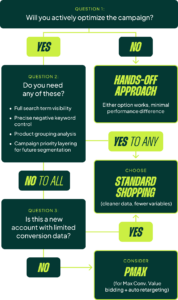
You could use a feed-only PMax campaign if you need to use Maximize Conversion Value bidding from day one, which can be useful for new accounts with limited data. It also includes automatic dynamic product remarketing. If you aren’t planning to touch any of the optimization levers I mentioned for Standard Shopping, then you might as well use PMax.
Honestly, in terms of pure performance for a feed-only setup you just leave alone, there’s not much difference. The only real differentiator is how hands-on you plan to be.
My recommendation is almost always to start with Standard Shopping. It gives you cleaner data, fewer variables, and a better foundation. I know I’m only buying Shopping ad traffic, and nothing is getting messed up in the PMax black box. If you have any doubts at all, start with Standard Shopping.
Optimize Before You Complicate: A 4-Point Checklist
This is where people get it wrong. They start segmenting before they’ve even optimized their baseline. Before you build any complex structure, run through this checklist.
1. Feed Optimization
Make sure your titles are keyword-rich. Make sure you have good images. Make sure you fill in all the product attributes. I have another video on “feed hygiene,” but in the age of AI, giving Google all this data is non-negotiable.
2. Product Analysis
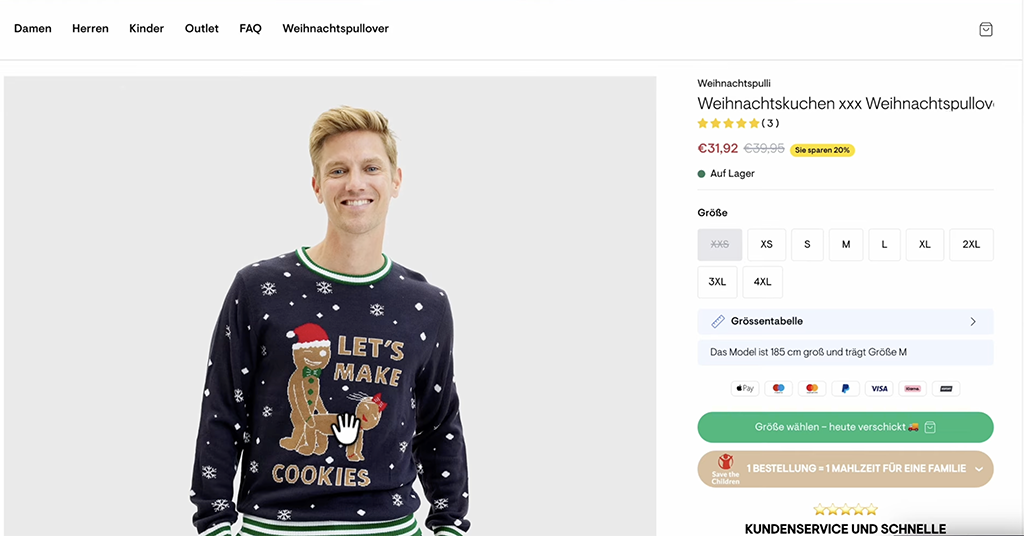
Are your top products actually getting the clicks? If not, you may need to exclude the products that are stealing clicks without converting. I’ve seen this happen countless times. For one client, a funny sweater with the text “Let’s Make Cookies” got 90% of the clicks because it had a ridiculously high CTR. But conversions? Zero. Google just kept pushing it. Because the account was new and didn’t have conversion data yet, I had to manually exclude the product from the feed to force the budget toward products that actually sell.
3. Search Term Analysis
Are your search terms relevant? If not, check if you have the right keywords in your product titles. If you do, then you can either add negative keywords to block irrelevant traffic or (and this might sound counterintuitive) lower your ROAS target. Sometimes your ROAS target is too high to enter the most relevant, high-quality auctions.
4. Bidding & ROAS Targets
Test different ROAS targets every two weeks. Often, you need to set a lower ROAS target than you’re comfortable with just to get the machine learning going. Lower it by 50 percentage points every two weeks until you get traction (consistent clicks and budget spend). Once you have that for 2-4 weeks, you can start increasing the targets again. Also, if you’re using max bid limits, try removing them. You might simply be capping yourself out of the best auctions.
Run this baseline structure for a minimum of 4-6 weeks and collect at least 100 conversions before you even think about the next step.
The Golden Rule: When Are You *Actually* Ready to Segment?
So, how do you know when it’s time to move beyond the baseline? It’s not a feeling; it’s about data.
First, let’s be clear: splitting out your brand and non-brand campaigns is not segmentation. That’s just common sense. You should always have your brand search terms in a separate campaign. I’m talking about splitting up your non-brand products.
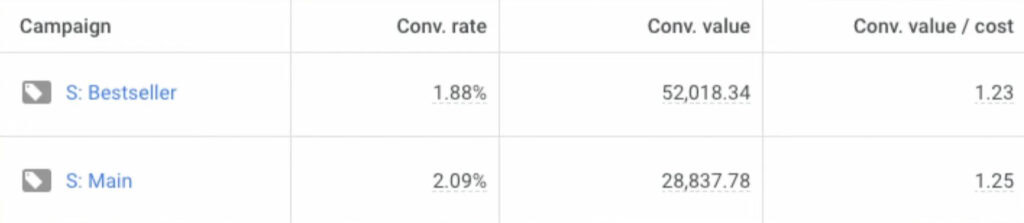
The rule is simple: every new campaign you create should be able to get at least 100 conversions per month on its own. If you’re thinking of splitting out your bestsellers, that new bestseller campaign needs to hit 100 conversions. (There are exceptions, like isolating low-performing products to limit spend, but for performance segments, this rule holds).
If you have enough conversions, you need one of two reasons to justify the split:
- There are significant performance differences between your product segments (e.g., different conversion rates, CPCs, etc.).
- You need to set a different ROAS target or budget for a specific group of products.
If you set up a complex structure and all the campaigns have the same conversion rate and the same ROAS target, you’ve accomplished nothing. I see this all the time—a “bestsellers” campaign that has a lower conversion rate than the main “all products” campaign. It’s a clear sign the structure is not working and is just making things worse.
What To Do Now: A Simple Action Plan
Here’s what I want you to do after reading this.
If you’re starting fresh: Create just one Standard Shopping campaign. Set it to a break-even ROAS (or even a bit lower) and give it a budget you can afford to lose while it learns.
If you have a complex structure: Seriously consider reverting to the baseline. Audit your campaigns right now. Do they have different conversion rates? Different ROAS targets? If you have more than 3-4 shopping campaigns and any of them are getting fewer than 100 conversions per month, you are most likely hurting your own performance.
You can test this without blowing everything up. Create a new baseline campaign and run it side-by-side with your existing structure for a few weeks. I’ve seen this work dozens of times. We’ve taken accounts with 8-10 campaigns, consolidated them down to just one, and watched performance improve within weeks.
A complex structure doesn’t automatically help you. Often, it’s just spreading your data too thin and preventing Smart Bidding from learning properly. Start simple, get profitable, and only then should you consider segmenting.
[TL;DR]
- Stop oversegmenting your Shopping campaigns from the start. In the age of Smart Bidding, this starves the algorithm of data and hurts performance.
- You must be profitable with a single baseline campaign first. If you can’t be, the problem is your business fundamentals (product, price, site), not your campaign structure.
- Start with a single Standard Shopping campaign for maximum control and the cleanest data. Optimize your feed, products, and bids before ever thinking about adding more campaigns.
- The primary trigger to segment is data. You need 100+ conversions per month for any new campaign you create and a clear performance-based reason (like different conversion rates or ROAS goals).
- Splitting brand vs. non-brand isn’t segmentation; it’s common sense and should always be done. For everything else, earn the right to add complexity.