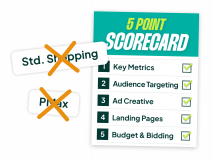
Most Google Ads checklists give you five tips you’ve heard a hundred times. Add broad match, test new creatives, yawn. To actually move the needle, we need to do things differently. This isn’t a long list of unproven betas; these are the proven tactics based on what I know works at SavvyRevenue and from the 50+ external accounts I audited over the last 12 months. The mistakes I see most often are the ones that made this list.
If you implement just a handful of these fixes, you’ll be 20% to 50% better at Google Ads. The range is huge because some of these issues are fundamental, like rethinking your entire campaign structure, while others are more tactical. Let’s dig in.
Go Beyond the Article
Why the Video is Better:
- See real examples from actual client accounts
- Get deeper insights that can’t fit in written format
- Learn advanced strategies for complex situations
Your Foundation is Cracked: Rethinking Campaign Structure
The most damaging issues are almost always foundational. If you build a complex structure on faulty logic or bad data, nothing else you do will matter. This is where I see the most well-intentioned advertisers go wrong.
No Real Strategy Behind Your Campaigns
Too many people split up their campaigns based on a LinkedIn post they saw or a structure they think is clever. The result is almost always over-segmentation. Products get scattered randomly throughout the account, and Smart Bidding has a tough time bidding optimally because the data is spread too thin.
I saw this firsthand last year when I looked behind the curtain at one of the biggest e-commerce advertisers in the world (think top 20). Their single biggest performance gain came from combining all their campaigns into one. We’re talking millions of products. Now, think about whether you’re overcomplicating things.
Whenever you’re in doubt, keep it simple. A single campaign with all your products will perform better than the wrong, over-engineered campaign structure.
Relying on Broken or Suboptimal Feed Data
This is my most basic advice, but I still see advertisers skip it. I recently audited an account that was splitting PMax campaigns by category: Accessories, Garden, Outdoor, and Furniture. They had set different ROAS targets for each, which makes perfect sense. The problem? Nobody had actually verified that the products were in the right categories.
Because the data was pulled incorrectly from Shopify, “accessories” were mixed in with “garden,” and “furniture” was grouped with “outdoor.” This meant they were pushing low-margin accessories way too hard in March while underfunding their best-selling outdoor products right at the start of the season. It was a complete mess, all because of a faulty feed.
Still Drowning in Old Negative Keywords
My problem isn’t necessarily with adding negative keywords. The problem is that you add them and then never review them again. You tried to control Smart Bidding two years ago for a product you didn’t sell, you lost oversight, and now that negative keyword is killing potential conversions for a product you now stock.
Removing all your negative keywords gives you a clean slate. Yes, you might see a temporary dip in efficiency for a couple of months as you re-add the essential ones. But you regain all the lost volume from over-blocking search terms that are now relevant. It’s often worth the short-term trade-off.
The Performance Max Misconceptions
Performance Max is where a huge chunk of ad spend goes, yet it remains one of the most misunderstood campaign types. Most of the effort I see is completely misplaced.
Thinking PMax is a Full-Funnel Campaign (It’s Not)
Please, stop thinking this. PMax is primarily a mid-to-bottom-of-funnel campaign. The most common comeback I get is, “Well, at least it does our retargeting.” People spend ages creating beautiful image and video assets, assuming they’re being served to past visitors.
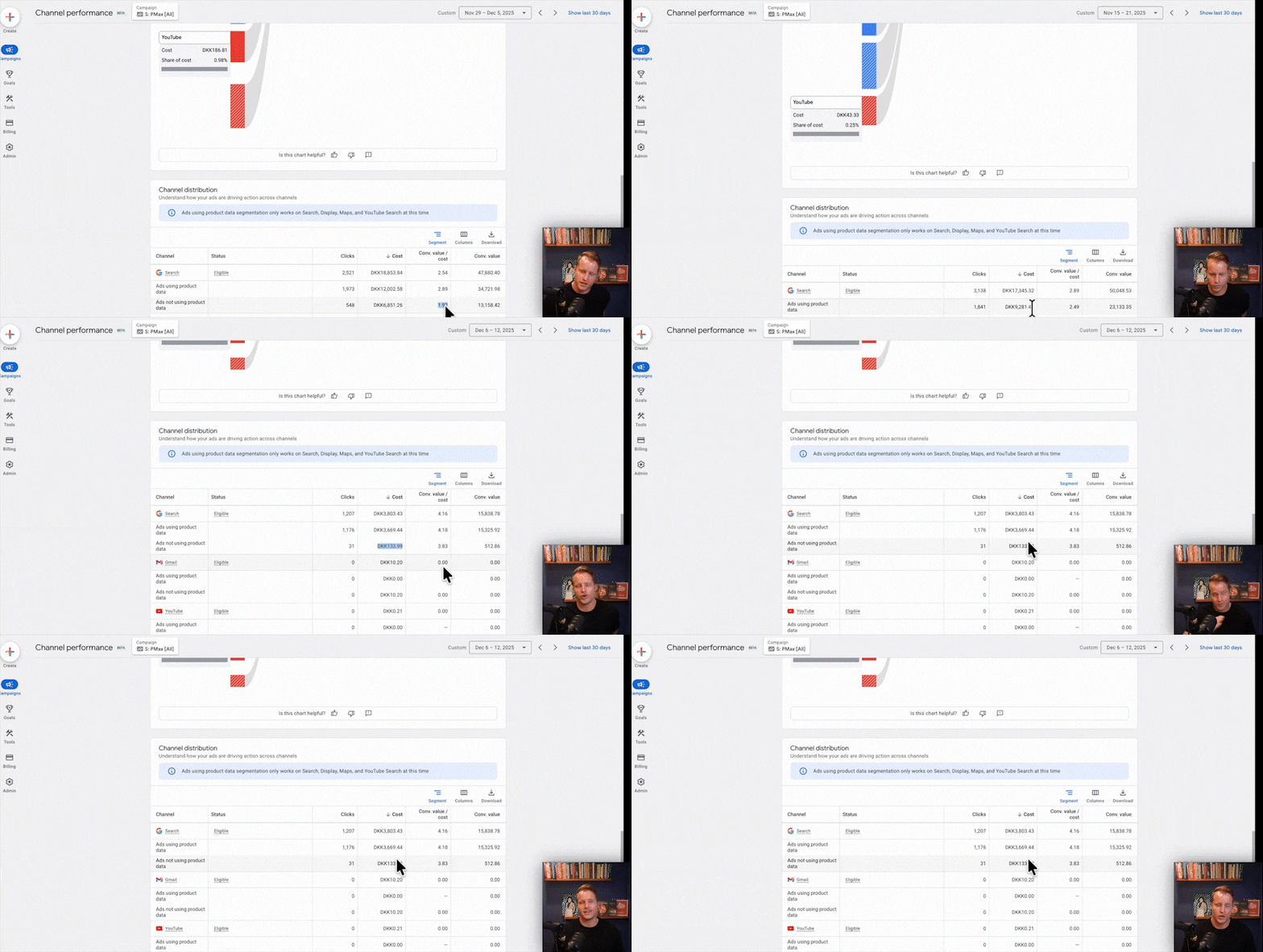
I open these accounts all the time and see that less than 1% of the budget is being spent on anything other than Search and Shopping. Sometimes as little as half a percent. The assumption that PMax is effectively handling your retargeting is often just that—an assumption. Don’t assume; check your channel performance report.
Ignoring the Shopping Component of PMax
This leads directly to the next mistake. If 99% of your PMax spend is going to Shopping placements, why is 99% of your optimization effort focused on creative assets and search themes? I recently looked at a campaign that spent over $100k in 90 days. The asset groups were perfectly structured by collection and theme. When we checked the channel performance, 99.36% of the spend was on Shopping.
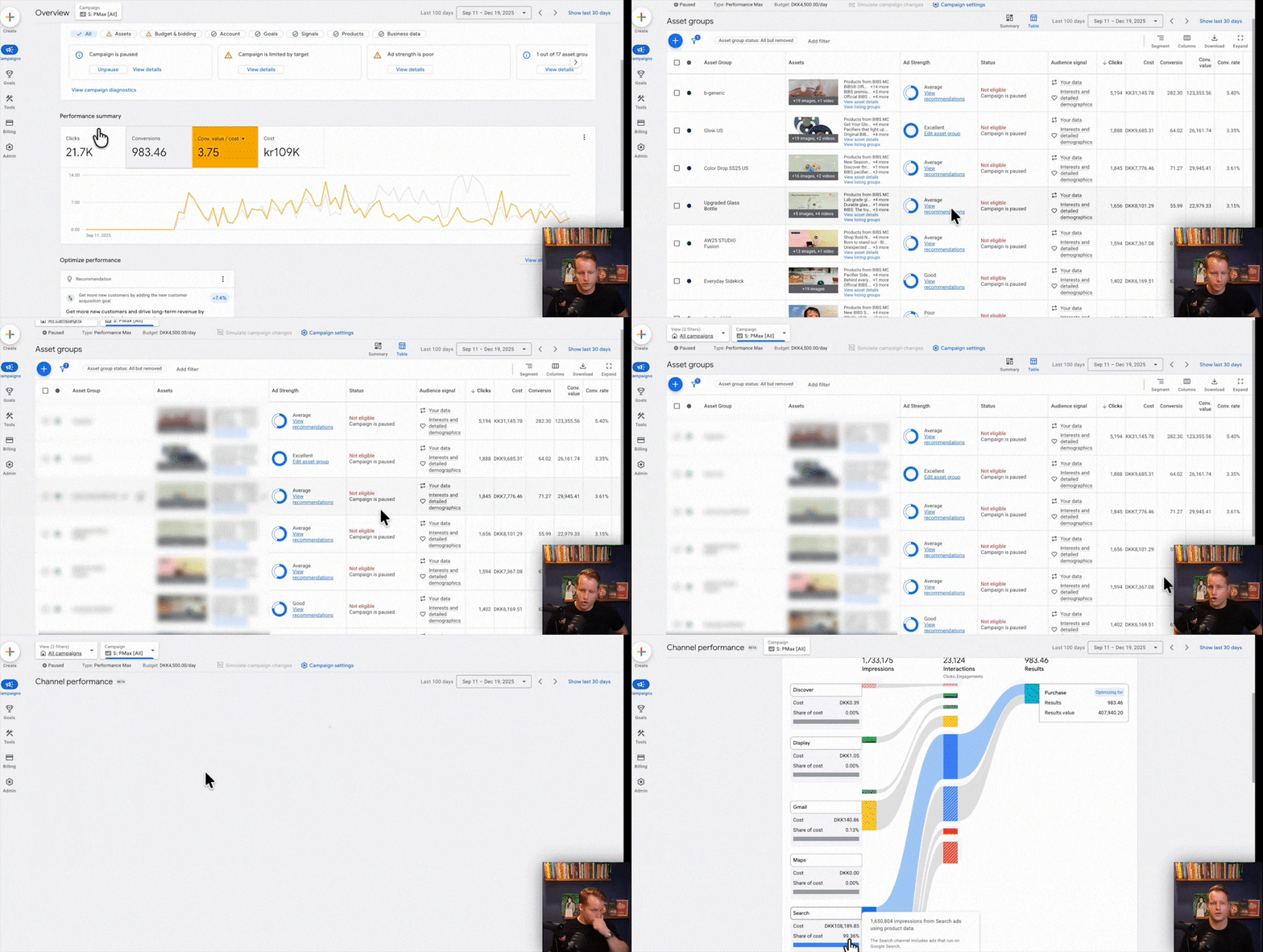
All that work on images, videos, and headlines had zero impact. Product segmentation, feed optimization, and custom product scoring drive 80% of success with Shopping ads, even within PMax. If you want to improve PMax performance, focus there first.
Relying Solely on PMax
PMax is powerful, but relying on it exclusively means you’re giving up control, insights, and potential efficiency. We had a client whose PMax campaign was performing well, with most of the spend on Search and Shopping. Then Black Friday hit. They drastically lowered ROAS targets, then jacked them back up afterward to control the overspend.
They didn’t realize that this sequence completely killed their Search spend within PMax. It just vanished and never came back. We had to move them to Standard Shopping and dedicated Search campaigns to immediately pick up the performance again. That’s the kind of control you lose when you put all your eggs in the PMax basket.
The New Rules of Search Campaigns You’re Probably Ignoring
The principles of running effective Search campaigns have changed dramatically, but many advertisers are still using an outdated playbook.
Believing SKAGs and Keyword Variations Still Work
Single Keyword Ad Groups (SKAGs) are absolutely dead. With match types becoming so loose, SKAG structures simply don’t work anymore. They split your data too thin, which ruins the algorithm’s ability to optimize Responsive Search Ads (RSAs).
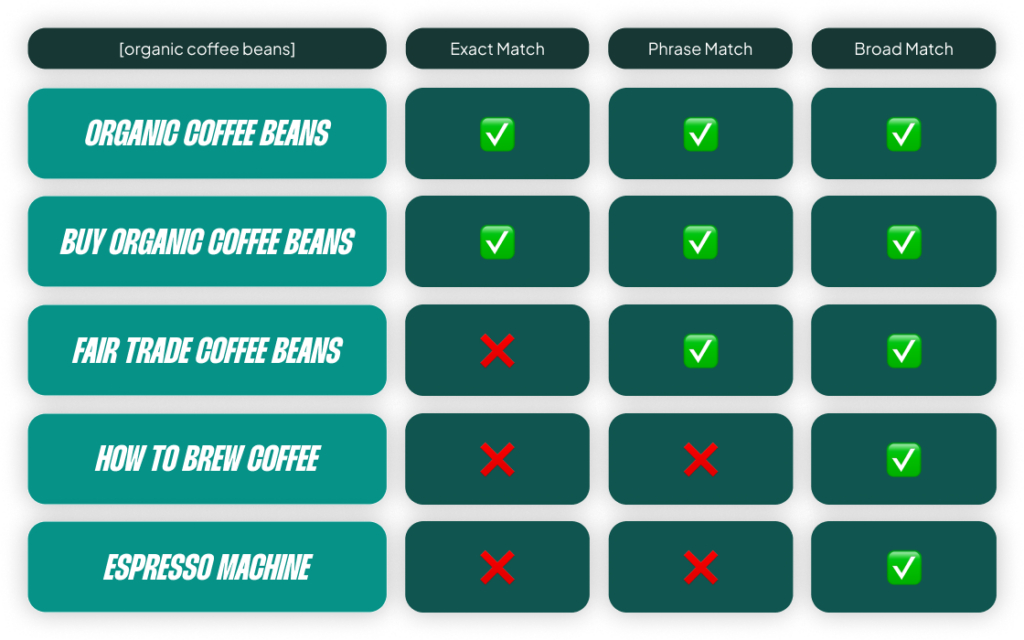
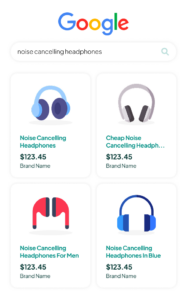
The same goes for adding every minor variation of a keyword (plurals, different word orders). Smart Bidding bids on the search term level, not the keyword level. Adding “noise cancelling headphone” and “noise cancelling headphones” is just creating unnecessary complexity. Unless you can write a genuinely different and more relevant ad for a keyword variation, it belongs in the same ad group.
Not Using Asset-Level Conversion Data
Last year, Google gave us performance data for individual headlines and descriptions. This is golden. It’s like we’re back in the good old days where we could weigh CTR versus conversion rate to find the ad copy that truly performs. Yet most advertisers are still just adding 15 headlines and hoping for the best.
The problem with adding 15 headlines is that it’s nearly impossible to write 15 high-quality, distinct messages. You usually end up with generic, low-quality assets that hurt performance more than they help. A much better approach is to start with five quality headlines, use the data to see what works, and continuously test and replace them based on actual conversion performance.
Over-Relying on Dynamic Search Ads (DSAs)
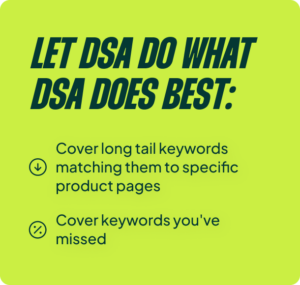
DSAs are a great tool for covering long-tail keywords and finding terms you’ve missed. But they are not a replacement for a proper keyword-based Search structure. The problem is twofold:
- There’s too much waste. Even with Smart Bidding, 10-30% of DSA spend is often pure waste on irrelevant queries.
- The ad copy is weak. DSAs pull your SEO titles as headlines. Those are optimized for ranking, not for converting paid traffic.
The combination of these two factors puts a hard ceiling on how aggressively Smart Bidding can bid. Let DSA do what it does best, but build out dedicated campaigns for your core keywords. This is where you’ll find real growth.

You’re Steering Blind: Fixing Your Bidding & Measurement
Your bidding strategy is the engine of your account. If it’s miscalibrated or running on bad fuel, you’re either leaving money on the table or driving straight into a wall.
Never Adjusting Your ROAS Target
This is a big one. Too many accounts are running on a ROAS target that was set years ago and never revisited. That target is likely wrong today due to changes in tracking, consent modeling, margins, or the competitive landscape.
You need to be comfortable adjusting your target. Decreasing your ROAS target gives Smart Bidding permission to explore new search terms and find more volume. Increasing it narrows the focus to proven performers to maximize profitability. Strategically testing your target by 10-20% can often unlock more volume at nearly the same efficiency.
Knowing When (and When Not) to Override Smart Bidding
As a rule, you shouldn’t micromanage Smart Bidding. However, there are times when the stakes are too high to wait for the algorithm to catch up. For our clients where Valentine’s Day is huge, we can’t afford for Smart Bidding to be a bit off. We effectively “day trade” with seasonality adjustments to maximize volume during that critical two-week window.
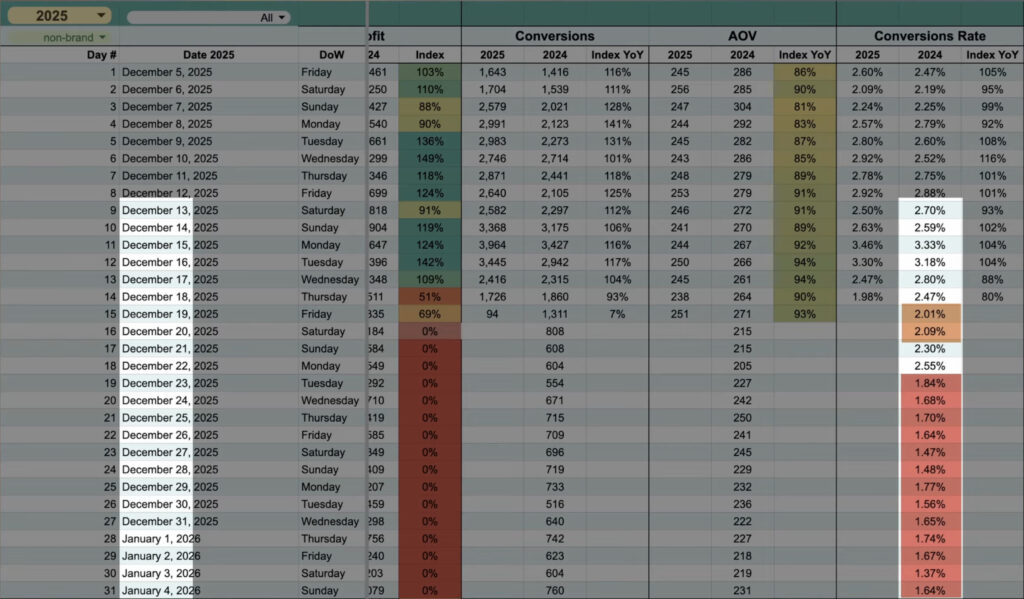
Another obvious example is after your holiday shipping cutoff. Smart Bidding doesn’t know you can’t ship on time anymore. Your conversion rate will plummet overnight. You have to intervene.
The danger is overriding it all the time. I’ve seen accounts with a permanent -80% seasonality bid that they just renew every week. The more you do this, the more the algorithm loses its sense of a true performance baseline. Override strategically, then get out of the way as fast as you can.
Looking Beyond In-Platform ROAS
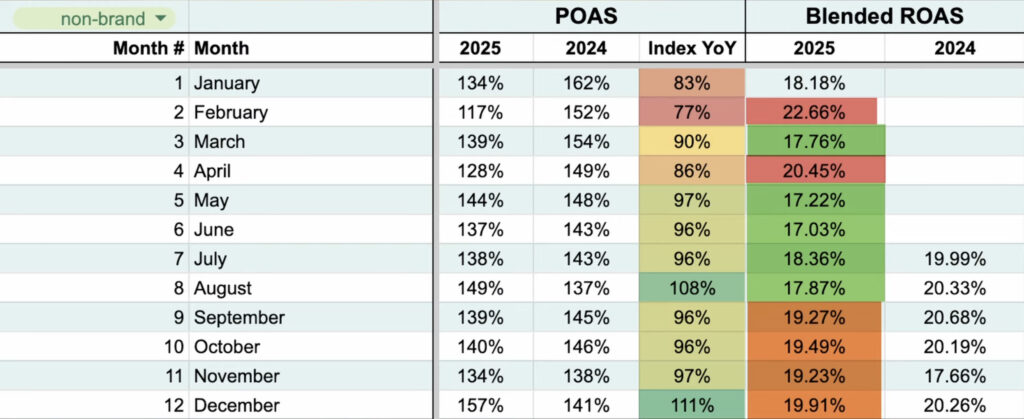
Focusing only on the ROAS reported in Google Ads is a silo-based approach that always leads to setting the wrong target. You have to factor in your overall business numbers. Whether you use blended ROAS, contribution margin, or new customer acquisition as a core KPI, that data must inform your Google Ads targets.
If new customers are your growth engine, you should be willing to accept a lower ROAS on campaigns that drive them. If you have wildly different product margins, using Profit on Ad Spend (POAS) can be transformative. But be pragmatic—POAS only works if you have variable margins, stable pricing, and an organization that actually cares about profit as a marketing KPI.
How to Actually Start Fixing Your Account
You’re not going to fix all of these issues overnight, and you shouldn’t try. The goal isn’t perfection; it’s progress. My biggest advantage is that I see a lot of accounts, so I get to see what happens when we try different things.
Go through your own account and identify three to five of these areas to tackle right now. Pick the ones where you know you’re making a mistake or you’re generally unsure. Then, prioritize what’s going to move the needle the most. Maybe it’s cleaning up your feed data. Maybe it’s finally testing your ROAS target. The key is to start testing and learning.
[TL;DR]
- Simplify Your Campaign Structure: Over-segmentation in Shopping, PMax, and Search (SKAGs) hurts performance by spreading data too thin. A simpler structure almost always works better with Smart Bidding.
- Understand How PMax Really Works: It’s not a full-funnel campaign. For most e-commerce accounts, it’s a Shopping campaign in disguise. Optimize your feed and product data, not just your creative assets.
- Modernize Your Search Strategy: SKAGs are dead, match types have evolved, and you should be using asset-level conversion data to optimize your RSAs instead of just adding 15 generic headlines.
- Actively Manage Your Bidding & Measurement: Your ROAS target should not be static. Test it regularly, know when to strategically override Smart Bidding, and always connect your in-platform metrics to real business goals like blended ROAS or new customer acquisition.