Dansk
Dansk
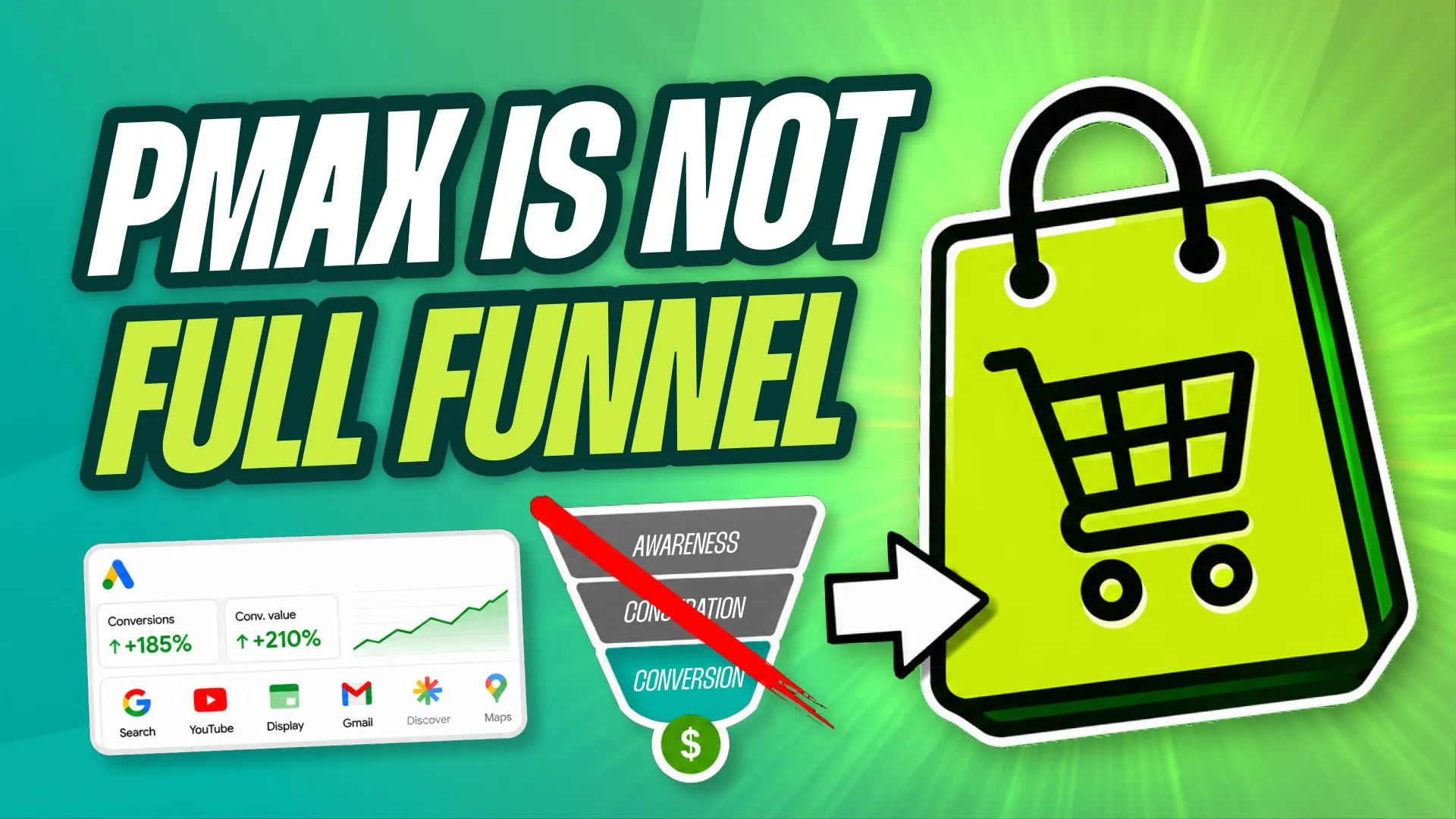
In a recent video I walked through three Performance Max vs Standard Shopping tests we ran, and one thing kept nagging at me afterwards. The more I talk to people who work hands-on with Performance Max, the more obvious it becomes that almost everyone expects the campaign type to do everything. And the data from those tests says the opposite: even though PMax technically covers every inventory type Google owns, it does not behave like a top and bottom funnel campaign.
Most PMax setup advice skips straight past this and lands on the tactical questions. How many asset groups should I create? Which search themes should I add? Which assets should I upload?
Those questions matter. But if your idea of what kind of campaign Performance Max actually is happens to be wrong, then every answer to those questions is also wrong. That is the mistake that quietly makes every other setting useless.
The Wrong Mental Model
Google presents Performance Max as one campaign that covers the entire inventory stack:
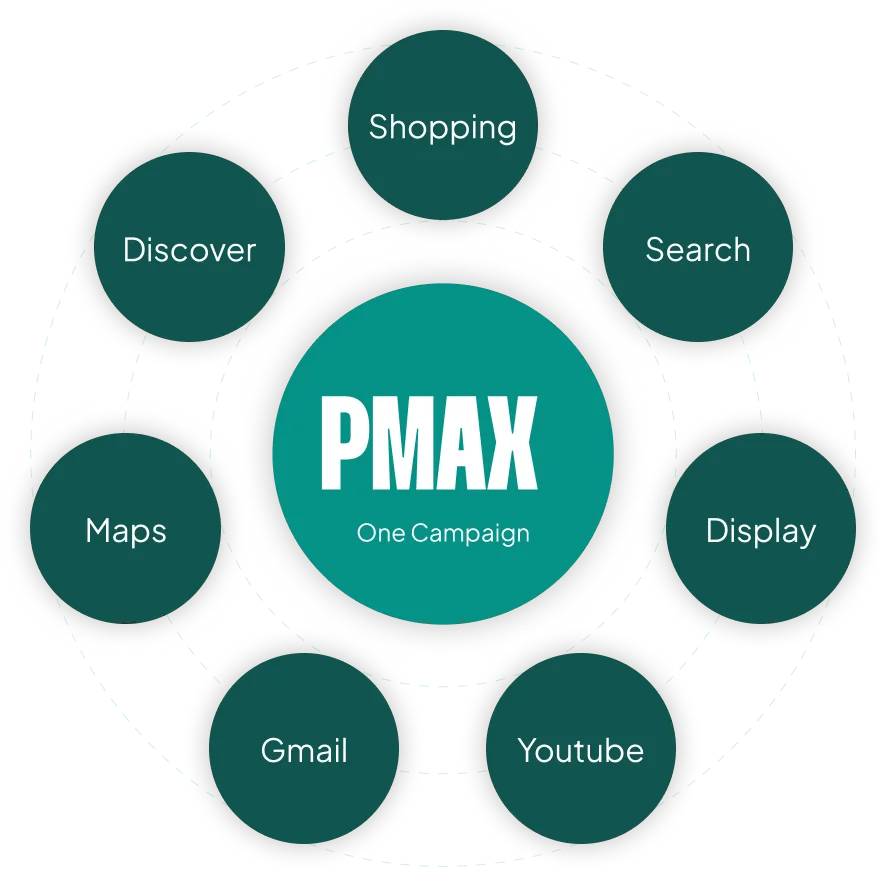
- Shopping
- Search
- YouTube
- Display
- Gmail
- Discover
- Maps
So the natural conclusion is: “My job now is to hand Google the right assets so it can serve them across every channel and every stage of the buyer’s journey.”
That mindset produces a predictable set of bad decisions:
- No dedicated Search campaigns, because “PMax handles Search”
- A creative strategy built for awareness instead of conversion
- No real top or mid-funnel plan anywhere in the account
- Shopping performance held back because the ROAS from other channels inside the campaign can’t keep up
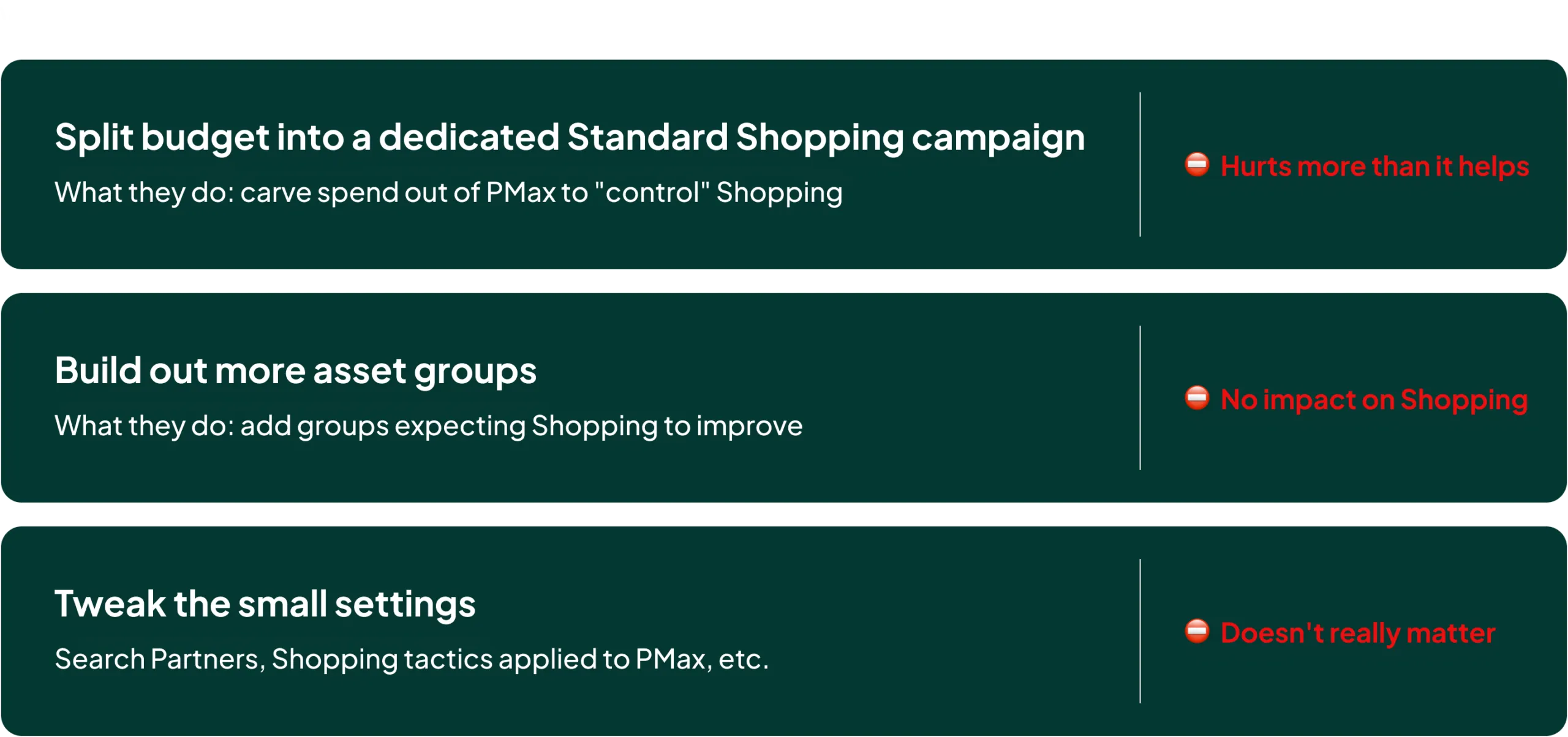
And when performance stalls, the fixes advertisers reach for are equally predictable. They spin up Standard Shopping campaigns that split the budget (which usually hurts more than it helps). They build out more asset groups (which has essentially no impact on the Shopping side). They tweak the small stuff, Search Partners, applying old Shopping tactics to PMax, and so on. None of it moves the number that matters.
Every marketer agrees on one premise: top, mid and bottom funnel activities cannot be measured with the same KPIs. So why do we assume Performance Max can run all three at once against a single ROAS target?
It can’t.
I’ll spare you the lecture on funnel theory. The point is narrower and more useful: once you accept the limitations of Performance Max, you can start making decisions that A) actually affect your PMax campaigns, and B) expand your account beyond them.
The Better Model
By identifying what PMax is genuinely good at, we can make it better. By identifying what it is bad at, we can build supporting campaigns around those weaknesses and take the whole account further.
For most ecommerce accounts, Performance Max is good at three things:
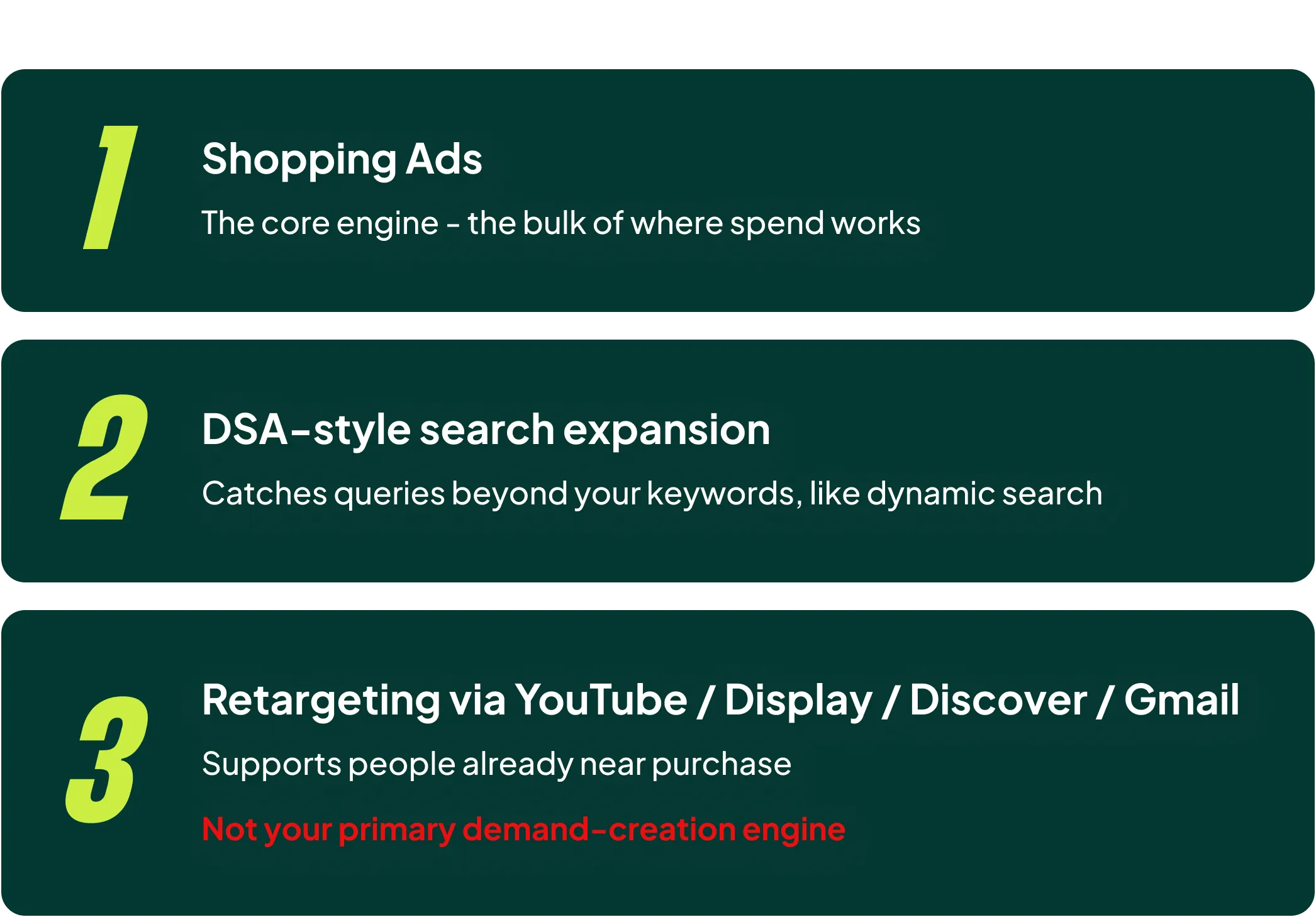
- Shopping Ads
- DSA-style search expansion
- Retargeting through YouTube, Display, Discover and Gmail
That’s it. Shopping, with a bit of Search and some Display retargeting layered on top.
So the mental model is simple: PMax is your bottom-funnel campaign. And it can take you a very long way. In my opinion, only large advertisers who have maximised the bottom-funnel parts of Google Ads and Meta need to start expanding into YouTube or Display as demand generation channels.
Once you accept that, the ideal setup gets a lot simpler, because you stop optimising for what you want PMax to be good at and start optimising for what it is good at.
What This Changes in Your Setup
1. Feed First (And I Mean Further Than You Think)
You’ve heard “feed first” before. Give me ten seconds, because I want to take an angle on it that I doubt you’ve considered.
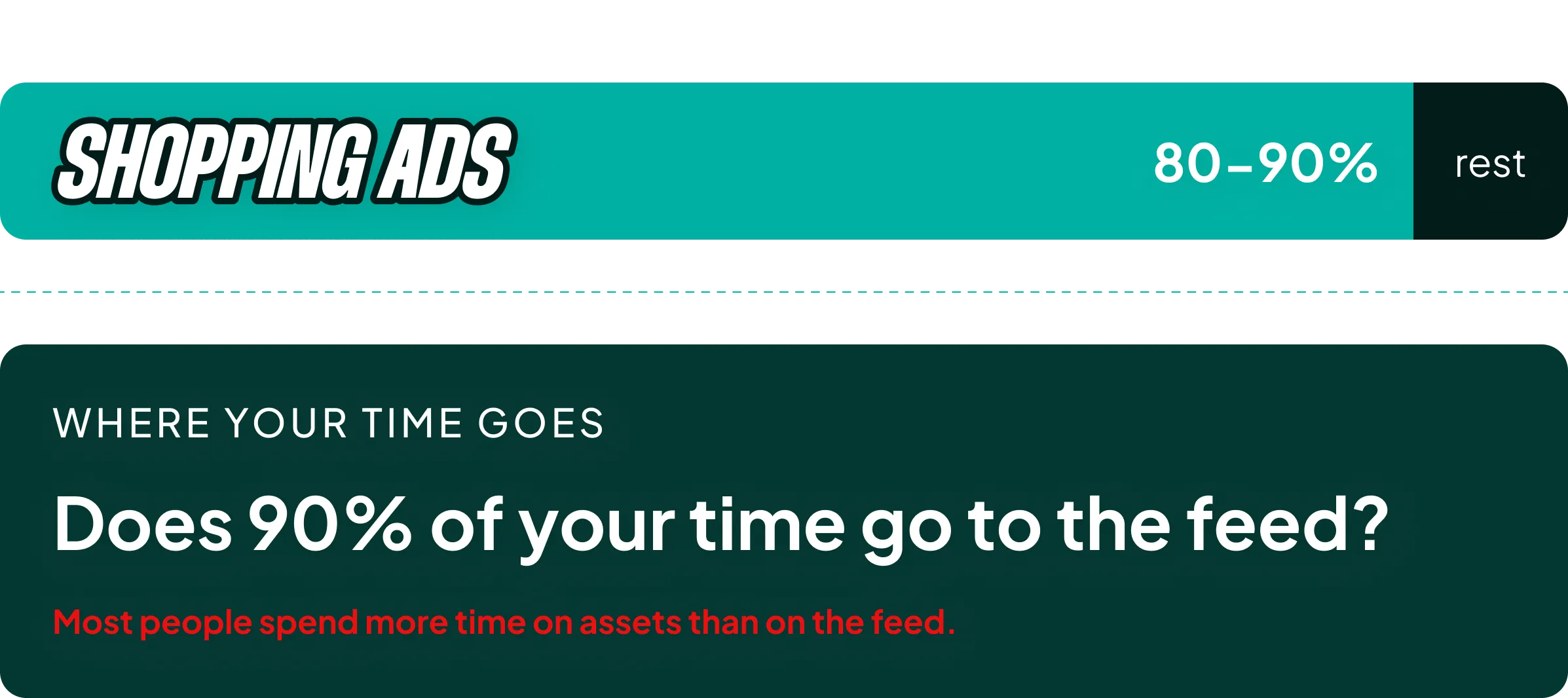
If PMax is primarily Shopping, then the feed is where most of your time should go. That part is easy to agree with. The problem is that most of the people I talk to spend more time on assets than on their feed, even though Shopping placements account for 80-90% of the spend.
Most of you will set the feed up properly once, then never touch it again. Sound familiar?
I have an extensive video on Shopping feed optimization, but the summary is that basic feed work has two elements:
- Adding all required and recommended attributes
- Optimizing the core values: Title, Product Type, Custom Labels
That is the baseline. Most advertisers stop the moment they’ve stuffed a few keywords into the title. Don’t stop there. Go deeper, and optimize your top products one by one.
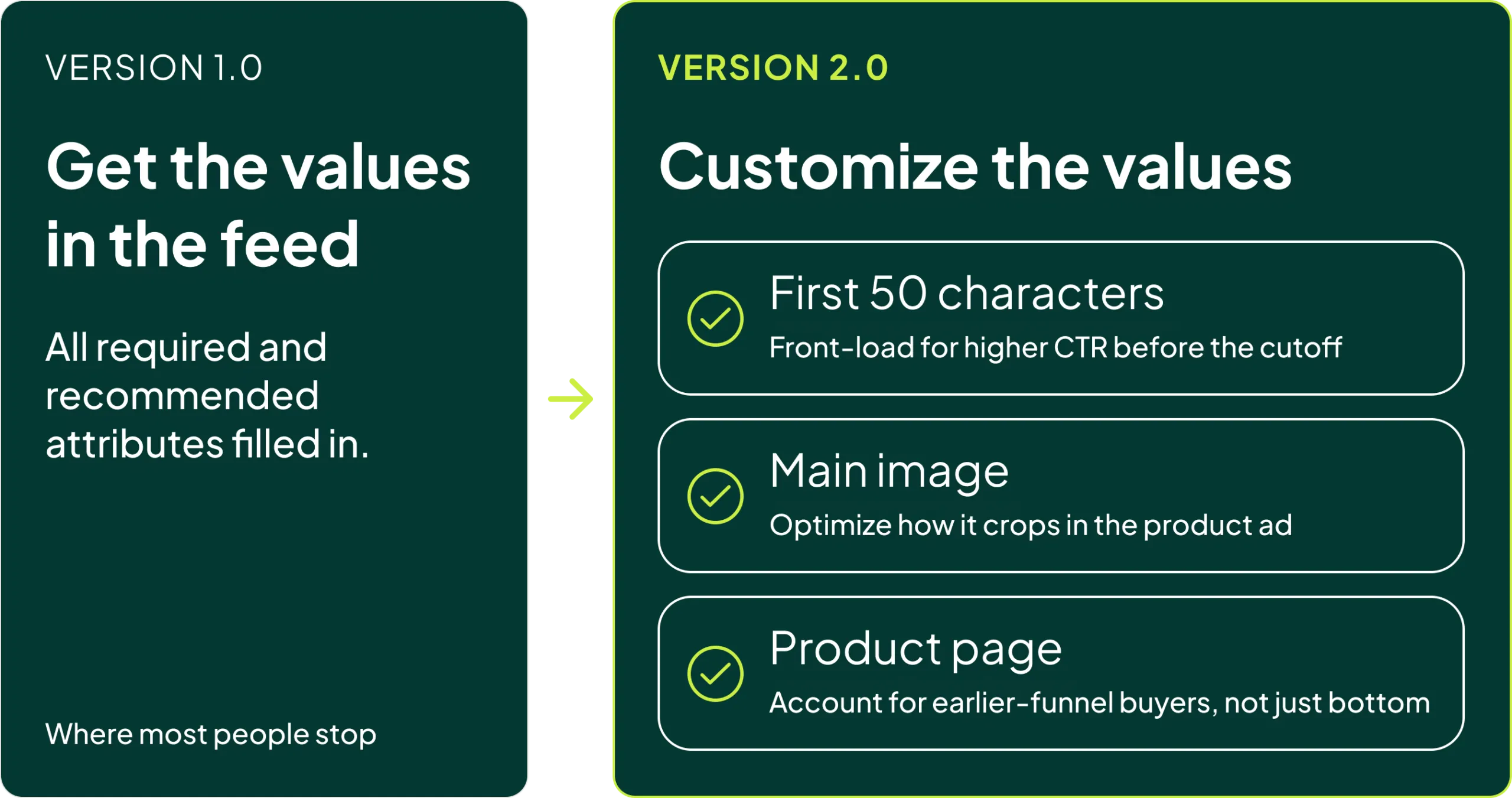
Version 1.0 is getting the values into the feed. Version 2.0 is customizing them:
- Focusing on the first 50 characters of the title for higher CTR
- Optimizing the main image
- Optimizing the product page for people who arrive earlier in the funnel
Some of the tests we’ve run in the last six months, where we went a step beyond standard feed optimization, produced results good enough that I debated whether to make a video about it at all. I usually keep the top 10% of what we learn for clients and our coaching groups. Here are two examples of what I mean.
The first 50 characters. Most Shopping placements cut your title off at roughly 50 characters. Here is a search for stretch shorts for men:
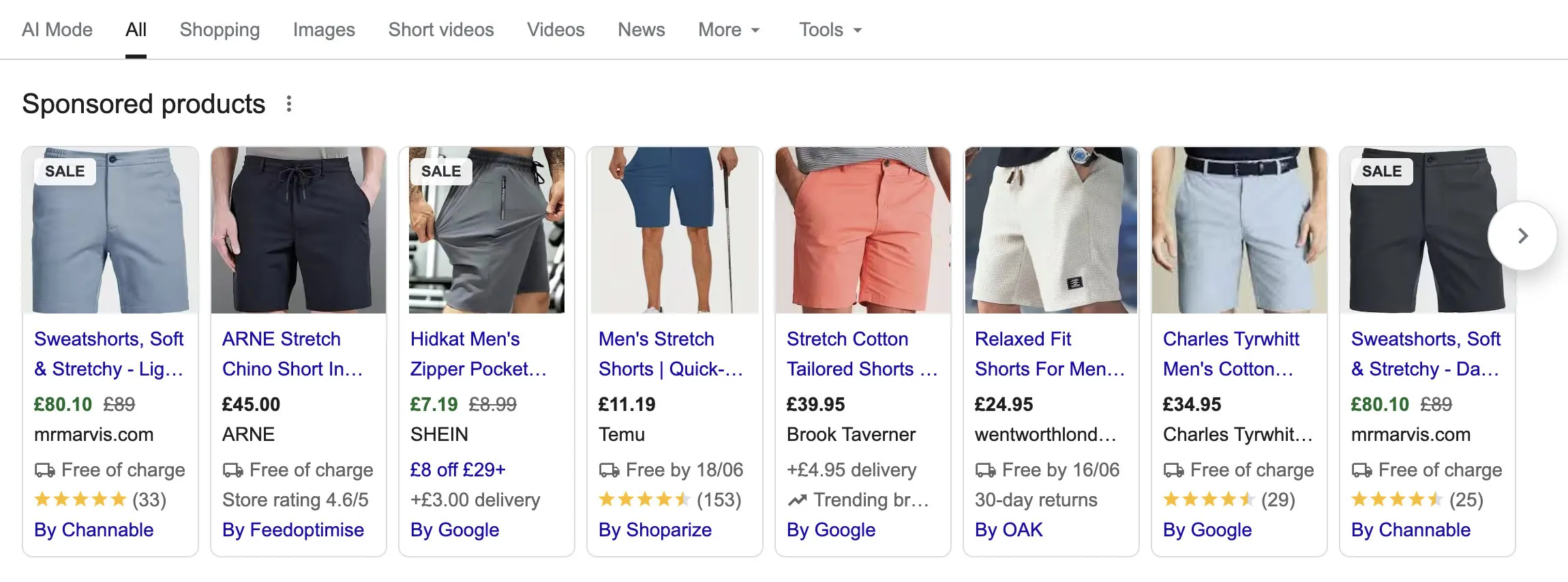
Those first 50 characters are the only part you can count on someone actually reading. So front-load the search term and the single detail that makes someone click, then push the brand name and the boilerplate to the end.
Example 1, a beginner’s acoustic guitar:
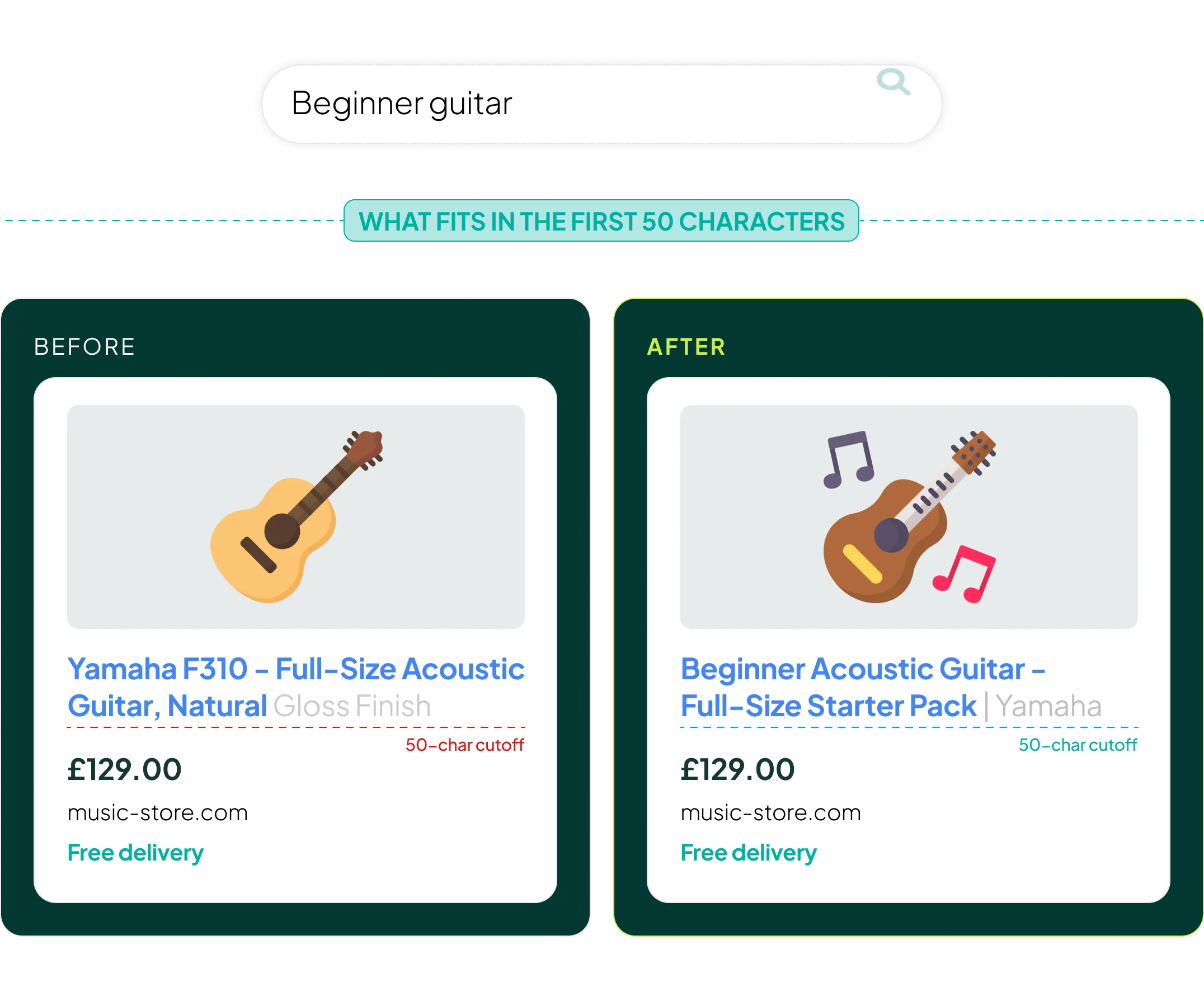
- Before: Yamaha F310 - Full-Size Acoustic Guitar, Natural Gloss Finish
- After: Beginner Acoustic Guitar - Full-Size Starter Pack | Yamaha
Example 2, a robot vacuum:
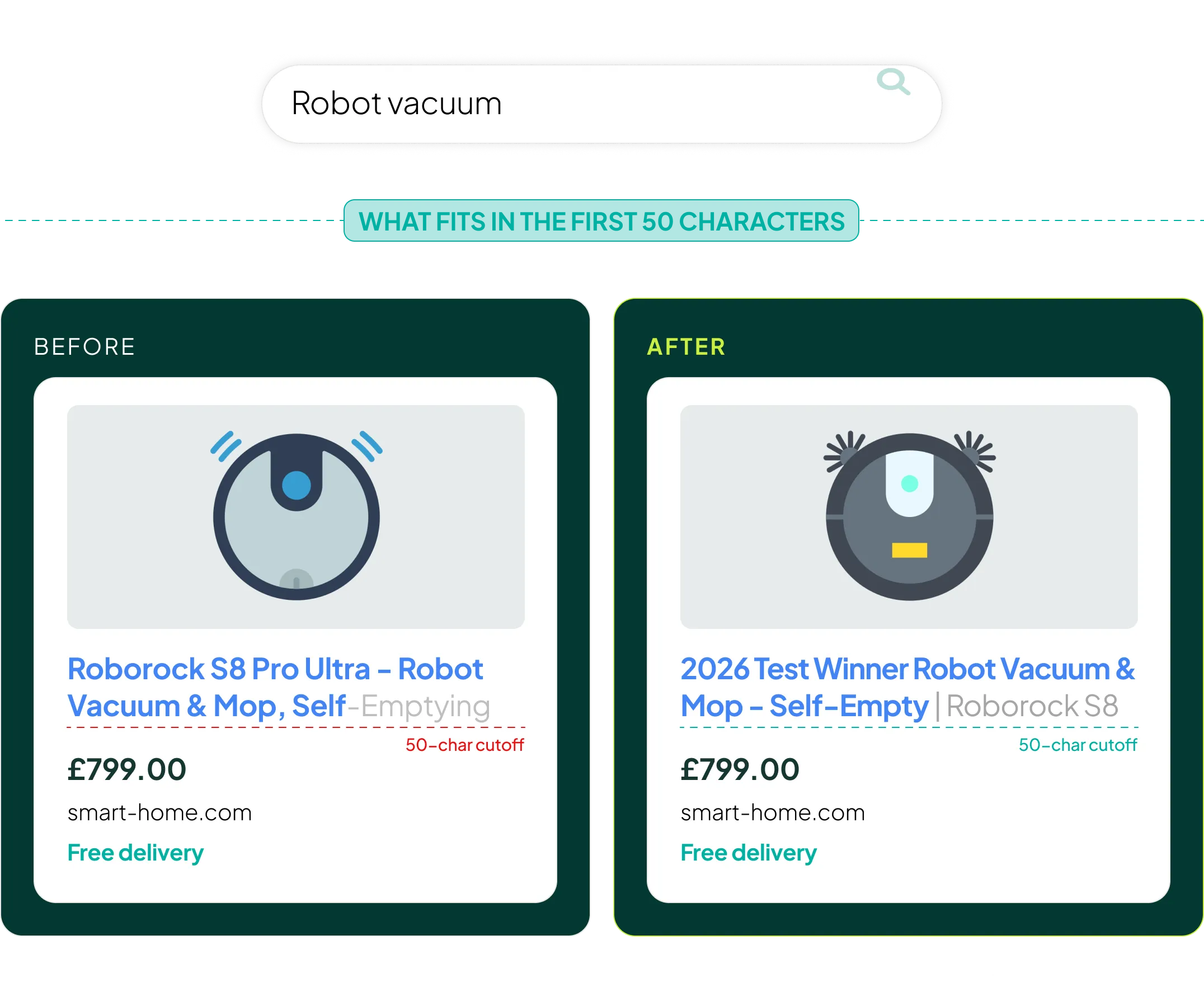
- Before: Roborock S8 Pro Ultra - Robot Vacuum & Mop, Self-Emptying
- After: 2026 Test Winner Robot Vacuum & Mop - Self-Empty | Roborock S8
Same product. Same feed. The only thing that changed is the order of the words, and the order is the part almost nobody touches.
Another aspect is the image that is used. Most people don’t optimize their images.
The main image. Here is a typical main image as it exists today:

It gets cropped in ways that don’t suit the image type. And when the same image is pulled into a Product Ad placement, the product is often simply too small to register:

What we did to counter this was build three versions of the main image for the top 50 products: a tight close-up on the style, a close-up including a face, and a group shot with multiple faces.
Up Close focused on the style

Up close with face

Group photo with faces

Then we tested.
In that account, the clearer, simpler images with the product front and centre beat the artsy lifestyle shots. We’ve run the same test in several other accounts and the results are not consistent. Sometimes the close-up wins. Sometimes the faces win. So test it rather than assuming.
The next thing was the product page.
The product page. Shopping sends a lot of cold, early-funnel traffic, but nearly every ecommerce site treats that traffic as if it were bottom-funnel.
I can’t show this in the article, so jump to the video to see this example.
In one account we rebuilt the product page specifically to help people click through to other options, and it worked.
That approach isn’t right for every business. For a DTC brand with a single hero product, it’s often better to treat the product page as a landing page in its own right. Think of an upside-down product page that sells the product before the buy box appears.
Version 1.0 gets the values into the feed. Version 2.0 asks what the image and the landing page actually need to do for the person clicking on them.
One aside: as AI Mode becomes more prevalent, I expect the rules of feed optimization to change substantially. I’ll share my thoughts on that in a future video.
2. Asset Groups Should Mirror Buying Intent
Forget “how many asset groups should I have?” That question has no useful answer.
Ask this instead: can I create meaningfully different retargeting and product assets for this group?
If yes, split. If no, merge.
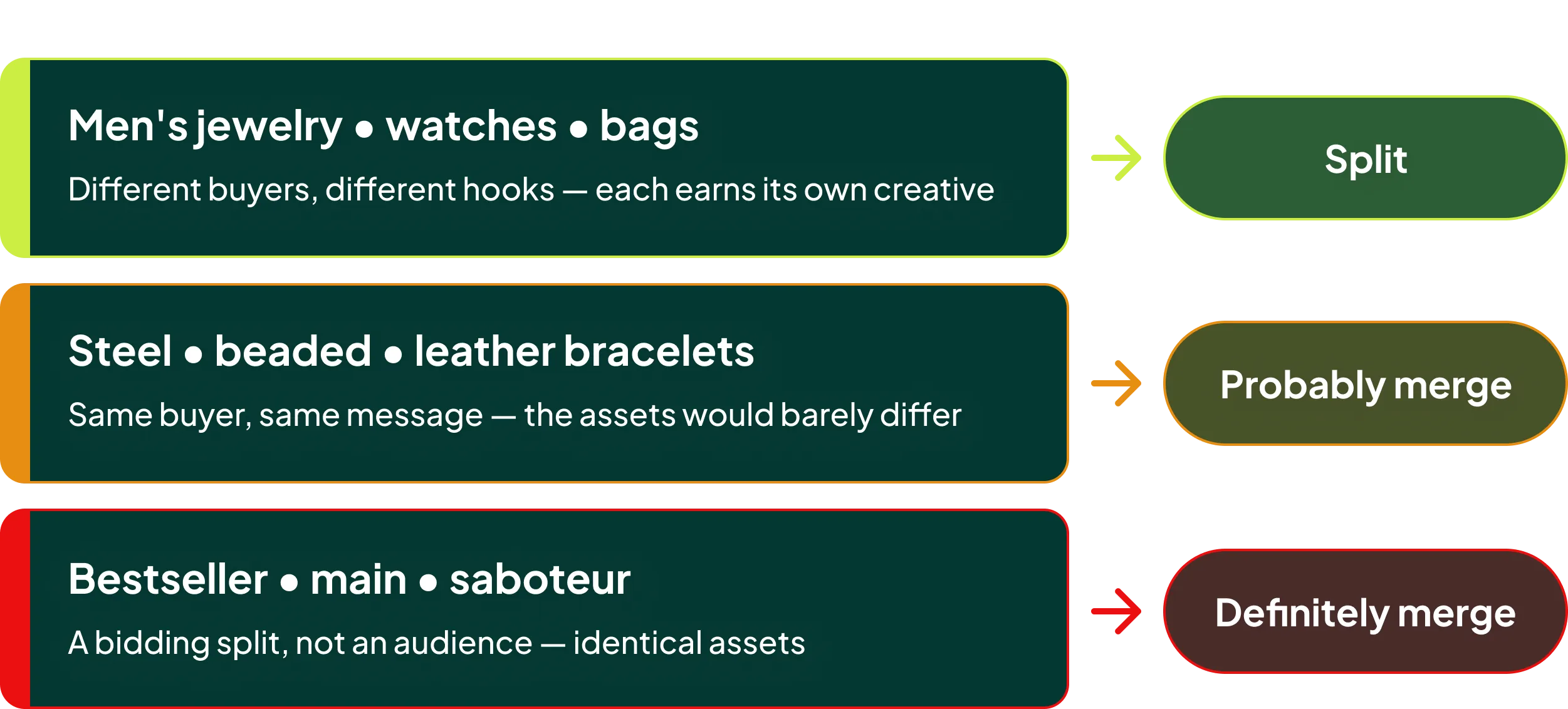
- Men’s jewelry vs watches vs bags: yes, split them
- Steel bracelets vs beaded bracelets vs leather bracelets: probably not
- Bestseller vs main vs saboteur: definitely not
Notice how different this is from how you’d structure a Shopping campaign. Shopping structure follows bidding logic and margin. Asset group structure follows creative.
3. Creative Should Be Retargeting-First
One of the best books I’ve read this year is Inside the Box. It makes a strong case that constraints produce better creative outcomes, and that is exactly the kind of restraint you need when designing assets for Performance Max.
Right now, when you think about PMax assets, you probably do one of two things: upload whatever the brand team already made, or stare at a blank page.
Flip it around. Instead of creating assets for “everything,” your brief becomes: create assets that are A) bottom-funnel focused, and B) speak directly to the core audience or product in that specific asset group.
Suddenly you can script a video or design a banner with real precision, because you know exactly who is seeing it and where they are.
Build assets that answer:
- Why buy now?
- Why this product or category?
- What removes purchase friction?
- What proof or trust signals are needed?
- What offer or value proposition matters?
Creative types that fit:
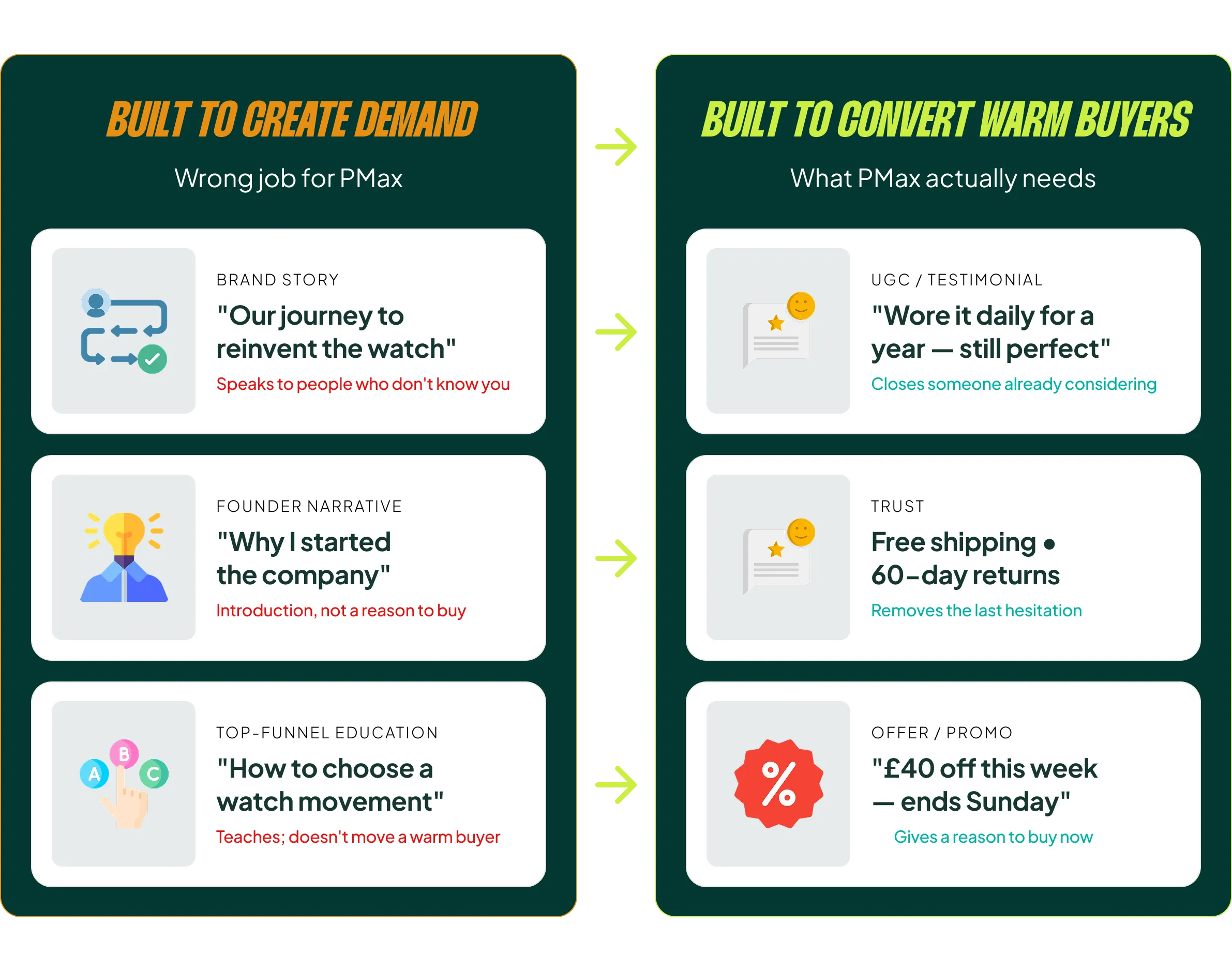
- Product and category explainers
- Bestsellers
- UGC and testimonials
- Trust content: shipping, returns, reviews
- Comparison and benefit creatives
- Offer and promo creatives
Creative types that do not fit as your default:
- Broad brand story
- Founder narrative
- Educational top-funnel content
- Anything built on the hope that PMax will create demand
The Account Structure That Matches the Model
If Performance Max is a bottom-funnel campaign, then the rest of the account has to cover everything it doesn’t:
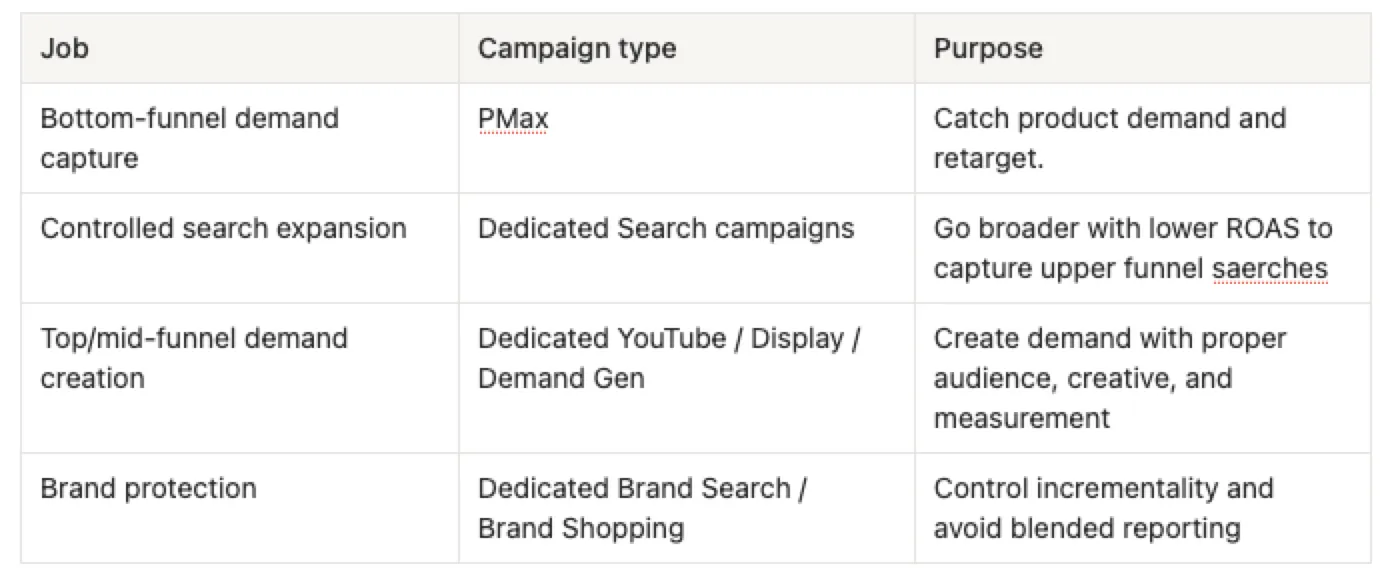
The line I keep coming back to: don’t ask PMax to do every job. Let it do the job it is naturally good at, then build the rest of the account around its weaknesses.
In practice that means:
- Search themes guide the DSA-like layer inside PMax. They do not replace a proper Search strategy.
- A feeder Shopping campaign picks up the volume your PMax ROAS target refuses to buy.
- Dedicated Search, YouTube and Display campaigns cover the rest of the funnel, if and when those channels are relevant to you.
I’ll cover that structure in depth in the next video.
Close
The ideal Performance Max setup comes down to setting the campaign up for the role it actually plays in your account, rather than switching on every feature Google offers.
Treat it as a full-funnel campaign and you will overbuild the wrong parts while leaving the rest of your account underbuilt. Treat it as Shopping plus DSA plus retargeting, and everything gets simpler: feed quality outranks the assets you upload, and asset groups follow creative rather than margin. Video and display work becomes bottom-funnel support instead of a demand generation experiment funded by your Shopping budget.
Next up, I’m going in-depth on the supporting structure around it: PMax + Feeder Shopping + Dedicated Search + Demand Gen/YouTube.
[TL;DR]
- Performance Max is not a full-funnel campaign. For most ecommerce accounts it behaves like Shopping with a DSA layer and retargeting through YouTube, Display, Discover and Gmail.
- If your mental model of PMax is wrong, every setup decision that follows (asset groups, search themes, assets) is wrong too.
- Shopping is 80-90% of the spend, so your feed deserves more time than your assets. Go beyond basic optimization: first 50 characters of the title, main image variants, and product pages built for colder traffic.
- Split asset groups only when you can create meaningfully different creative for them. Structure follows creative, not Shopping logic.
- Build PMax creative as bottom-funnel and retargeting-first, then cover top and mid-funnel with dedicated Search, YouTube and Display campaigns plus a feeder Shopping campaign.