Dansk
Dansk

Most of you have seen some version of the bestseller campaign structure. The idea sounds perfectly logical: take your product catalog and split it into five campaigns based on performance. You have your main “catch-all” campaign, a “bestsellers” campaign for your winners, an “unprofitable” campaign for cash-burners, a “zombie” campaign for products with no impressions, and a “new products” campaign to give fresh SKUs a chance.
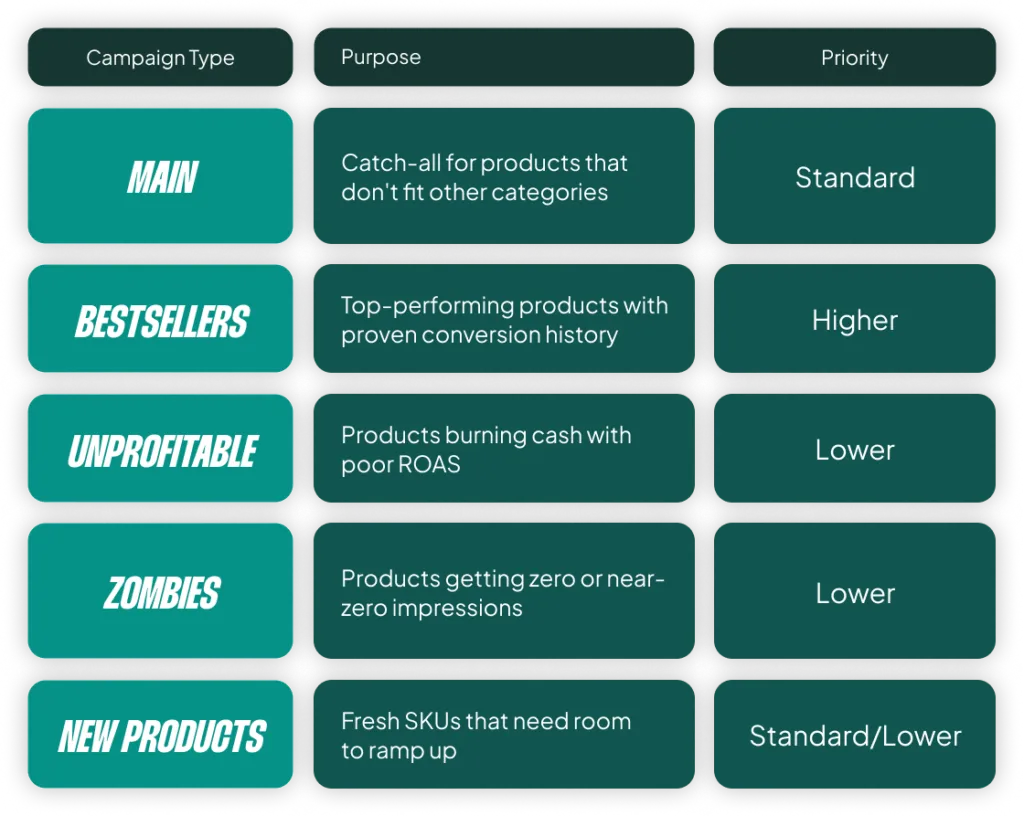
On the surface, it makes sense. It’s what most guides, tools, and even Google reps recommend. Take your winners, isolate them. Take your losers, limit them. Give new products room to ramp up. The problem is, when applied out-of-the-box, this structure often makes performance worse, not better.
The fundamental issue is data fragmentation. Every time you split products into a separate campaign, you’re splitting your conversion data. Smart Bidding needs volume to learn. It needs to see patterns across products, search terms, audiences, and devices. When you start chopping that data into five smaller pools, you’re making it harder for the algorithm to do the one thing it’s actually good at: finding the right bid for the right auction.
The irony is that most advertisers implement this structure because they want better performance. But what you end up with is a system that restricts Smart Bidding’s ability to optimize across your full catalog. This doesn’t mean the labels are useless. It means the way most people apply them (all five, with default thresholds) is. And that’s what we’re going to break down.
Or grab my free Shopping campaign labeling cheat sheet here.
The Foundational Flaw: Bad Data and Flawed Thresholds
Every tool that automates this structure needs a rule to decide when a product qualifies as a “bestseller” or gets flagged as “unprofitable.” That rule is a threshold, usually based on clicks or conversions over a set lookback window. And this is where it starts falling apart for most accounts.
Your Thresholds Are Based on Noise, Not Data
Let’s say you want to be statistically responsible, so you set a high threshold: a product is only “unprofitable” if it has 100 clicks and zero conversions over 8 weeks. When you run the numbers, you find this group only accounts for 3% of your total ad cost. It has almost no impact.
So, you do what most of us do. You lower the threshold. 50 clicks. Now it’s 6% of your cost. 25 clicks. Now it’s 9%. You’re still thinking it’s not enough, so you drop it all the way down to a single click. Suddenly, you’re “saving” a huge amount of money, and it feels like you’re doing something meaningful.
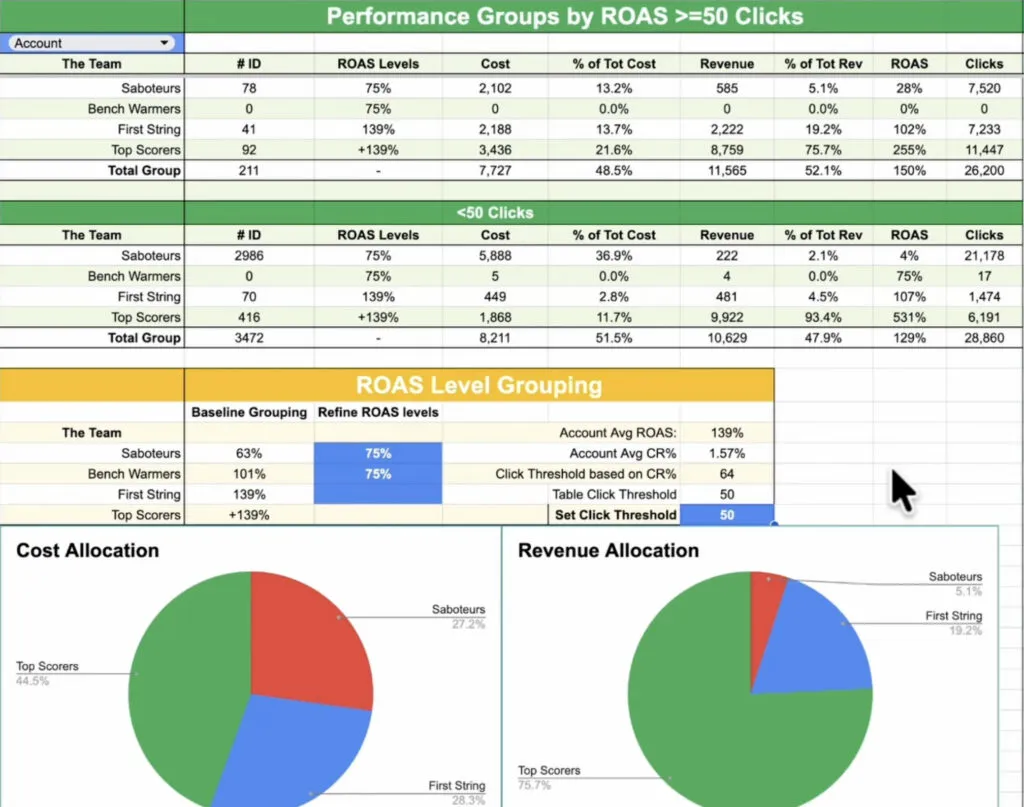
That’s the mistake most people make. A product with 12 clicks and zero conversions isn’t unprofitable; it just hasn’t had enough traffic to tell you anything. And a product with 12 clicks and one conversion isn’t a bestseller; it just got lucky. You have to internalize this core concept:
Past performance on low volume does not predict future performance.
Let me repeat that, because it’s the entire issue with these setups. You’re trying to use labels to tell Google what will happen next, but the data you’re basing it on is essentially just noise. For smaller accounts, I see products flip-flop between “bestseller” and “unprofitable” week to week if thresholds are low enough to have any real impact on spend.
The Problem Gets Worse with Product Variants
This data threshold issue gets even worse if you sell products with size variants, like shoes or clothing. In Google Shopping, every size variant is treated as a separate product. You might have the same shoe in size 8 labeled as a bestseller because it happened to get a few conversions, while size 11 of the exact same shoe is flagged as unprofitable.
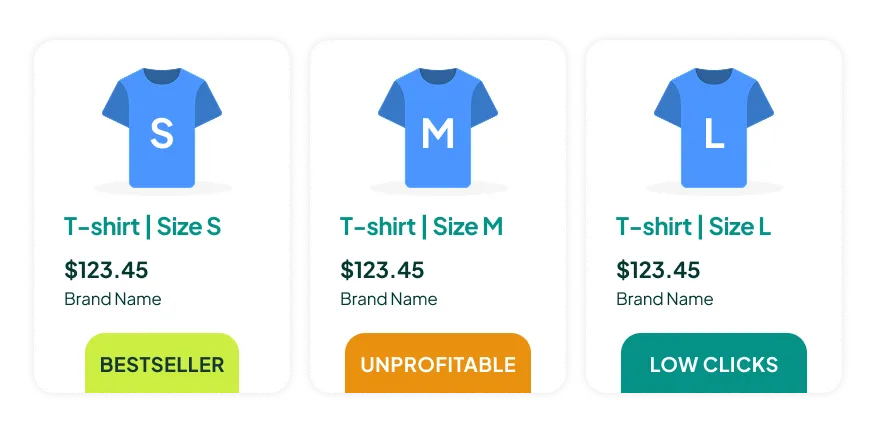
This is not useful information. It’s the same product. The customer who needs a size 11 isn’t reacting to historical conversion data for a size 8. The fix, of course, is to aggregate performance at the item group ID level, but almost none of the standard tools do this. They evaluate each variant individually, which leads to false categorizations across the board.
Why Your Zombie and New Product Campaigns Are a Waste of Money
Even if the labels themselves are shaky, the real damage happens when you start building entire campaigns around the flawed ones. This is especially true for “zombie” and “new product” campaigns.
The “Zombie” Campaign: Cannibalizing Your Own Winners
This is where the biggest misunderstanding exists. The common advice is to take your zombie products (the ones with zero or near-zero impressions), put them in their own campaign, and lower the ROAS target to force Google to push them. The logic sounds reasonable: these products aren’t getting traffic, so let’s give them a nudge.
But think about what you’re actually telling Smart Bidding to do. You’re saying, “I’m okay with a worse return on these specific products. Bid higher.” And Google does exactly that. It starts increasing bids on your worst-performing products.
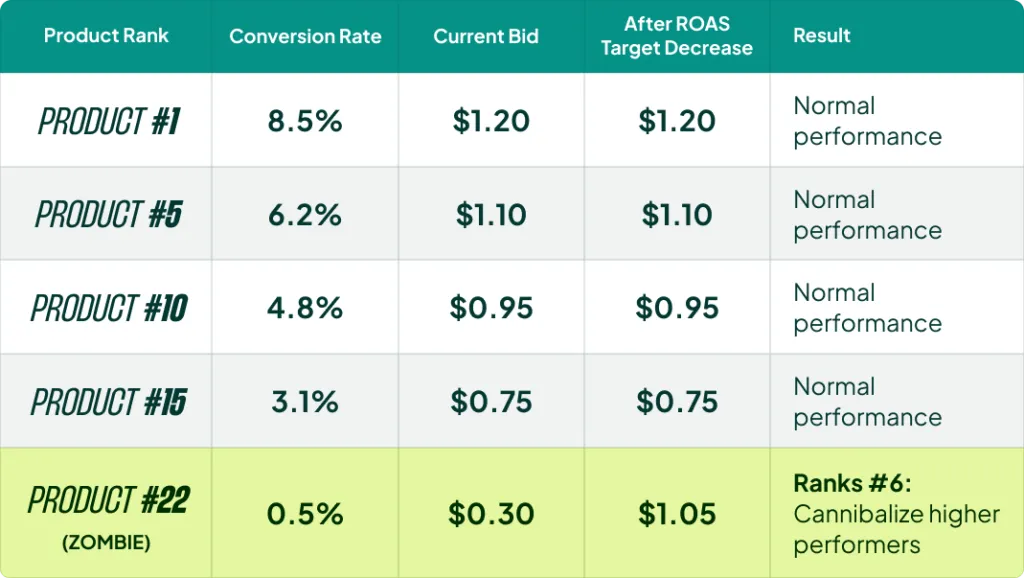
Here’s the problem. If a product is ranked 22nd in its category (meaning 21 other products have better CTR, conversion rates, or historical performance), increasing the bid on it just tells Google to show it ahead of some of those proven winners. You are cannibalizing your own performance from the inside. You aren’t unlocking hidden potential; you’re overriding Smart Bidding’s own ranking and forcing spend onto products it already decided weren’t worth showing.
The one exception here is what I call subcategory-level zombies. If you have an entire subcategory that isn’t getting traffic, then pulling it out and lowering the ROAS target can make sense. You’re not cannibalizing anything because you’re chasing a new set of search terms and auctions you’re not showing up for today. But lumping all zombies from all categories together is a recipe for disaster.
The “New Product” Campaign: A Solution in Search of a Problem
I’ve tested this extensively. The standard advice is to isolate new products in their own campaign with a lower ROAS target so they can “ramp up” without hurting the main campaign. In practice, this often hurts them.
New products benefit from living alongside established products. They inherit some of the campaign’s historical signals, and Smart Bidding can test them naturally without you forcing spend. We’ve taken advertisers from a few thousand products to over 100,000, and in almost every case, new products get the performance they deserve.
If the product pages aren’t optimized, if the images aren’t great, if brand recognition isn’t there, no amount of campaign isolation fixes that. You’re just spending more money to learn what Smart Bidding would have told you for free. We had one client where a new brand worked in one country but flopped everywhere else. The difference wasn’t the campaign setup; it was brand recognition in that one market. No amount of restructuring could fix the core business problem in the other markets.
There are only two situations where a new product campaign makes sense: a massive catalog addition (e.g., 3,000+ new SKUs) or adding a completely new category you’ve never sold before. In both cases, the goal is to protect your existing campaigns from instability, not to “help” the new products. Outside of that, let new products live in the main campaign. They will find their level.
The Bestseller Campaign: How to Do the One Good Part Right
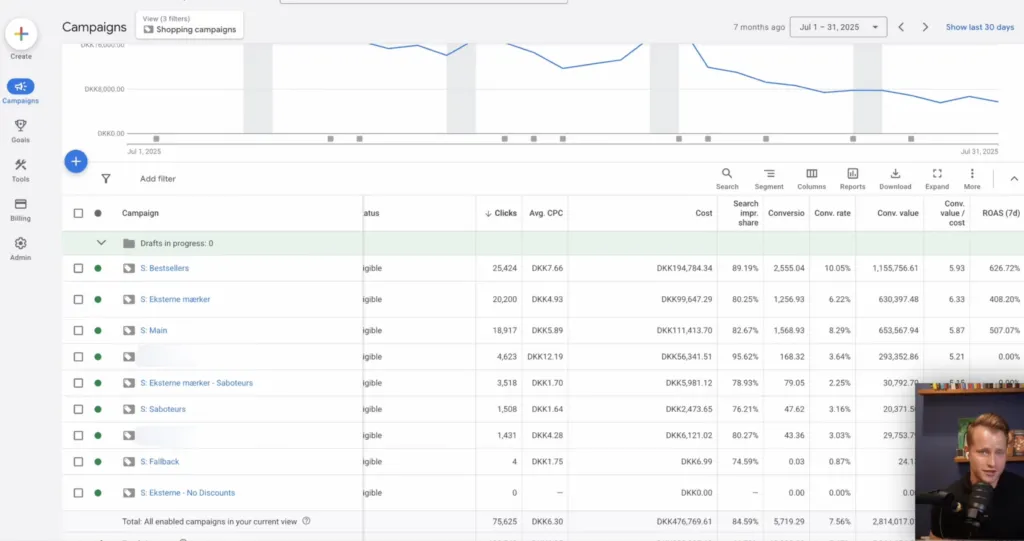
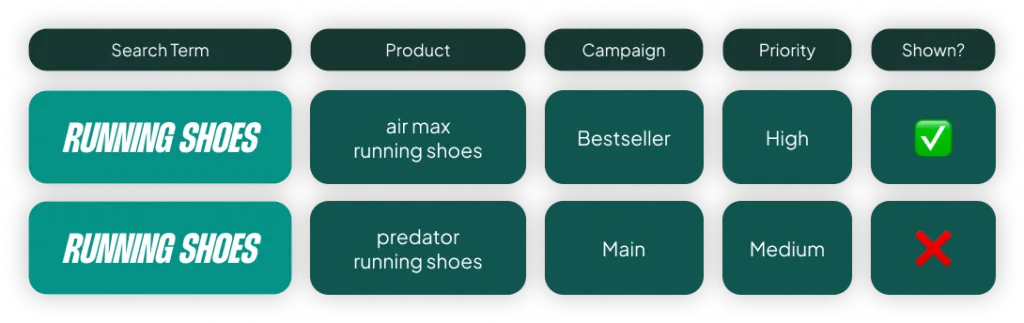
The bestseller campaign is the best part of this entire structure. You isolate your top-performing products, which typically have a lot of traffic and data. You set a higher priority, telling Google that if two products match the same search, show the bestseller first. This part works.
The problem is what people do next.
The Biggest Mistake: Setting a Higher ROAS Target
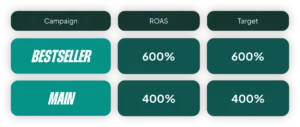
The default move is to increase the ROAS target. The thinking goes, “If these products are already hitting 800% ROAS, I’ll set the target to 800% or higher. Then I can afford to lower the target on my main campaign to drive more volume.” It sounds like smart portfolio management, but Smart Bidding already does this internally. You don’t need to manually recreate that balance.
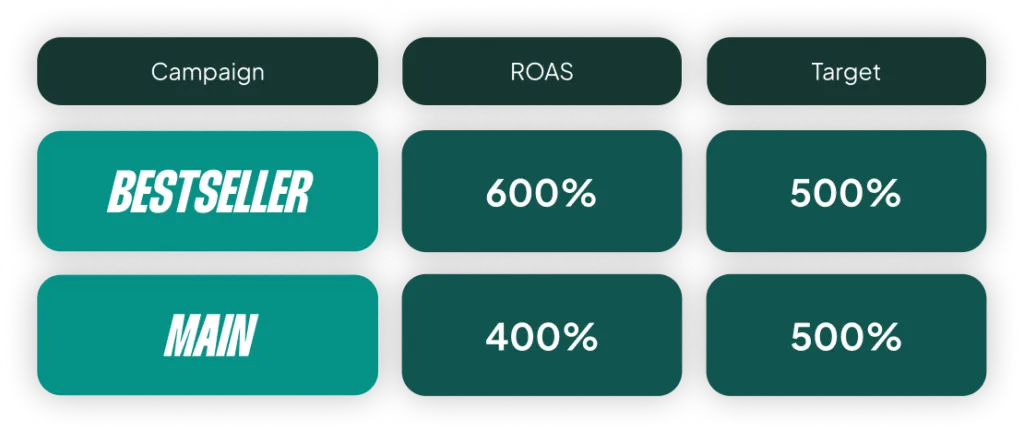
Here’s what you should do instead. If your bestsellers are hitting 800% ROAS, set the target to 600%. This gives the algorithm headroom. It tells Google, “I have room to spend more aggressively on my proven winners.” It gets you into more auctions, out to broader audiences, and into higher positions. You’re telling Smart Bidding to maximize exposure on products you already know convert well.
The real power of a bestseller campaign isn’t squeezing a higher ROAS; it’s scaling your winners. The only time you should raise the target is if your bestsellers are already maxing out their impression share. But most people don’t check this first.
The Second Mistake: Letting One Category Dominate
The other mistake I see constantly is letting a tool auto-select your bestsellers based purely on performance. We had a client who sold sofas, chairs, ottomans, and accessories. 90% of their revenue came from sofas, so their “bestseller” campaign was just 19 sofas.
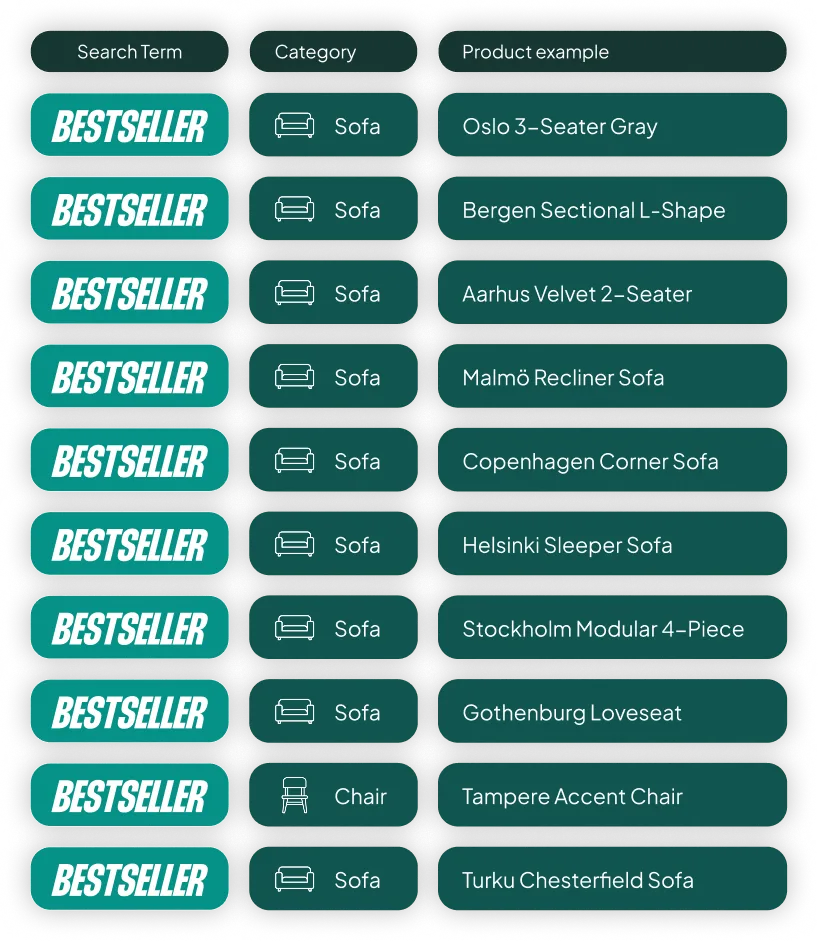
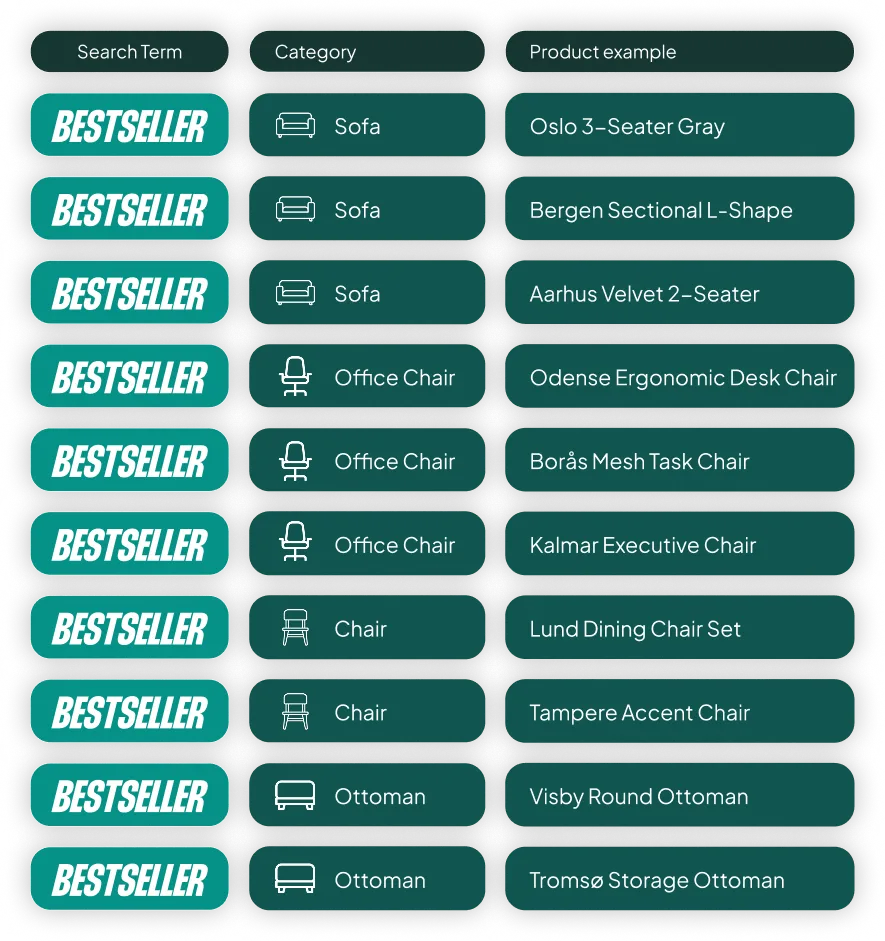
That’s not a bestseller campaign anymore. It’s a sofa campaign. The whole point is to prioritize your best products across your entire catalog. You want the top five sofas, the top five chairs, and the top five ottomans all in one campaign. That way, when someone searches for “chairs,” your best chair gets priority.
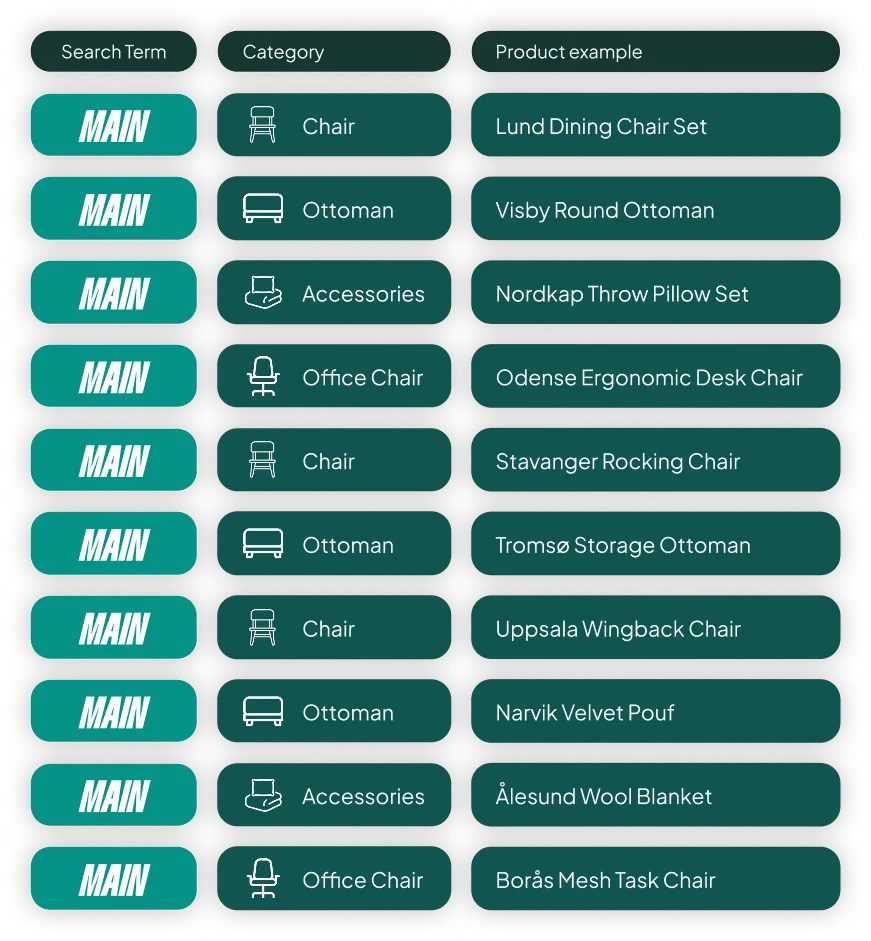
The fix is simple but requires manual oversight: build your bestseller list with a category-level quota. Top X products per category, not top X products overall.
The Right Approach: Start Simple, Add Complexity Intentionally
The concept of labeling products based on performance isn’t wrong. The problem is applying all five labels out-of-the-box with default thresholds, without questioning if each one actually fits your business strategy.
So, here’s the one takeaway I want you to leave with: only use the labels that make sense for your account.
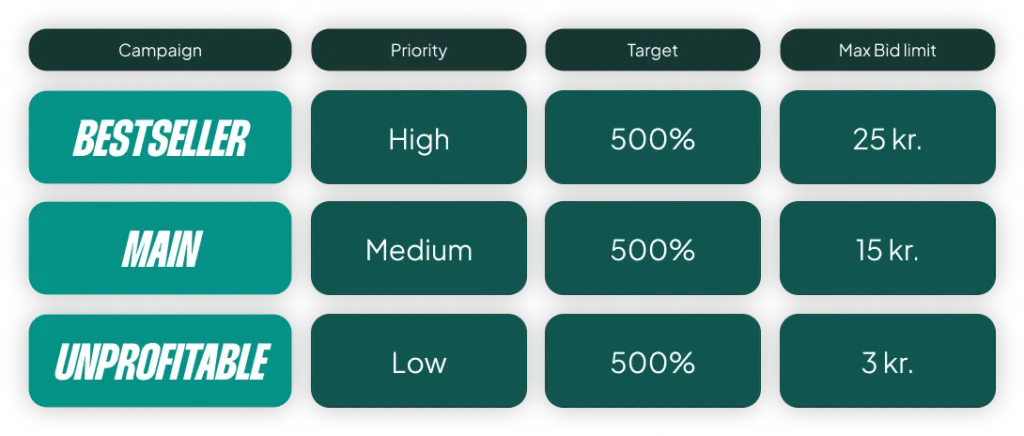
If you don’t have enough data to confidently identify unprofitable products, don’t create an unprofitable campaign. If you don’t have entire subcategories getting zero traffic, don’t create a zombie campaign. For lots of accounts, especially small to mid-size ones, the right answer is simplification. One campaign, all products. Let Smart Bidding do its work with a full data set.
I’ve seen accounts improve performance just by consolidating a fragmented bestseller structure back into a single campaign. From there, you can selectively add layers where they earn their place. The worst thing you can do is copy someone else’s five-campaign structure and assume it fits your business. It probably doesn’t.
[TL;DR]
- Data Fragmentation Is the Enemy: Splitting your catalog into many small campaigns starves Smart Bidding of the conversion data it needs to perform well.
- Most Labels Are Based on Noise: Low-volume data (e.g., 12 clicks) doesn’t reliably predict future performance. Don’t build campaigns around statistically insignificant signals.
- Stop Cannibalizing Yourself: “Zombie” and “New Product” campaigns often force spend on weaker products at the expense of your proven winners. Let new products live in your main campaign.
- Scale Your Winners Correctly: For a bestseller campaign, set a lower ROAS target than your current performance to give Google headroom to scale. Also, ensure all your main categories are represented, not just one.
- Start Simple: For many accounts, a single campaign is the best structure. Only add complexity like a bestseller campaign when you have enough data to justify it and a clear strategy for how it will work.