Dansk

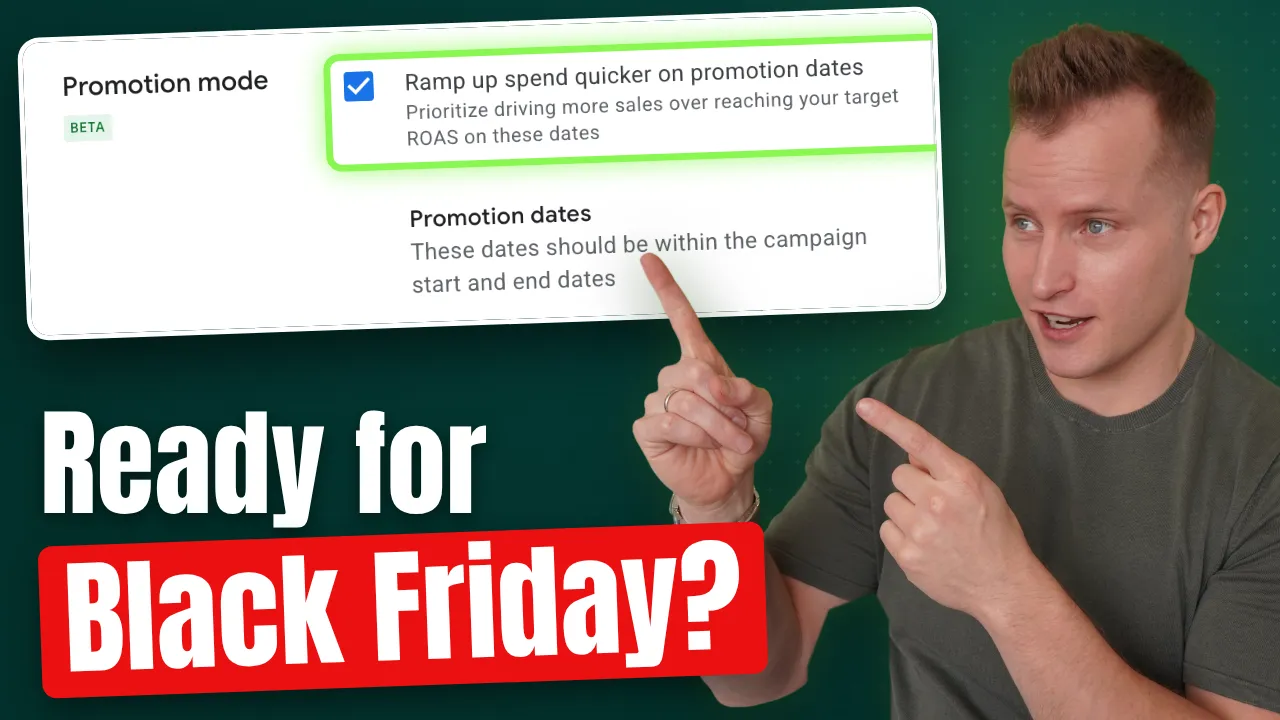
Promotion Mode is Google’s latest feature for sale periods.
In short, Promotion Mode is a repackaging of two things we already have: the Seasonal Budget Adjustment and a temporary Smart Bidding Exploration. The individual parts are well known. The packaging is new.
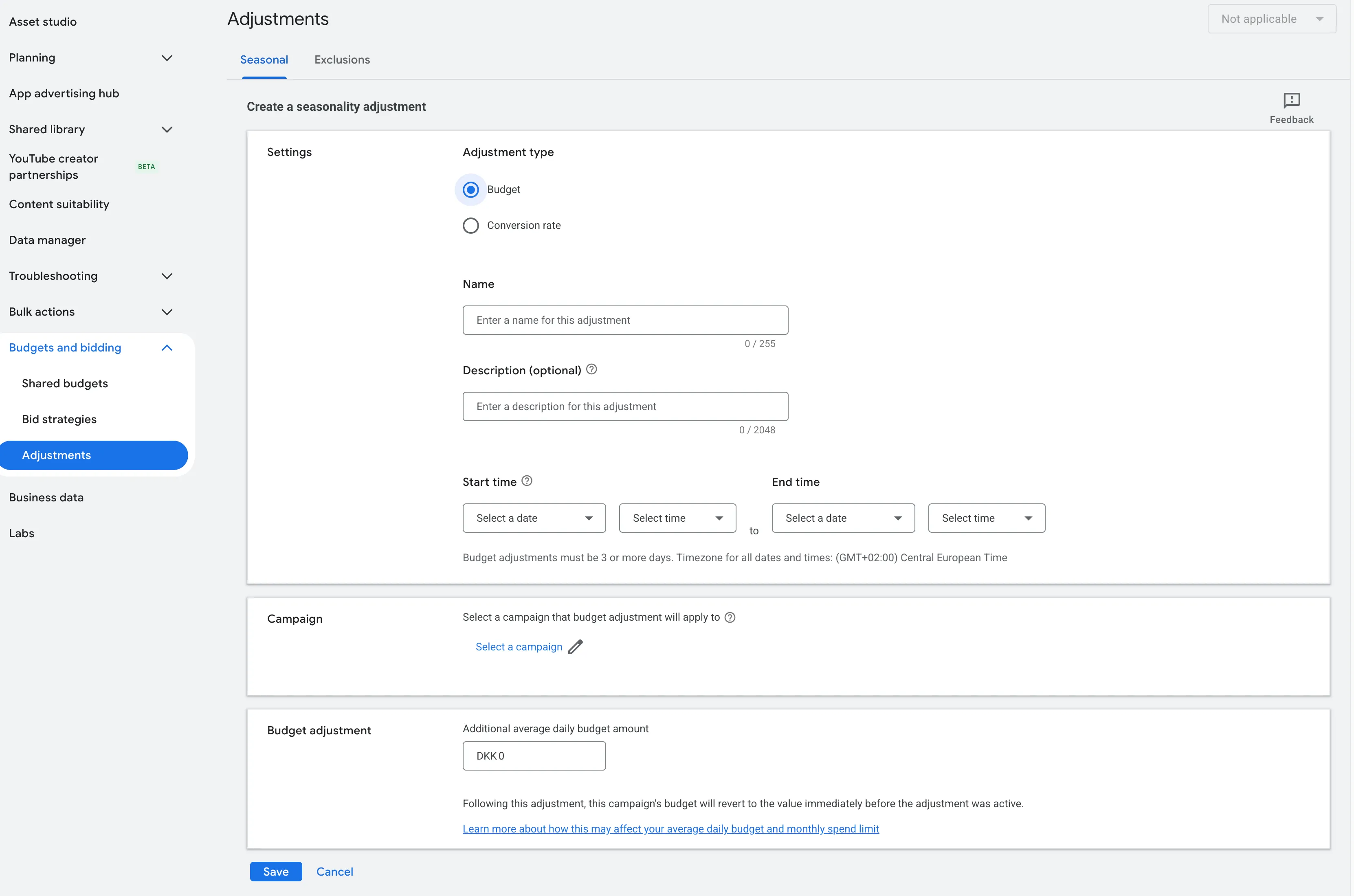
In this article, I’ll break down what Promotion Mode really does under the hood, how I would set it up if you decide to use it, how to evaluate whether it worked, and finally why I’ve decided not to use it in our accounts.
What Promotion Mode Actually Does
Strip away the interface and Promotion Mode does exactly two things:
- It lowers your Target ROAS tolerance
- It adds more budget
You can set it for a period of 3 to 14 days, after which it automatically switches off and your campaigns return to their normal settings.
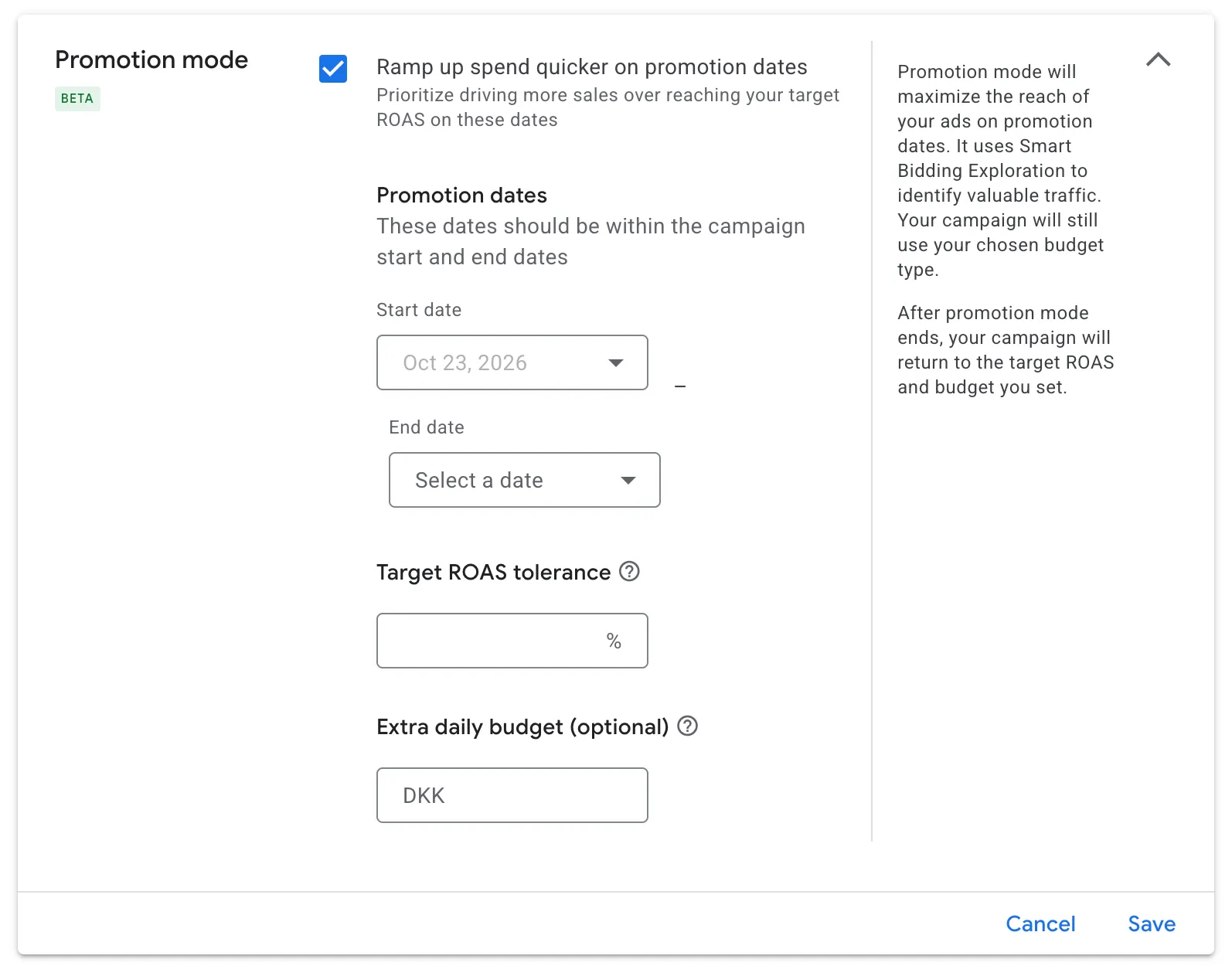
The budget part is straightforward. The “Target ROAS tolerance” part is where most of the confusion comes from, so let’s start there.
Target ROAS Tolerance Is Smart Bidding Exploration in Disguise
First off, it’s important to understand that Target ROAS tolerance is not a ROAS target change. It’s Smart Bidding Exploration (SBE) with a new label.
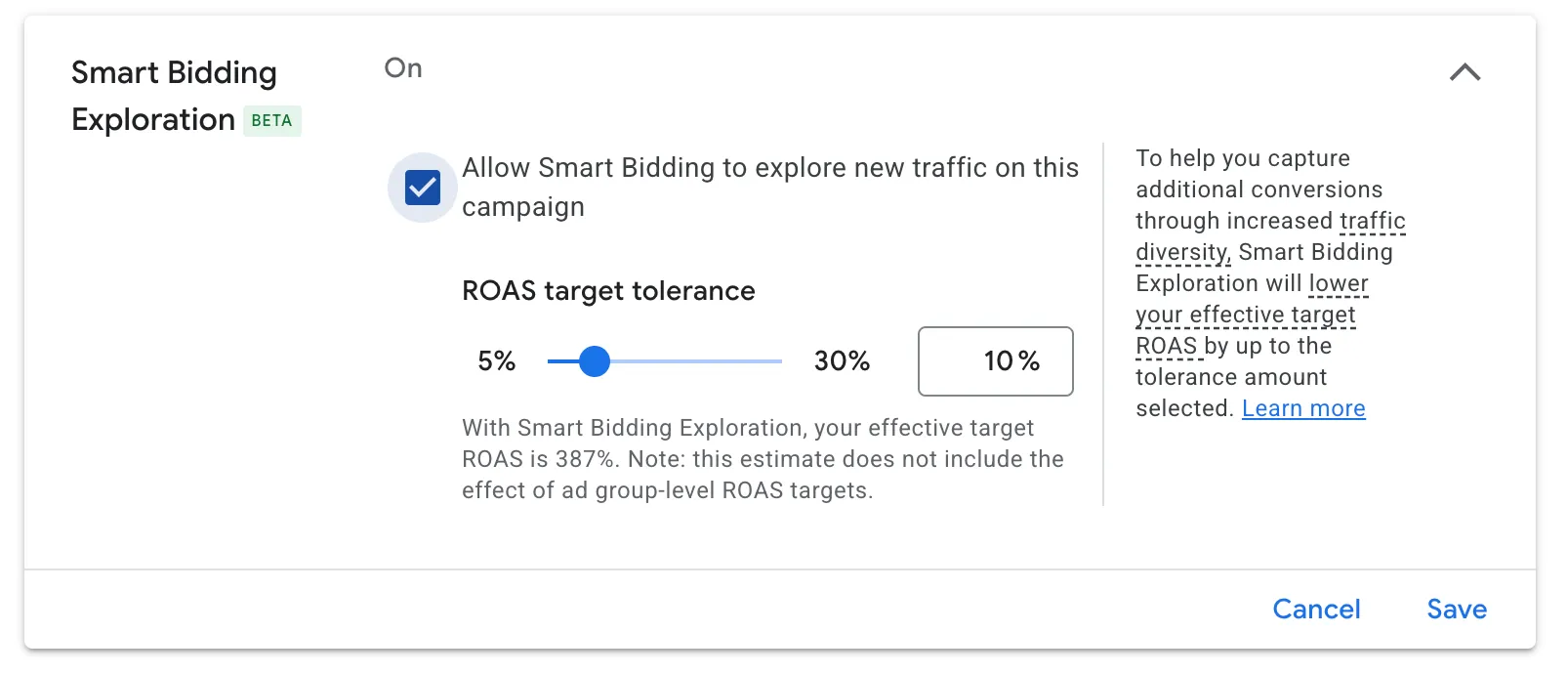
Smart Bidding Exploration is a relatively new feature that most advertisers don’t use yet. Part of the reason is that it’s tucked away inside other features. The other part is that it isn’t really available for PMax or Shopping yet (it’s in beta as per nov 2026), which is where a lot of e-commerce spend lives.
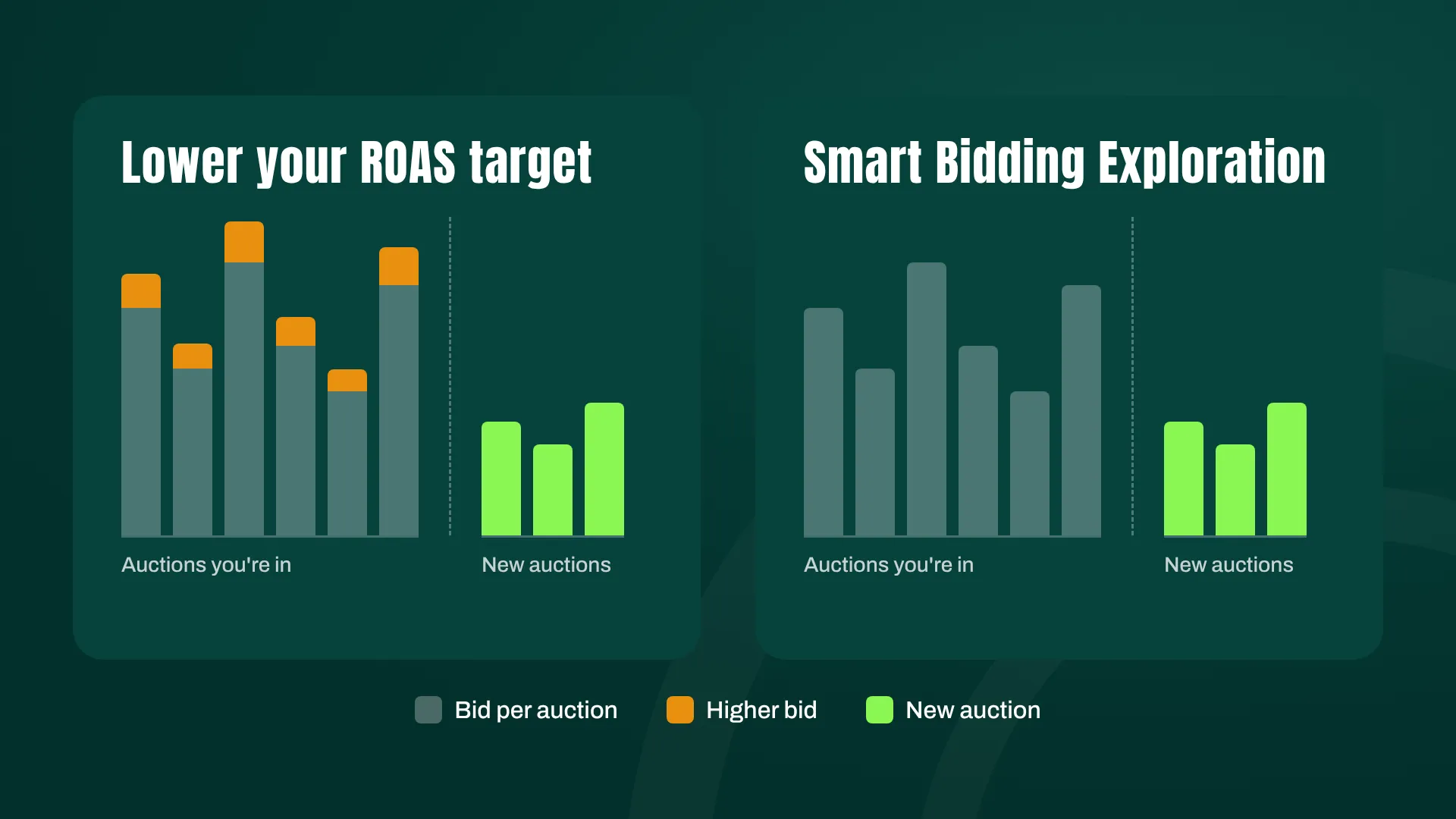
Smart Bidding Exploration mimics the effect of lowering your ROAS target, without increasing bids in the auctions you’re already winning.
The difference is in where the extra spend goes. A classic ROAS target reduction pushes up your bids across the board, including in auctions where you were already doing fine. SBE is designed to expand your reach into new auctions instead of paying more for the ones you already have.
The Problem Smart Bidding Exploration Solves
To understand why this is useful, you need to understand how Smart Bidding actually bids.
Smart Bidding sets an individual bid for every single auction. That’s the whole point of it. But it has a side effect: over time, your ROAS target can quietly price you out of auctions that are relevant to you. Smart Bidding decides those auctions don’t meet the target, so you simply stop showing up there:
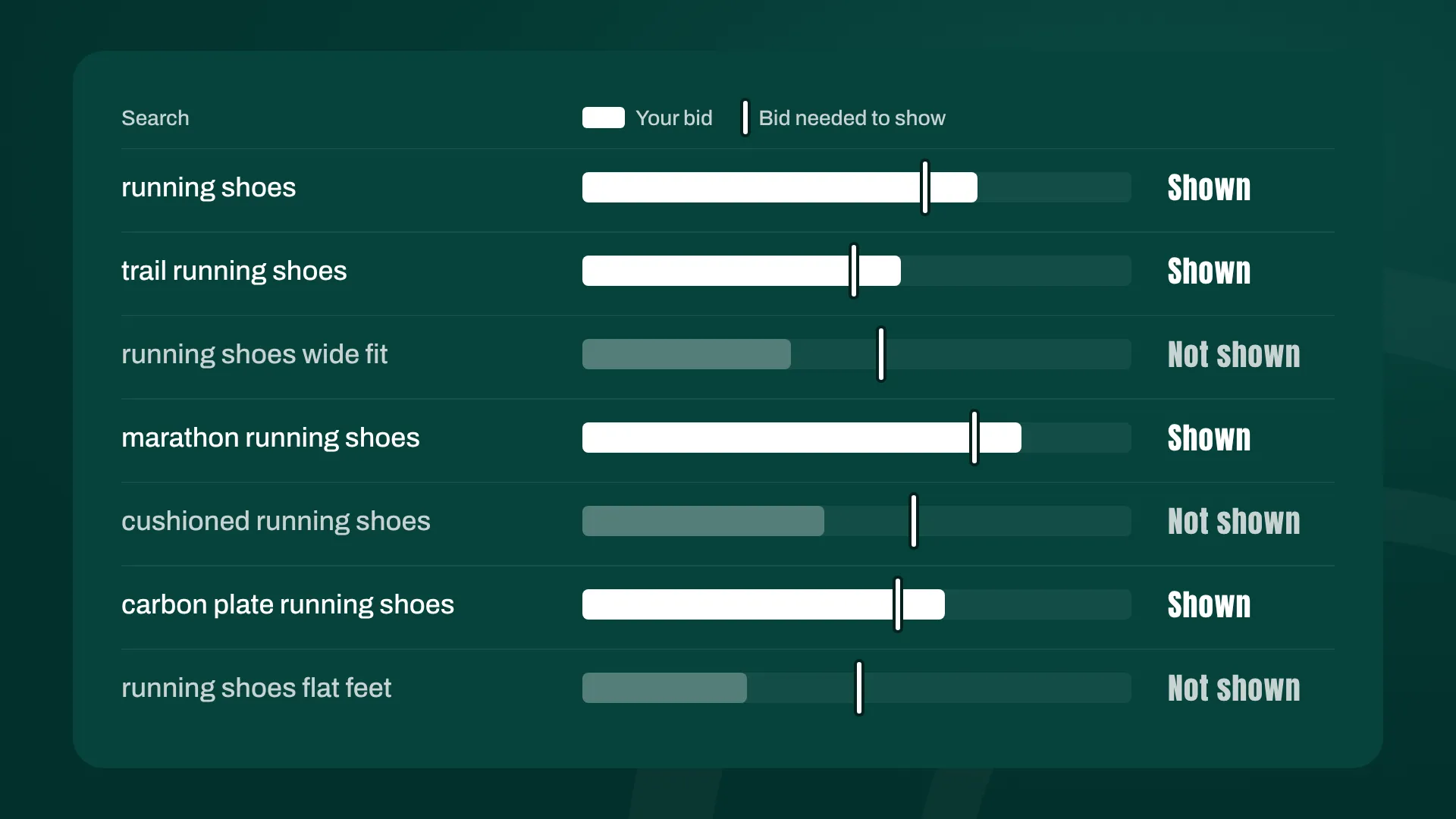
Yes, I’m simplifying a bit, but bear with me here.
Imagine your account has slowly narrowed down to the auctions where it’s most confident it will hit your target. In normal weeks, that’s fine. You hit your ROAS and nobody complains.
The problem shows up when you run a sale. Your conversion rate goes up, which means auctions that weren’t profitable last week suddenly are. But Smart Bidding can’t ramp up into those additional auctions fast enough. By the time it has figured out that it should be there, your sale is over.
The result is lost profitable volume. The demand was there, and the algorithm was too slow to go and get it.
This is the gap Smart Bidding Exploration is meant to close. It pushes you into those auctions immediately rather than waiting for Smart Bidding to discover them on its own.
How the Tolerance Works in Practice
When you set up SBE, you’re essentially telling Google two things:
- My target is 500%
- My ROAS target tolerance is 10%
In plain terms, this means Google is allowed to spend up to 10% of your budget in a worst-case scenario without getting a single sale from that exploration.
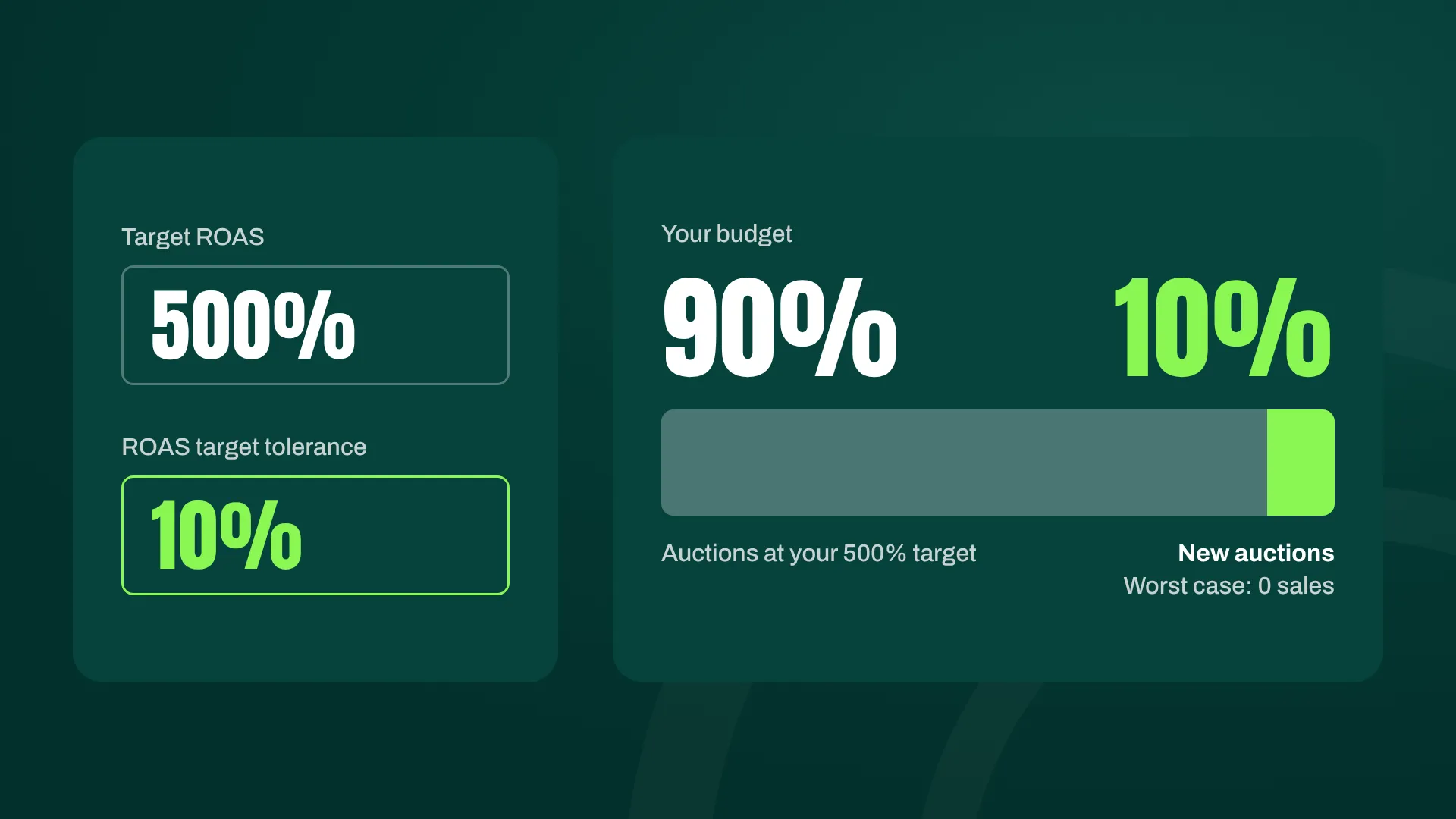
Put like that, it sounds like a bad deal. You’re explicitly giving Google permission to spend money that might not return anything.
But lowering the ROAS target ahead of a big sale has been a staple in my toolbox for many years. It works. Smart Bidding Exploration is simply a better way of doing it, because it targets new auctions instead of inflating bids in the ones you already own.
The Budget Change Is Refreshingly Simple
The second half of Promotion Mode is the budget increase. You add extra dollars to your daily budget for the period. That’s it.
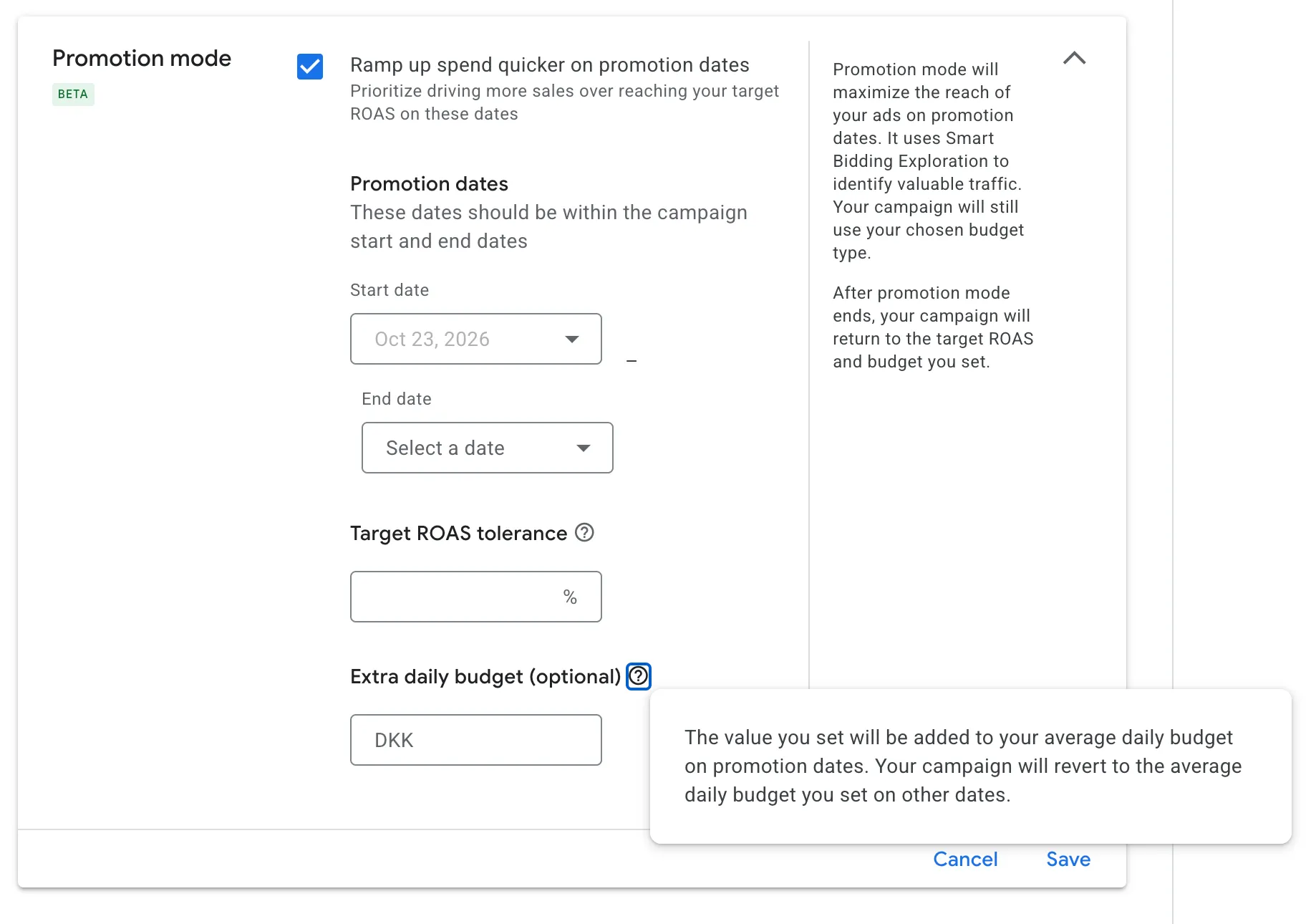
I actually like that it’s a fixed dollar amount. During a sale, we sometimes need to add a lot more spend, and working backwards to a percentage is limiting and unnecessarily fiddly.
Just let me set the amount I want to spend extra, and I’m happy. Credit where it’s due.
How to Set Up Promotion Mode
If you decide to use Promotion Mode, there are four things you need to get right:
- Timing and campaigns
- How much to increase your budget
- How much to lower your ROAS tolerance
- Whether to combine it with Seasonal Bid Adjustments
1. Timing and Campaigns
Google recommends switching Promotion Mode on when your promotion launches. I disagree slightly.
Smart Bidding Exploration needs time to work. If you’re running a weekend sale, I doubt SBE will move fast enough to make any meaningful impact for most accounts. You’ll have paid for the exploration and the sale will be over before you see the benefit.
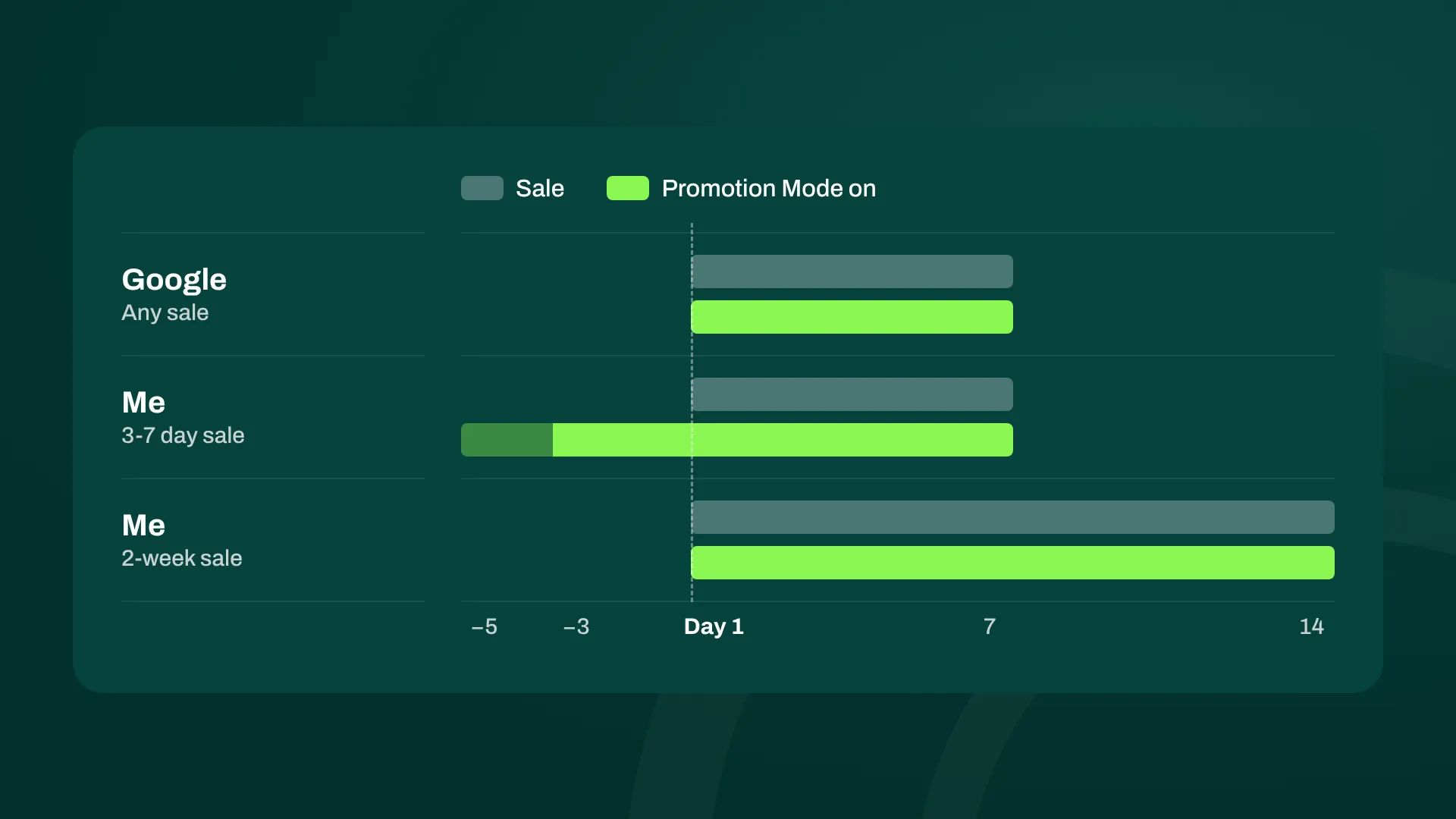
My recommendation is to turn it on 3 to 5 days before a 3 to 7 day sale.
That gives exploration a head start so you’re already present in the additional auctions when the conversion rate jumps. If your sale runs for two weeks, I don’t think starting early is necessary.
There’s enough runway for it to work within the sale itself.
Campaign selection is simpler.
Only apply Promotion Mode to campaigns that are relevant to the promotion. If you’re running a sale on running shoes, there’s no reason to apply it to your accessories campaigns.
You’d just be spending exploration budget where the sale gives you no conversion rate lift.
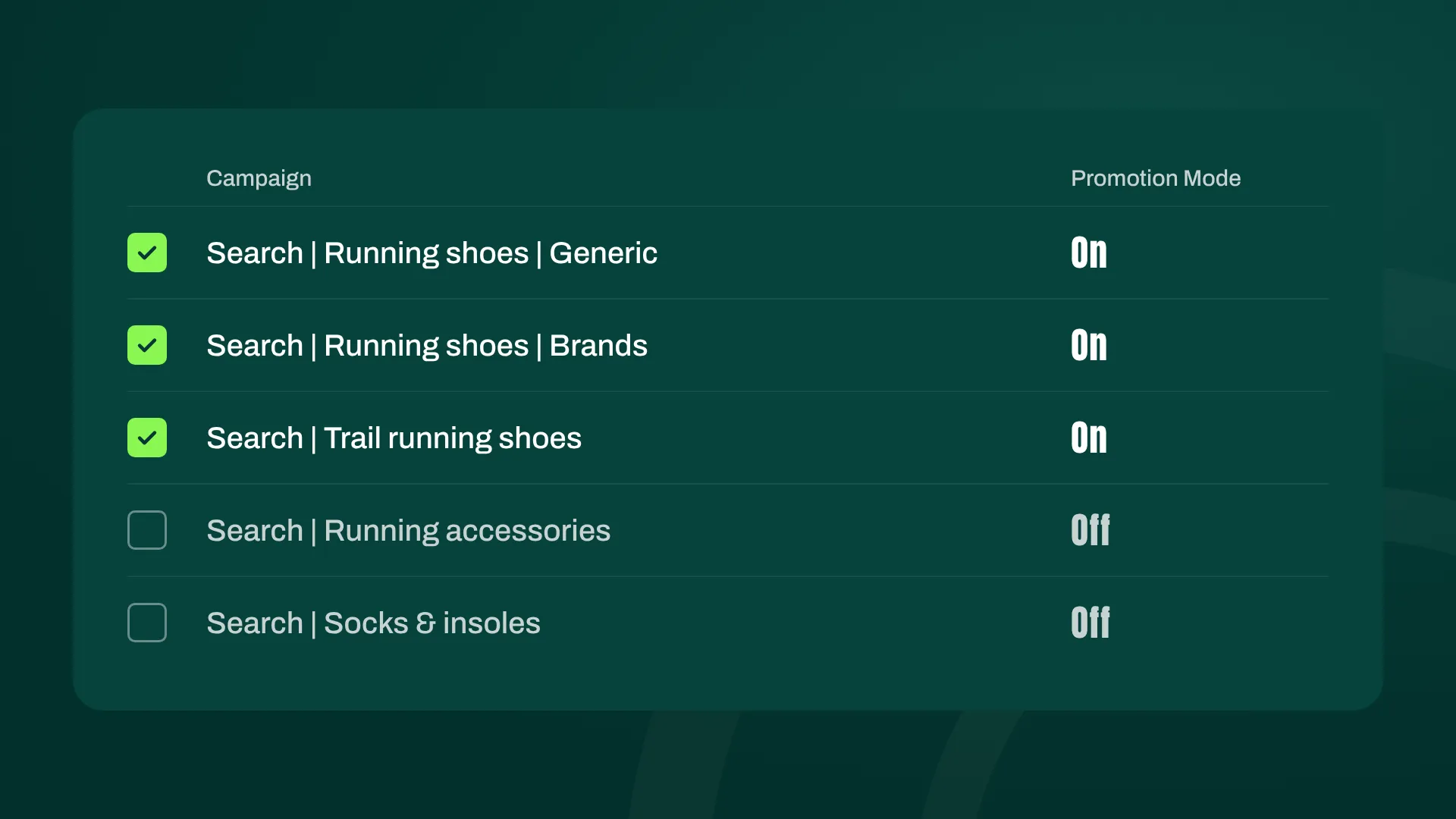
If you’re running everything through a single big campaign like PMax, you don’t have that choice. That’s a conversation about campaign structure, which is a topic for another day.
2. How Much Should You Increase Your Budget?
There are two ways to approach this, depending on where you’re starting from.
Either you already have a good idea of what the budget should be (from past sales, or because the budget is fixed). In that case, set it to what you know you need. Or you don’t, which is where most people get stuck.
If you’re budget-limited and unsure how much to add, the best starting point is to review a previous sale. Look at what you spent and where you capped out, and compare that to the return. If you don’t have a previous sale to learn from, increase the budget by 20% and see how far that takes you.
3. How Much Should You Lower Your ROAS Tolerance?
I’ve done extensive testing with Smart Bidding Exploration, and the results point to many of the same effects we see when changing ROAS targets in general:
- 10% gives a nudge
- 20% makes an impact
- 30% is too wasteful for most
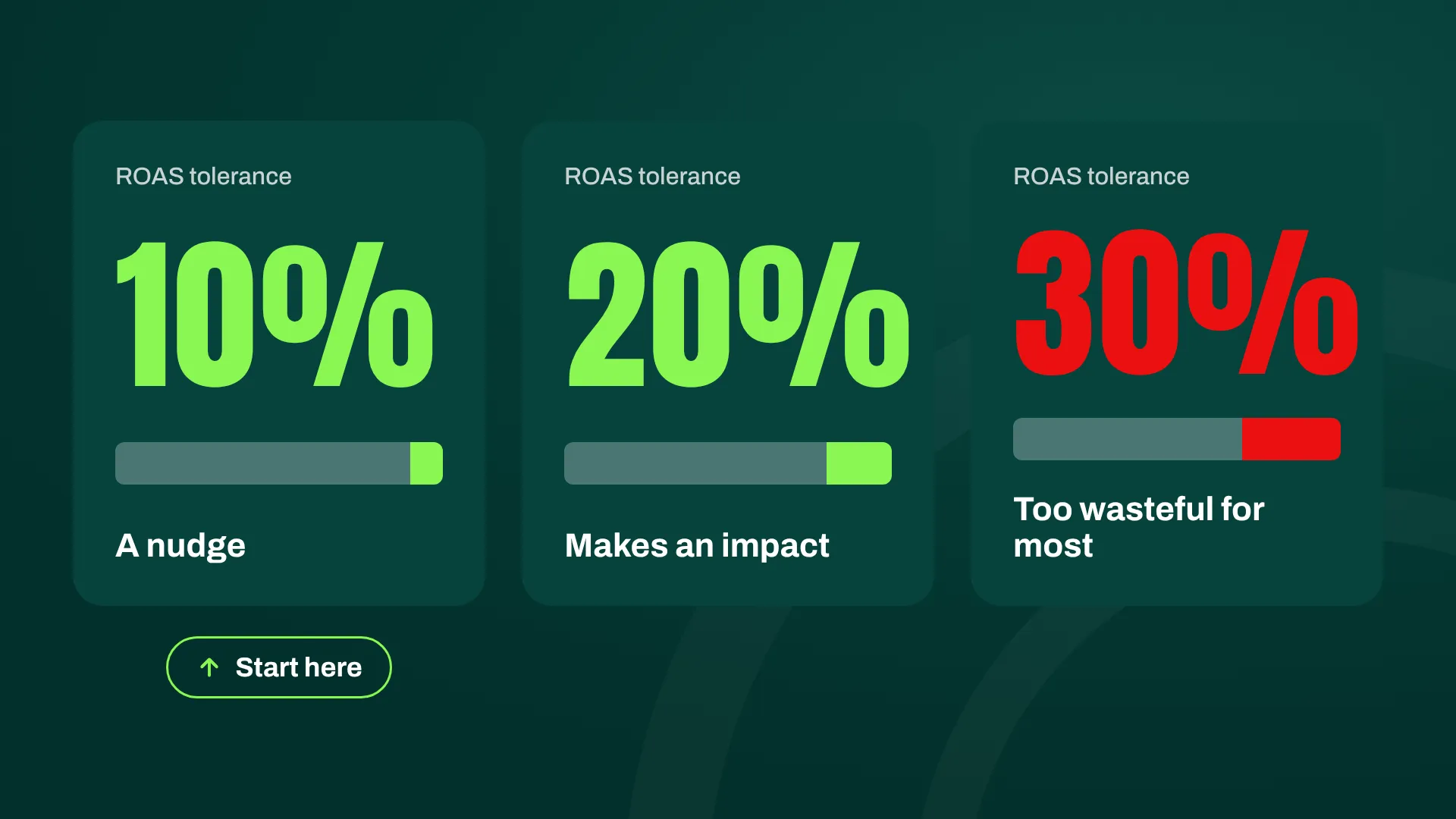
I’ve run 30% ROAS tolerance on numerous occasions, and I’ve had it work. But those were cases where we knew our metrics extremely well, and we knew we’d been running with a ROAS target that was too high for a bit too long. There was pent-up volume we were confident we could capture profitably.
That’s not most accounts. I recommend starting at 10% and seeing what happens. If the impact is good, you can go further next time.
4. Should You Combine It With Seasonal Bid Adjustments?
Seasonal Bid Adjustments and Promotion Mode have zero overlap.
- Promotion Mode gets you into more auctions through Smart Bidding Exploration.
- Seasonal Bid Adjustments increase your bids in existing auctions to win more clicks there.
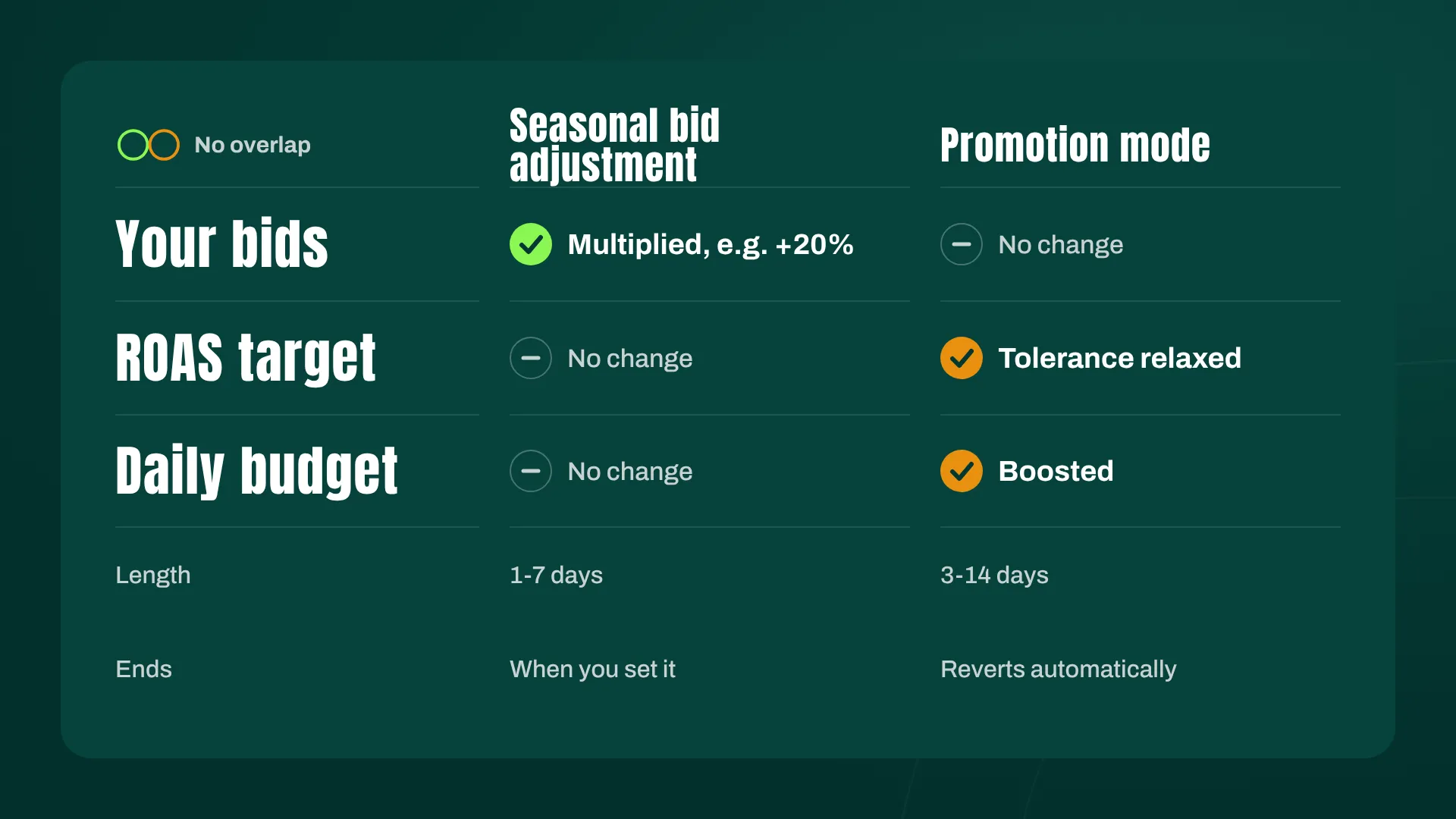
Frankly, I think it’s odd that there’s no overlap.
The whole premise of Promotion Mode is to prepare your campaigns for a sale, and Seasonal Bid Adjustments are the most established tool for doing that. I can’t see the logic in leaving them out.
What it means in practice is simple: if you normally set Seasonal Bid Adjustments for your sales, keep doing it. Promotion Mode doesn’t replace them.
If you have extensive experience with Seasonal Bid Adjustments, my view is that you can comfortably combine your usual adjustment with a 10-15% ROAS target tolerance.
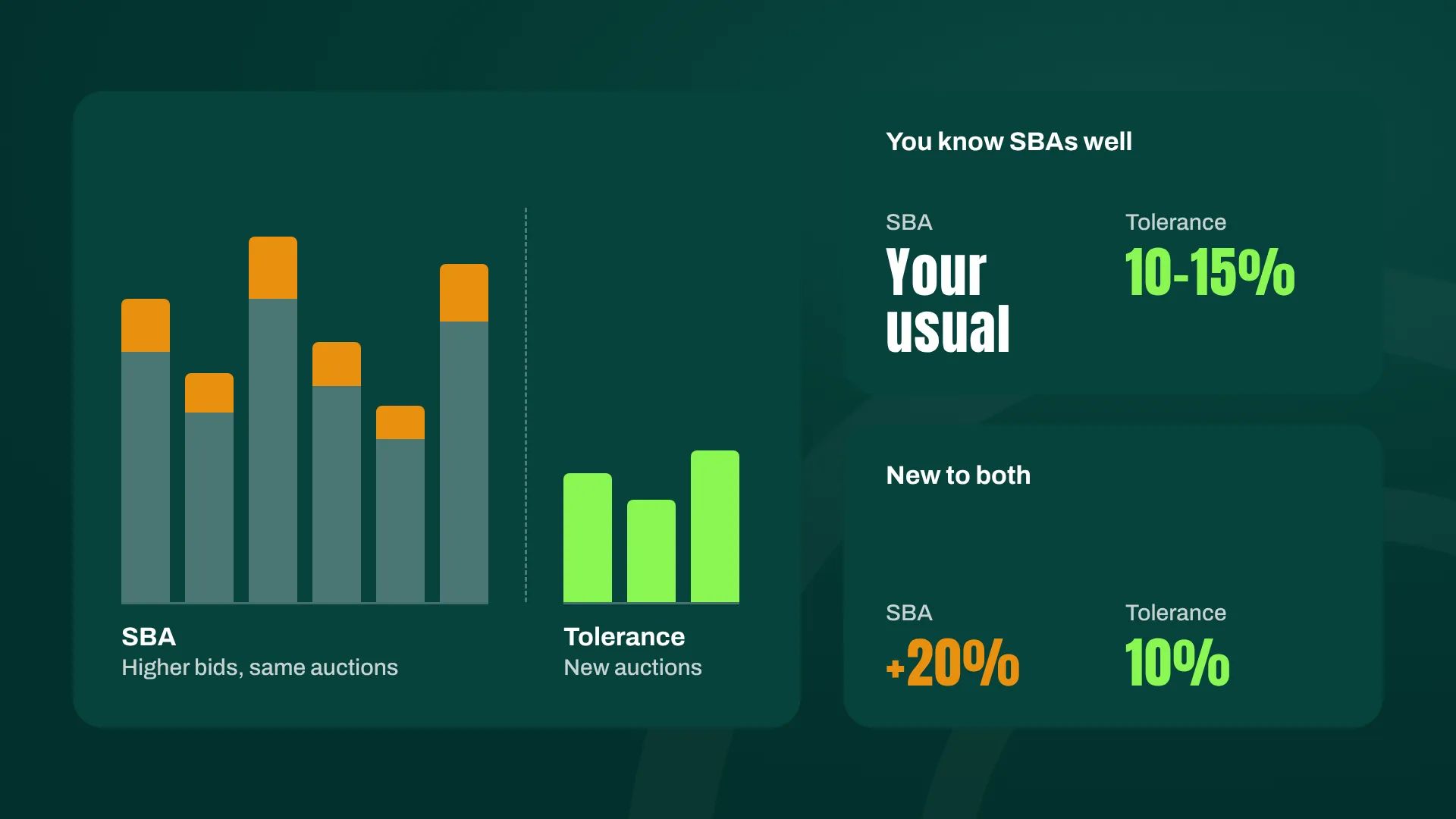
Because the two features don’t overlap, the effect on your bids doesn’t accumulate. The Seasonal Bid Adjustment works on the auctions you’re already in, and the tolerance works on getting you into new ones.
It does mean you’ll spend more, because you’re entering more auctions, which for most advertisers running a sale is what they want anyway.
If you’ve worked very little with Seasonal Bid Adjustments and not at all with Smart Bidding Exploration, be more careful.
A 20% Seasonal Bid Adjustment combined with a 10% target ROAS tolerance should not go badly wrong if you’re running a good sale. It should simply add overall volume without hurting ROAS much.
How to Evaluate Whether It Worked
At the end of the day, what you want to see is that your ROAS stayed profitable and your volume went up compared to periods when you didn’t use these methods.
The cleanest way to measure that is with a control. If you operate in multiple countries, test Promotion Mode on a single account first and compare its performance against the control countries.
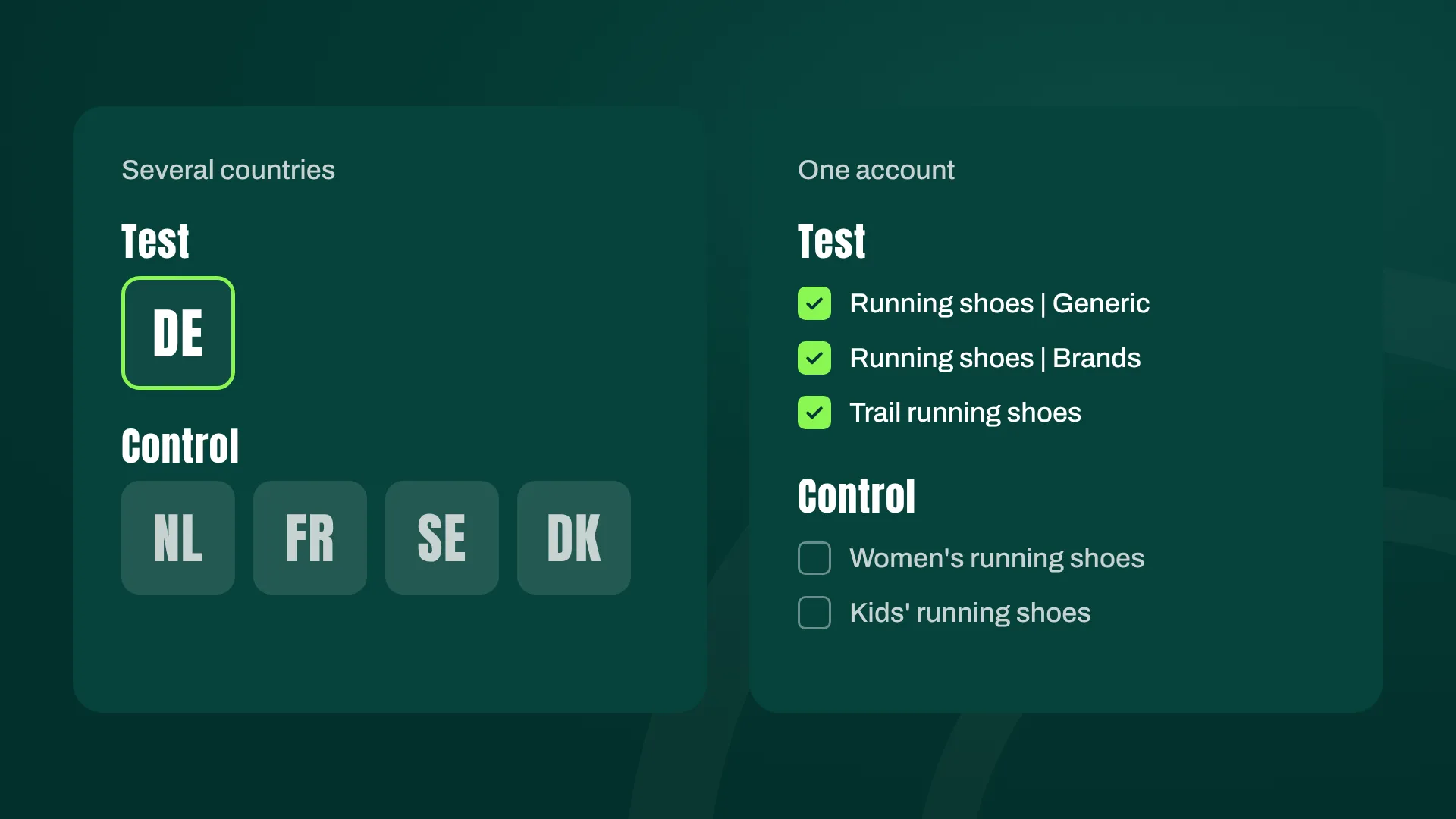
If you only have one account, you can do the same thing by holding a few campaigns back. This is a method used far too little.
Finding Out Why It Worked
So ROAS was fine and volume was up. Good. But why?
To isolate the impact of the ROAS tolerance change specifically, you need the bid strategy report. If you’re using campaign-level targets, navigate to a single campaign and open the Overview tab.
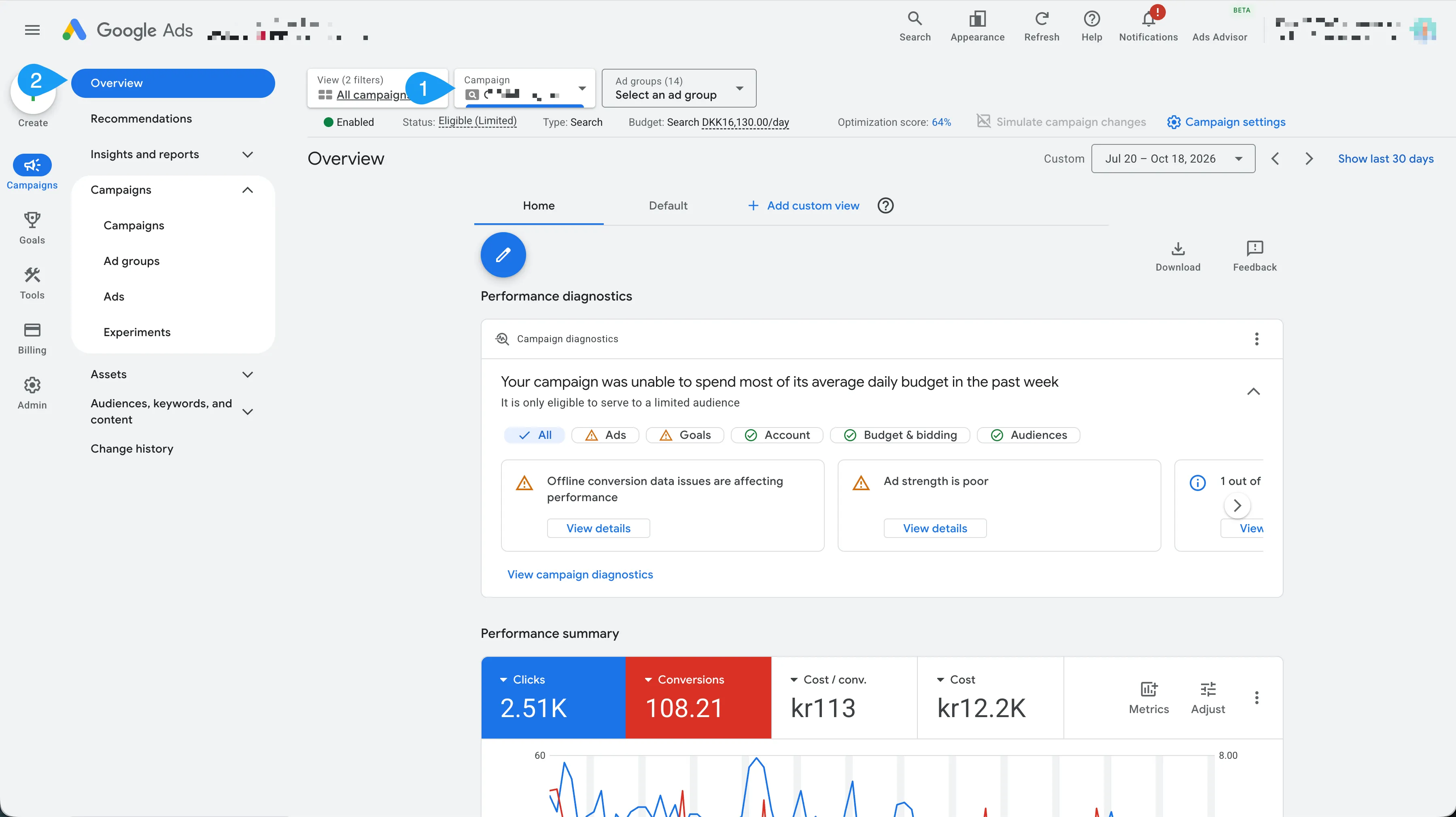
From there, scroll to the bottom and find the bid strategy report. A quick note: at Savvy we only run portfolio bid strategies, so I don’t have a single-campaign example to show you. The bid strategy report works the same way for portfolios and campaign targets, though, so the process is identical.
In the dropdown, select the Traffic Diversity report. I like to use unique search categories with clicks as the metric.
If you have a lot of data, you can switch to conversions. But even working with large accounts, I rarely see enough conversion data in this report to identify a clear impact. Clicks give you a far more readable signal.
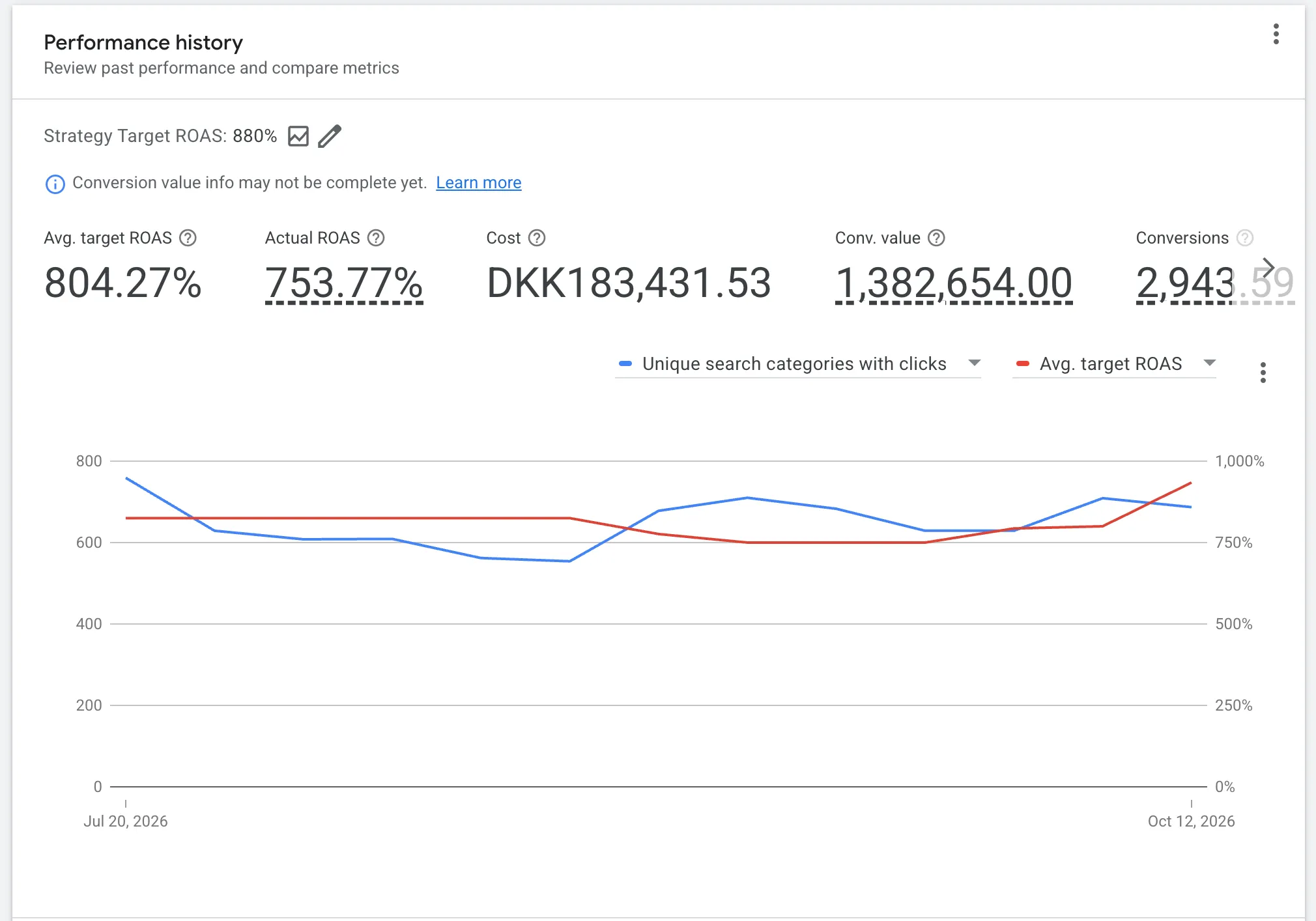
In the example above, we lowered our ROAS target midway through the period, and you can see unique search categories jump up right after. That’s the same effect you’re looking for with Smart Bidding Exploration: evidence that you’re showing up in a wider range of searches.
If the unique search categories line is flat for the period, the exploration didn’t have an impact. Whatever drove your results, it wasn’t the tolerance setting.
The Current Limitations
It wouldn’t be a Google feature without a set of limitations. Promotion Mode currently is:
- Not available for Shopping or PMax
- Not available if you run shared budgets
- Not available if you run portfolio bid strategies
The Shopping and PMax restriction exists because Smart Bidding Exploration for those campaign types is still in beta. I expect Promotion Mode to follow as soon as SBE is fully released for Shopping and PMax.
The shared budget restriction is the one that frustrates me. I understand the reasoning to a point. Promotion Mode works at the campaign level, so you could theoretically end up with stacked or conflicting changes across campaigns that share a budget.
But Smart Bidding Exploration already works with portfolio bid strategies. It doesn’t seem like much of a stretch for the functionality to follow the bid strategy or the shared budget instead of the individual campaign.
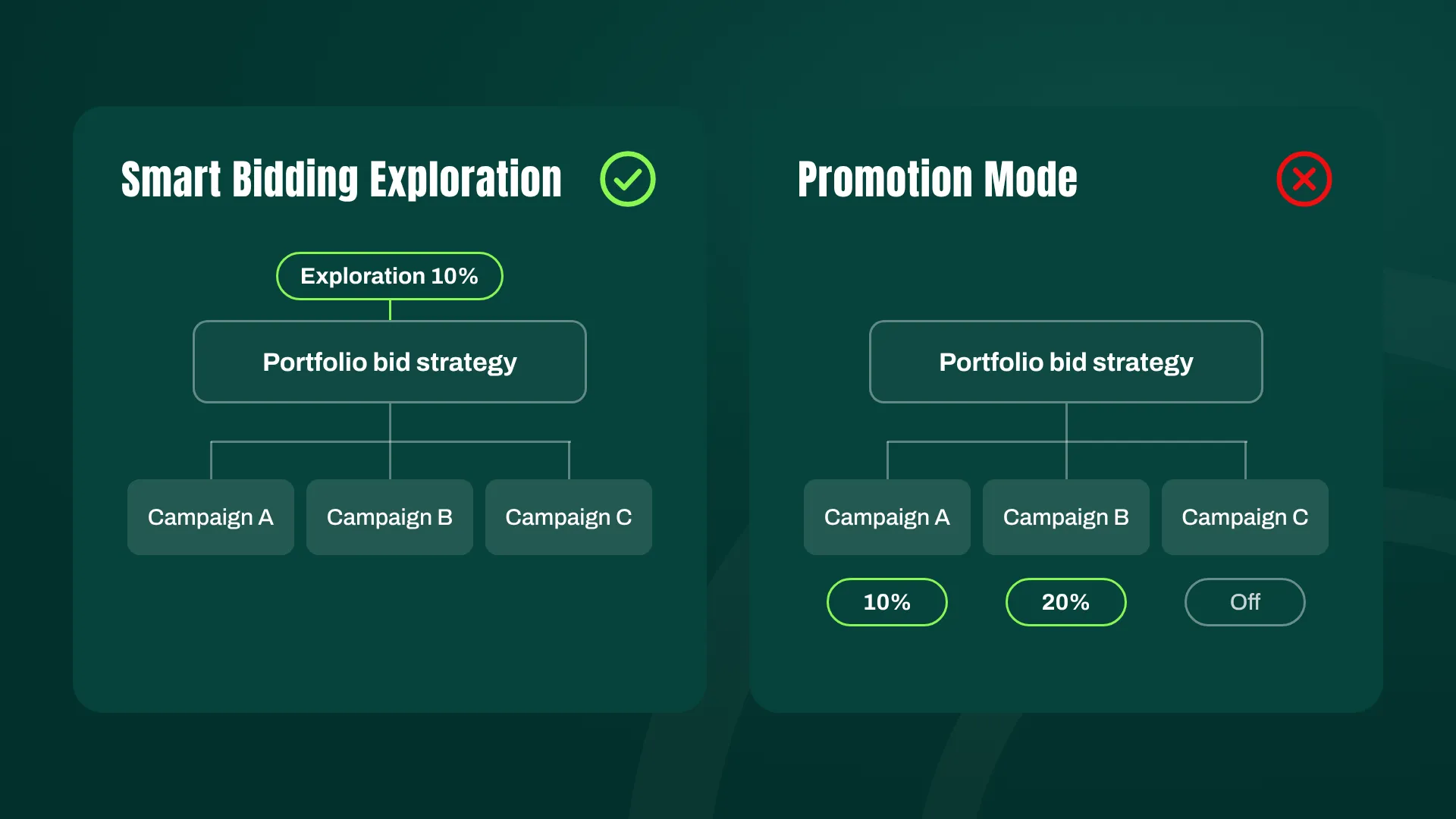
As it stands, the restriction excludes many of the most experienced advertisers, precisely because they’re the ones using shared budgets and portfolio bid strategies.
Should You Use Promotion Mode?
I’m not going to use it.
The shared budget limitation alone is a dealbreaker, and the portfolio bid strategy restriction definitely kills it for me.
I’m not moving away from shared budgets, and I’m definitely not moving away from portfolio bid strategies.
More importantly, I don’t need to. I can get the same functionality by using Smart Bidding Exploration and budget increases directly.
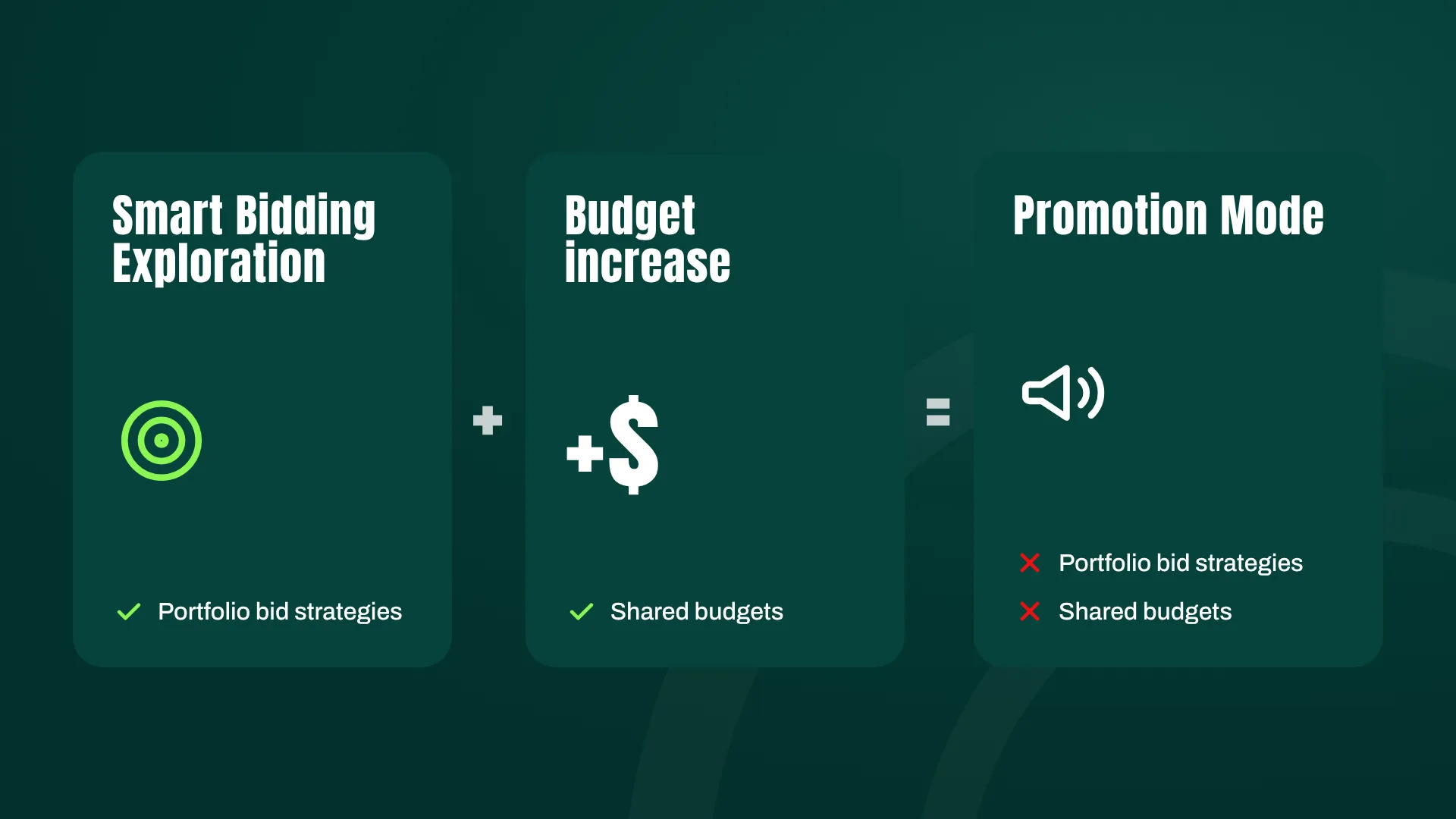
Promotion Mode is existing capabilities wrapped in an automation layer, and in this case the wrapper adds restrictions rather than removing work. If you run single campaigns with campaign-level targets and individual budgets, it may save you a few clicks. If you run a more advanced setup, go straight to the source.
What about you? Are there use cases where you plan to use Promotion Mode? I’d like to hear them.
[TL;DR]
- Promotion Mode leaves your actual ROAS target untouched. It’s a repackaging of Seasonal Budget Adjustments (extra budget) and a temporary Smart Bidding Exploration (ROAS tolerance), running for 3 to 14 days.
- Smart Bidding Exploration gets you into new auctions without raising bids in existing ones, which solves Smart Bidding’s slow ramp-up during sales. Start at 10% tolerance; 20% makes an impact, 30% is too wasteful for most.
- Turn it on 3 to 5 days before a 3 to 7 day sale, apply it only to campaigns relevant to the promotion, and keep using Seasonal Bid Adjustments, since the two features don’t overlap.
- Evaluate with a control (countries or held-back campaigns) and check “unique search categories with clicks” in the bid strategy report’s Traffic Diversity view.
- I won’t use it: it doesn’t support Shopping, PMax, shared budgets, or portfolio bid strategies, and you can get the same result by using Smart Bidding Exploration and budget increases directly.