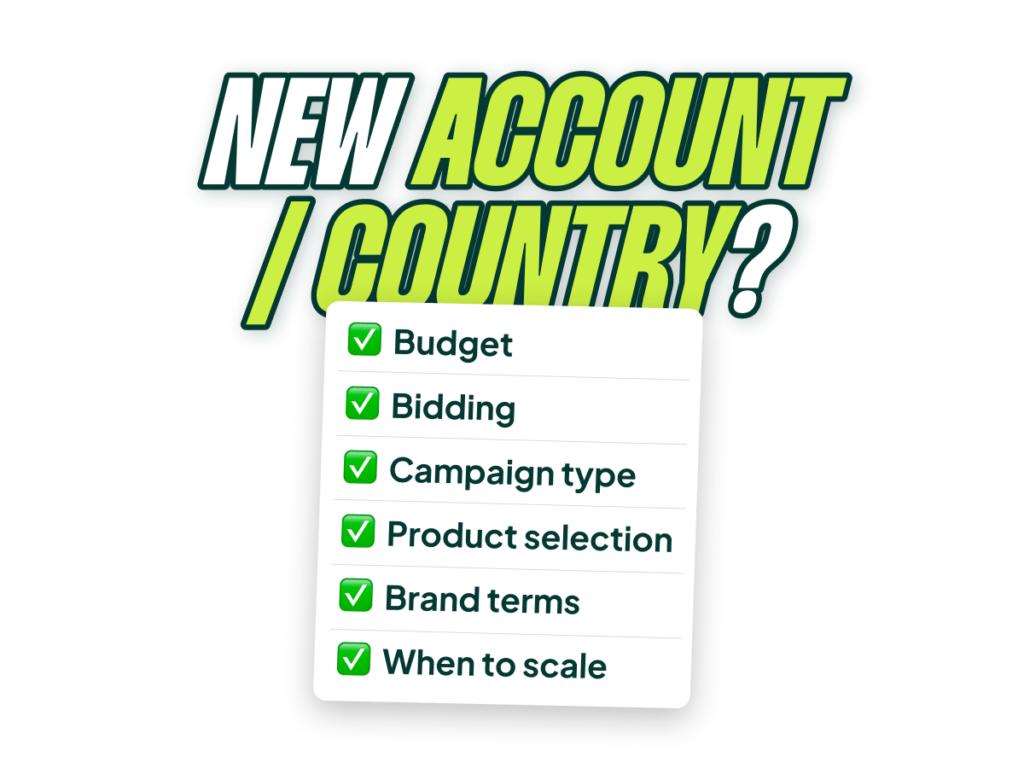
I’ve launched Google Ads accounts that became a top-five country for a client within months. I’ve also launched accounts where absolutely nothing happened—ROAS flatlined, volume never materialized, and we basically went nowhere. The difference between those outcomes isn’t luck; it’s the playbook.
This article is broken into two parts. First, I’ll walk you through the framework I believe most advertisers should use when launching a new account. Then, at the end, I’ll share my personal blueprint—the exact, multi-phase process I use myself. My method relies on a manual skillset that, frankly, 90% of account managers today don’t have and don’t need. So we’ll start with the approach that works for the majority.
One important caveat: everything here is based on our experience at Savvy launching new countries for established clients spending anywhere from $20,000 to $1 million a month. We’re not talking about launching a brand new store from absolute zero. The principles are the same, but the number of unknowns changes dramatically.
Go Beyond the Article
Why the Video is Better:
- See real examples from actual client accounts
- Get deeper insights that can’t fit in written format
- Learn advanced strategies for complex situations
First, A Critical Distinction: New Account vs. New Country
Launching a new account and launching into a new country both involve unknowns. The problem is that a brand new business has far more of them.
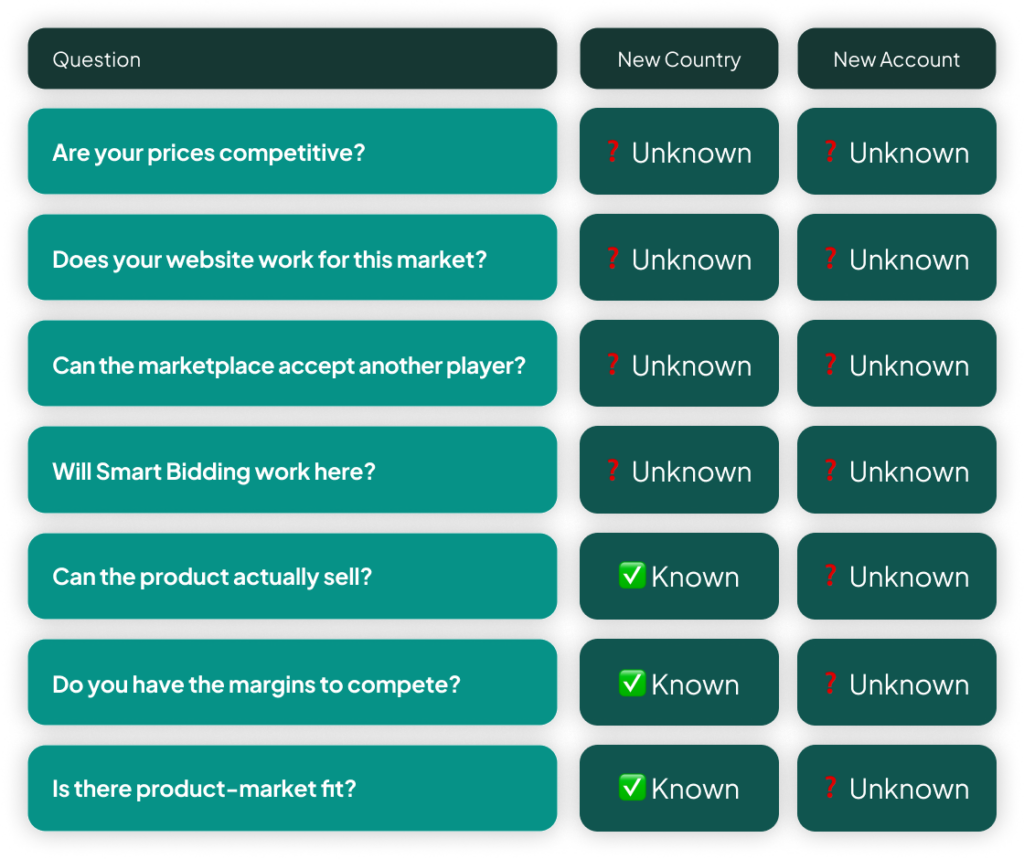
When we expand an existing business from Denmark to Sweden, we face market-specific questions: Are our prices competitive in Sweden? Will Smart Bidding work there? Can the market absorb another player? But we already have answers to the most critical questions.
- Can the product actually sell? If it sells in Denmark, there’s a 99% chance it will sell in Sweden.
- Do you have the margins to compete? Again, if the unit economics work in one market, they’ll likely work in a similar one.
- Is there product-market fit? Solved.
With a brand new account for a new business, you don’t truly know if anyone wants what you’re selling. That is a fundamentally harder starting point. This doesn’t make the playbook less valuable, but it means you need to factor in those extra existential unknowns.
The Core Problem: Starting with Zero Data
Launching any new account means you have no data. No data means you have no access to the tools that make Google Ads effective today, namely Smart Bidding.
Smart Bidding is powerful because it optimizes over time. If a search term or product doesn’t convert, it lowers the bid. If a campaign is inefficient, it reallocates the budget. It constantly increases bids for what works and decreases them for what doesn’t. But when you start, it has no signals. It’s forced to bid the same for everything.
This is the number one problem you have to overcome. Your entire initial strategy should be built around solving this data deficit as efficiently as possible.
Your Initial Setup: The 5 Foundational Decisions
To get from zero to a data-driven account, you need to make five key decisions upfront. Get these right, and you build a solid foundation. Get them wrong, and you’ll be fighting the system for months.
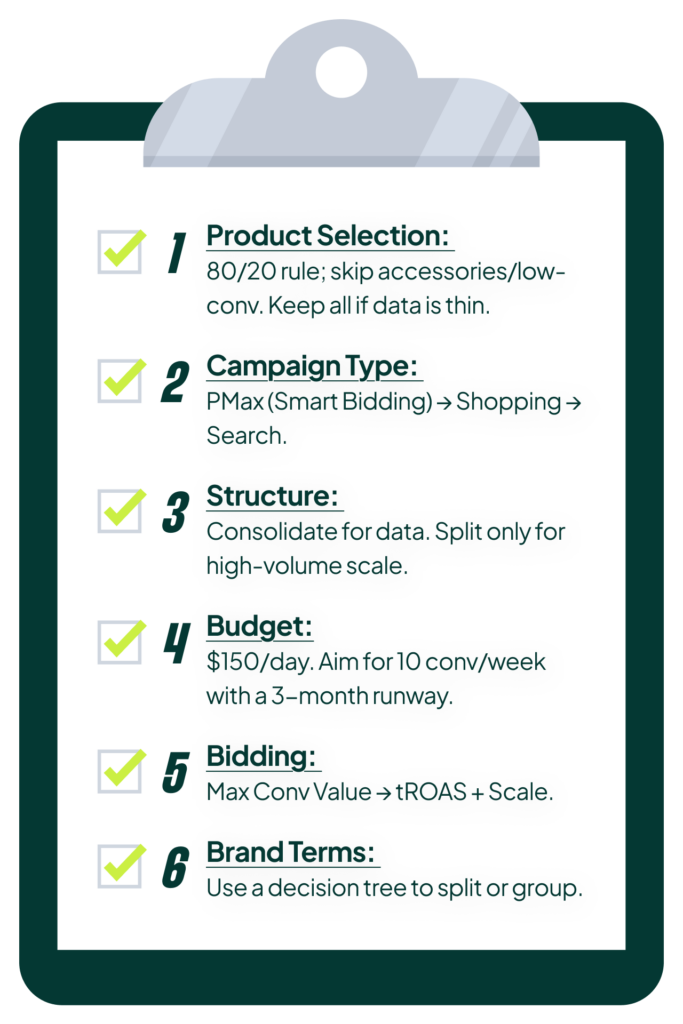
Decision 1: Product Selection (All vs. Curated)
There are two schools of thought here. One side argues you should launch with all your products because you don’t know what will work; starting too narrow might mean you bet on the wrong horses. The other side argues it’s insanely stupid to launch all your products when you know that 10% of them drive 90% of the revenue. Both can be true.
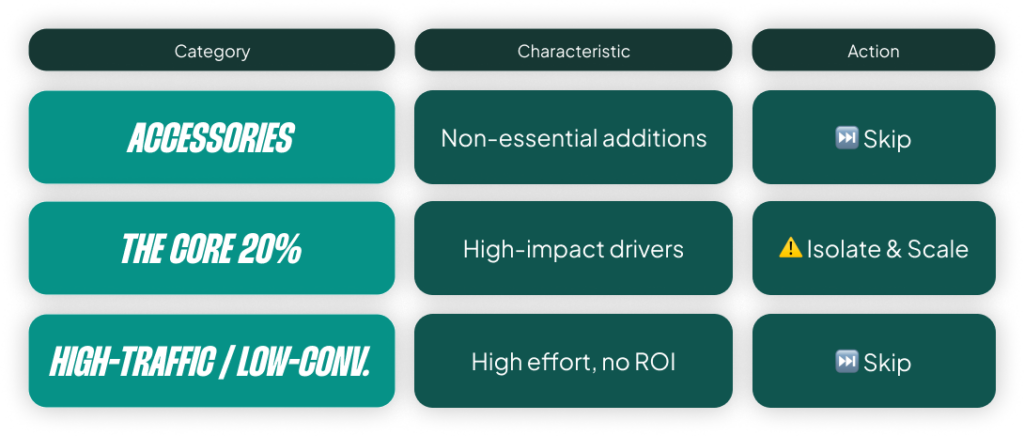
Here’s the simple decision tree we use at Savvy:
- Exclude accessories. Just get them out of the feed entirely to start. They rarely drive initial conversions and can muddy the data.
- Apply the 80/20 principle. If 20% of your products account for 80% of your revenue, start there. This is especially true if you have data from other channels like Meta or wholesale.
- Skip high-traffic, low-conversion categories. You know the ones. They attract a lot of clicks but rarely turn into sales. Avoid them for now.
The truth is, Smart Bidding will eventually figure out what works. But careful product selection is most critical in the worst-case scenario where nothing is converting, and you need to give the algorithm the best possible chance of finding a winner.
Decision 2: Campaign Type (The Surprising PMax Advantage)
 You have three real choices for an e-commerce launch: Shopping, Performance Max, and Search. You have no business launching Display, YouTube, or Demand Gen this early. Google Ads is a search-intent game at the start; don’t try to play the other games yet.
My ranking here will probably surprise you, especially if you know I generally believe dedicated Search and Standard Shopping campaigns beat PMax. But for a new account launch, the hierarchy is different.
 PMax is the winner. The reason is simple: it gives you immediate access to Smart Bidding with the “Maximize conversion value” strategy. With Standard Shopping, you have to start with manual bidding, and the reality is that eight out of ten of us are not good enough to run manual bidding effectively anymore. You will bid too low on the auctions that matter and not lower your bids fast enough on the ones you should avoid.
PMax lets you bypass that manual phase, which is a huge advantage when you have no data. If you have very low conversion values, starting with “Maximize conversions” can be a better choice, but for most, “Maximize conversion value” is the right call.
Decision 3: Campaign Structure (Simplify, Simplify, Simplify)
In almost every case, I want you to start with a single PMax or Standard Shopping campaign. The only exception is if you’re launching into a major market where you know the volume will be immense (say, expanding from Denmark to Germany). Otherwise, a single campaign is the way to go.
The logic goes back to our core problem: data. If you split your initial trickle of data across three campaigns, it will take three times as long for any single campaign to get enough data for Smart Bidding to become efficient. Your first goal in any new account is to get Smart Bidding working properly. Don’t do anything that slows that process down.
Decision 4: Setting Your Initial Budget
Normally, I advise that you should never be limited by budget. A healthy campaign’s budget should be set 20-50% higher than its daily spend to give Smart Bidding room to maneuver. But when you’re starting out, you have no idea if you should spend $100 or $10,000 a day. You have to set a limit.
This leads to two common mistakes:
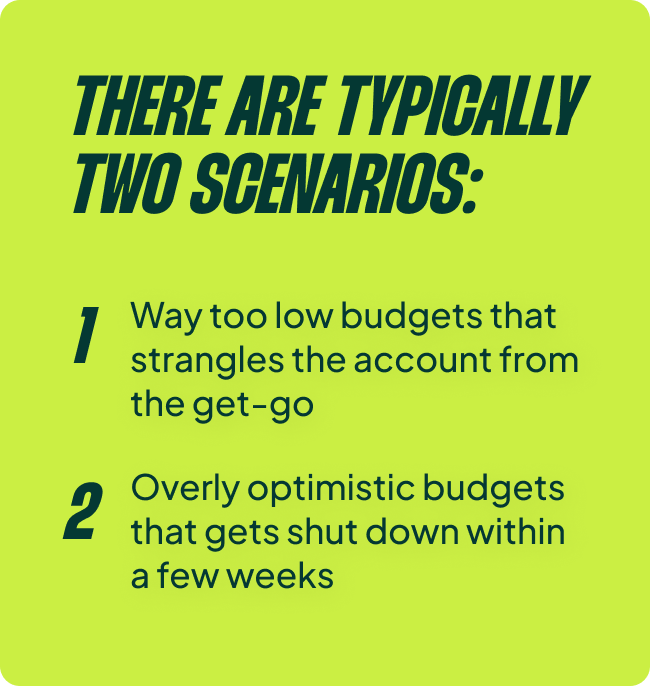
- Setting a budget so low that it strangles the account from the start.
- Setting an overly optimistic budget that gets shut down after two weeks of poor results.
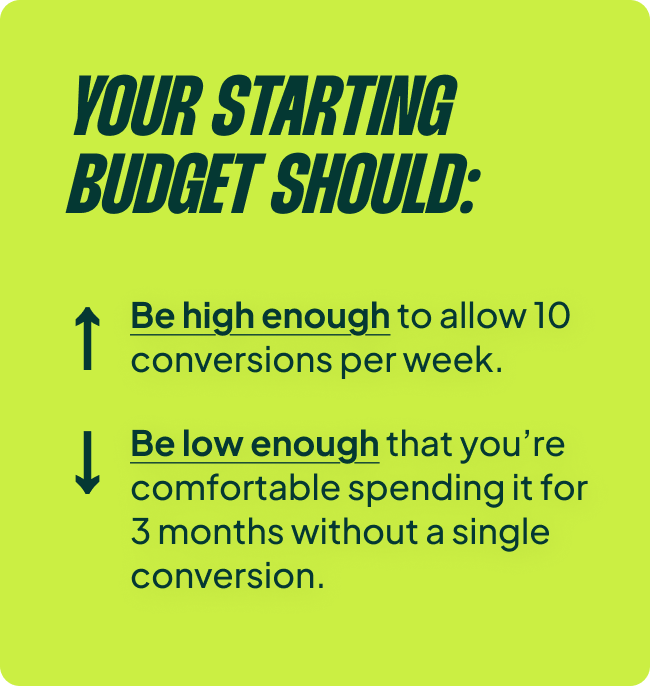
Your starting budget should be a balance. It needs to be high enough to generate roughly 10 conversions per week but low enough that you’re comfortable spending it for three months without a single conversion. That second part can be painful to hear, but you need a budget that allows you to be patient and not make drastic, panicked decisions.
Sometimes the math just doesn’t work. If your target CPA is $500, a 10-conversion/week budget is $5,000 per week, or $60,000 over three months. I don’t know any advertiser comfortable burning that with zero return. For most accounts, a good starting point is around $150 per day ($4,500/month). It’s often the sweet spot.
Decision 5: Bidding Strategy (From Data Gathering to ROAS)
You’ve started your PMax campaign with “Maximize conversion value.” The algorithm is now focused on spending your budget on auctions most likely to perform well. Once you have enough conversions for Smart Bidding to do its job, it’s time to evolve.
Initially, your ROAS will be low and your spend will likely be under budget. As Google finds winning auctions, ROAS will climb and spend will grow. This is your cue to do two things:
- Set a ROAS target. You want to spend more, but not at the terrible return you started with. Setting a target tells the algorithm to maintain a baseline level of efficiency.
- Increase the budget dramatically. Once you’re hitting a reasonable, stable ROAS, remove the budget constraint. Let the algorithm find as many conversions as it can at your target ROAS. Now you’re in the optimization phase.
Navigating The Launch: Best Case, Worst Case, and The Messy Middle
Once you’re live, you’ll likely fall into one of three scenarios.
The Best Case Scenario: Rapid Growth
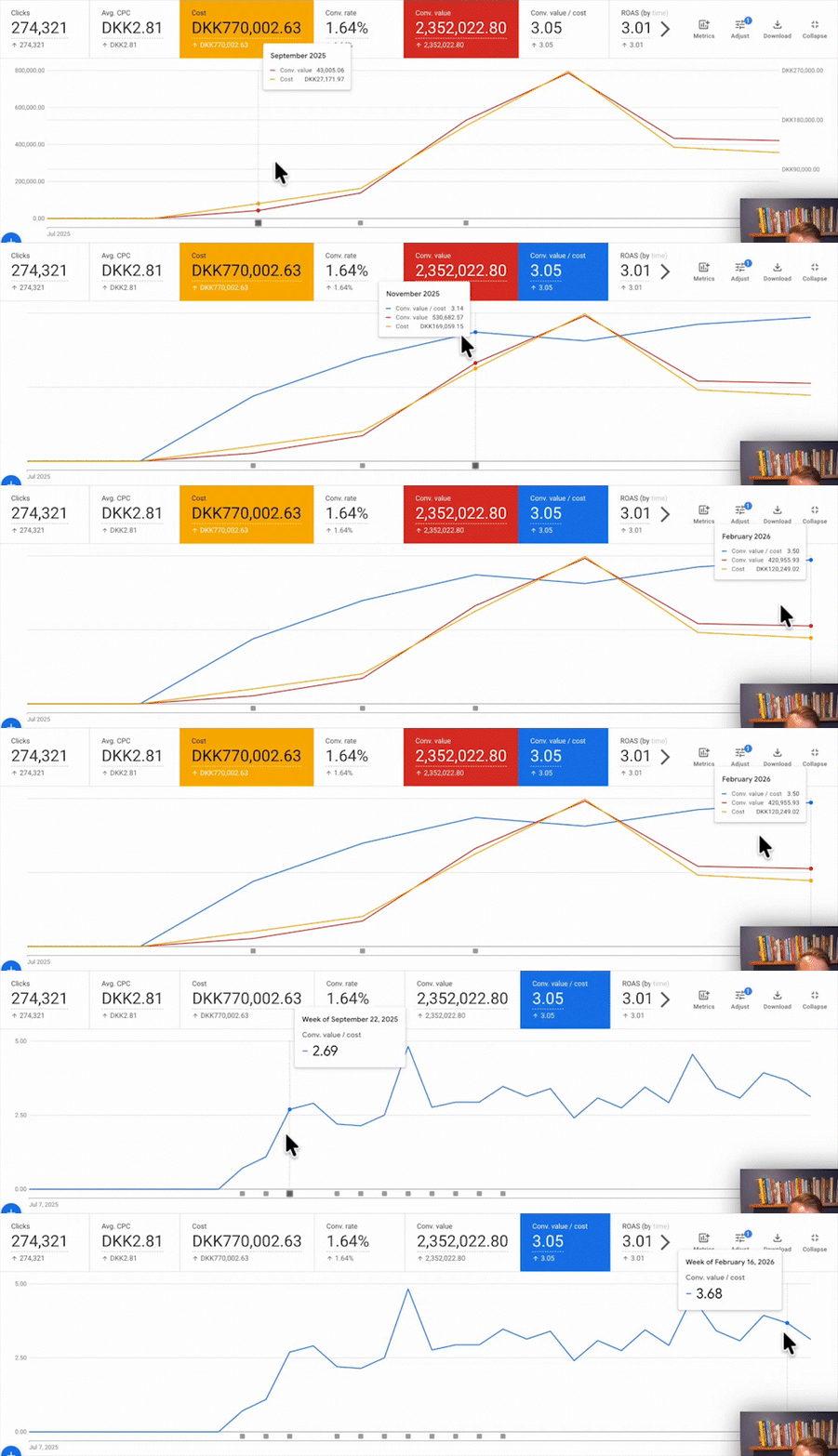
Sometimes, everything just works. We launched a new country for a client where ROAS started at 1.5x, but within weeks, as we increased the budget, it climbed past our 3.5x goal. The account took off, spend grew, and it became a top-five market. This happens when there’s clear demand and you fill a hole in the market. It’s the perfect startup, but it’s also rare.
The Worst Case Scenario: What to Do When Nothing Converts
I get this question all the time: “I started a new account, it’s not converting, what should I do?” The answer could be a million things, but if you’re getting zero conversions, something is fundamentally broken. You need to diagnose it.
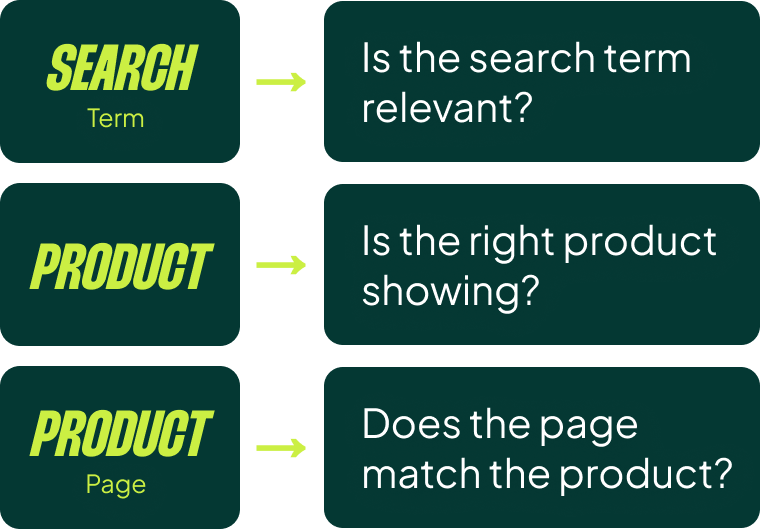
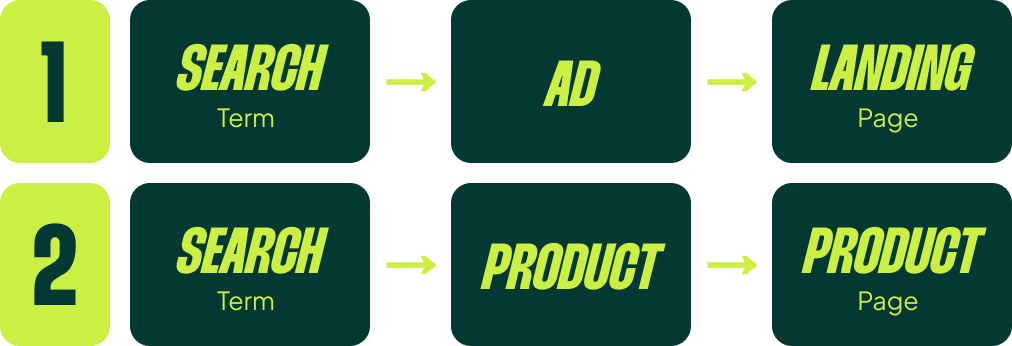
I use a simple framework: check the alignment between the search term, the product/ad, and the landing page.
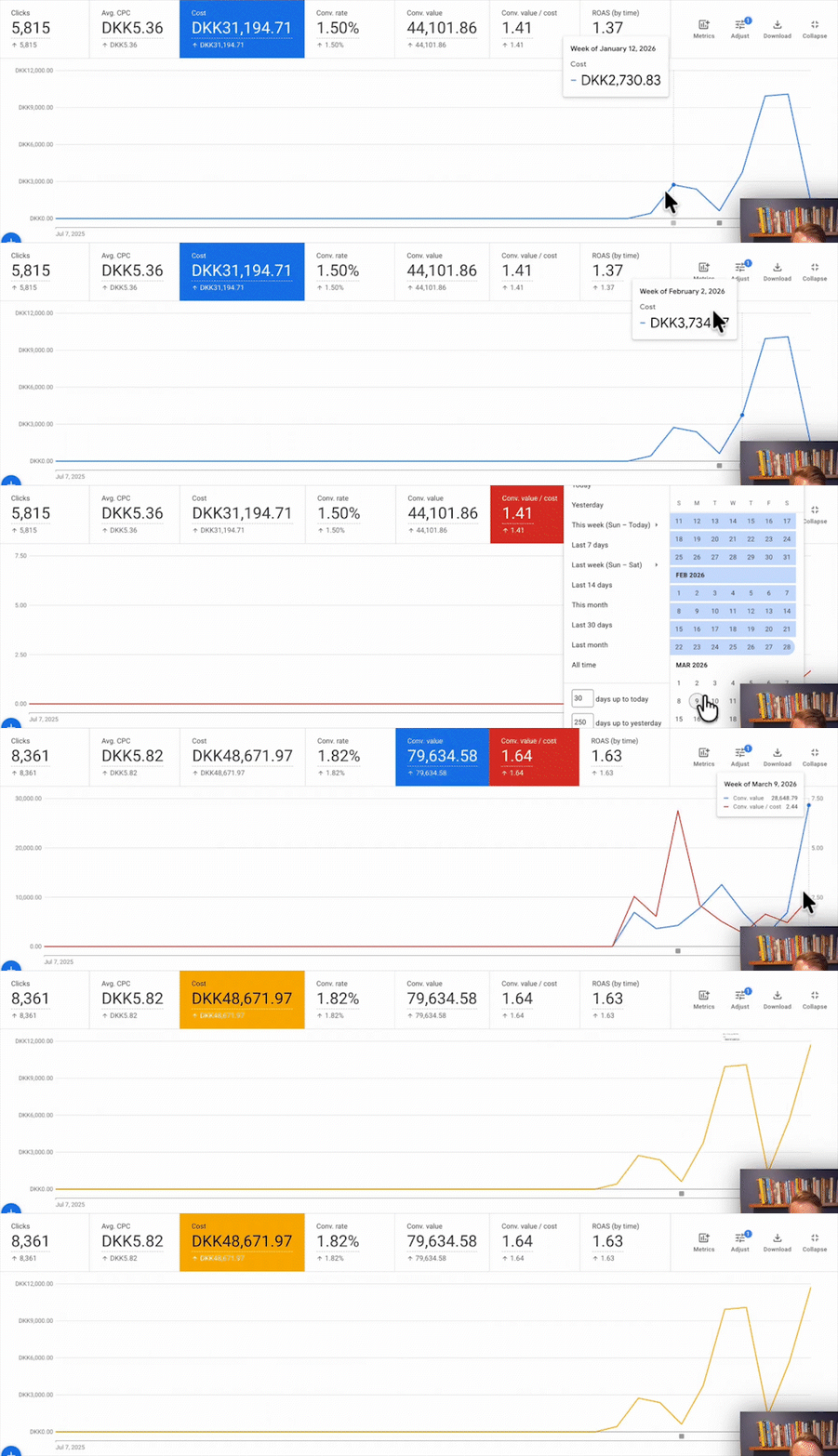
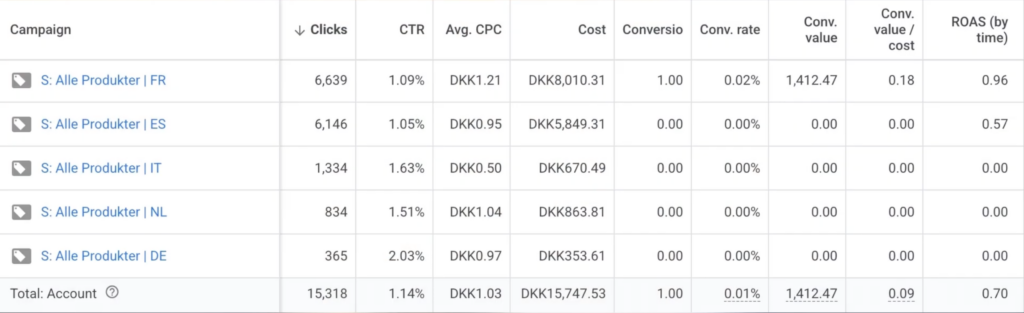
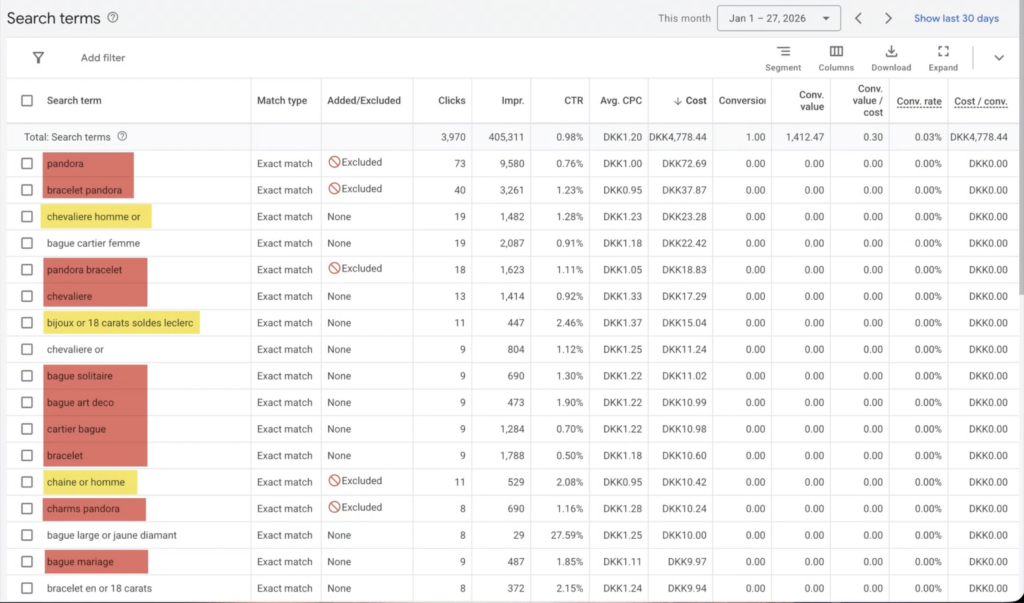
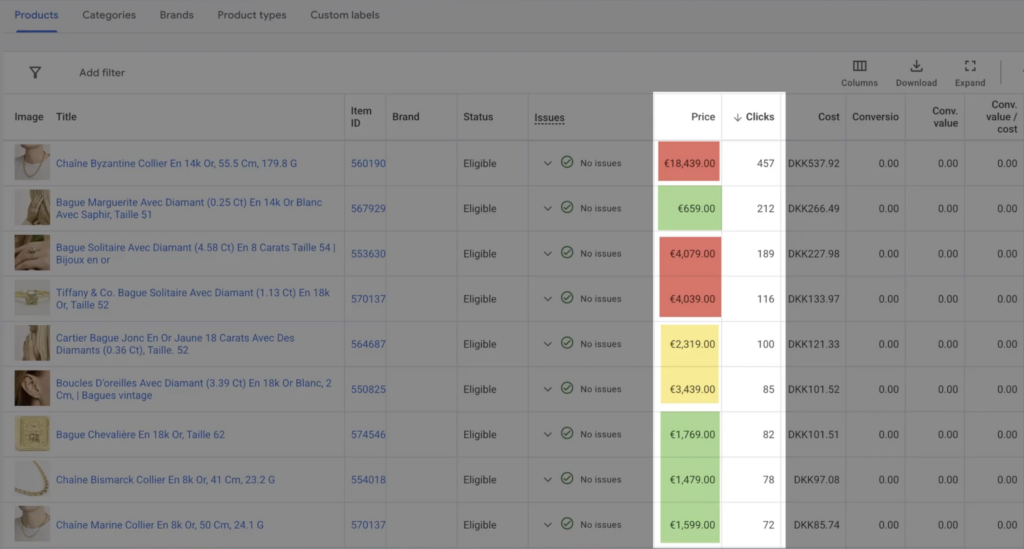
We had a client selling vintage jewelry where launches in France and Sweden were failing for different reasons. In France, the search terms were all wrong. People were searching for modern jewelry, but we were showing them high-priced vintage pieces. The solution was simple: we excluded the expensive products and created campaigns focused only on keywords like “vintage,” “secondhand,” and “used.”
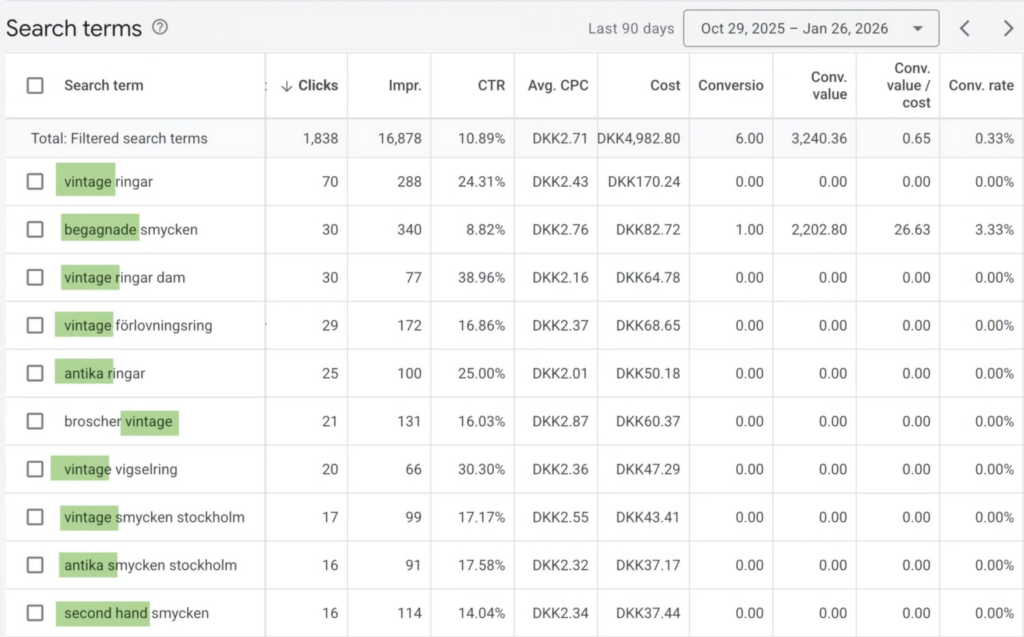
In Sweden, the search terms were perfect—all vintage-related. The products were right. The landing pages looked good. Yet, nothing was working. In this case, the problem wasn’t our Google Ads setup; a deeper analysis showed it was a market we should simply stay away from.

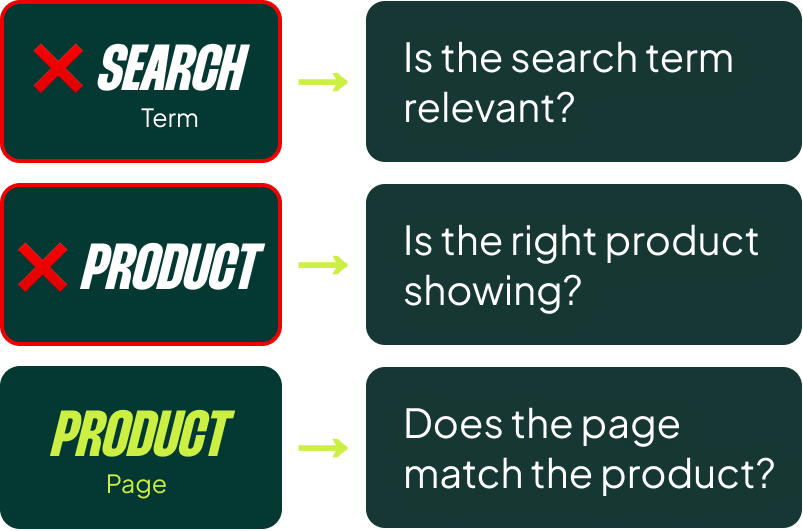
Your job as a Google Ads manager is to first confirm you are sending the right people (search terms) to the right offer (product/ad) and the right page. If that chain is solid, and it’s still not working, the problem lies elsewhere (pricing, website, market fit).
The Messy Middle: The Reality for Most Accounts
Most launches don’t explode with success, and they don’t completely fail. They land in the messy middle. You’re getting some conversions, but not enough to confidently increase the budget. ROAS is okay, but it fluctuates wildly. The account shows signs of life, but it’s not self-sustaining.
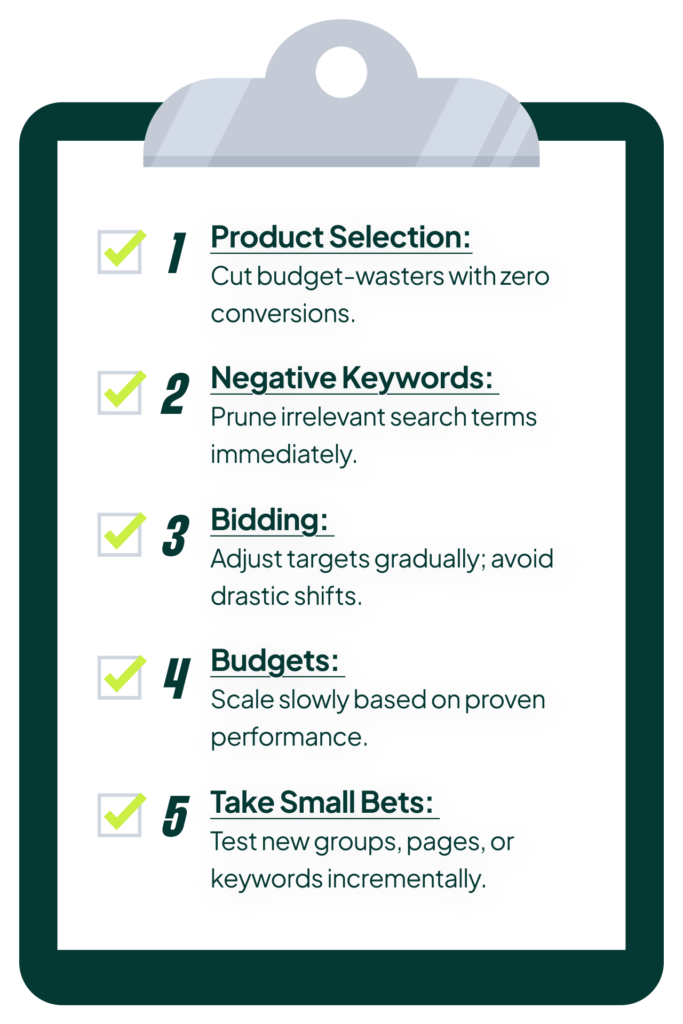 Your job here is to tweak, not overhaul. Be methodical:
- Product Selection: Find the few products eating your budget without converting and remove them. Give other products a chance to perform.
- Negative Keywords: Cut out the search terms that are clearly irrelevant or too broad. Sometimes cleaning up the top 50-100 bleeding search terms is all it takes.
- Bidding: Adjust your ROAS target gradually. If you’re not spending, try lowering your 2.0x target to 1.75x or 1.5x. If performance is good but you’re not ready to increase the budget, nudge it up to 2.25x. No dramatic changes.
- Small Bets: Test a new product group in a separate campaign. Take your few best-performing products and give them their own small budget.
The goal is to slowly build enough data for the account to become self-sustaining. You are manually steering the ship just long enough for the autopilot to kick in.
My Personal Blueprint (The Advanced, Manual Approach)
Everything above is how I think you should launch an account. Here’s how I actually do it. It’s not radically different, but it requires a level of comfort with manual bidding that most managers don’t have.
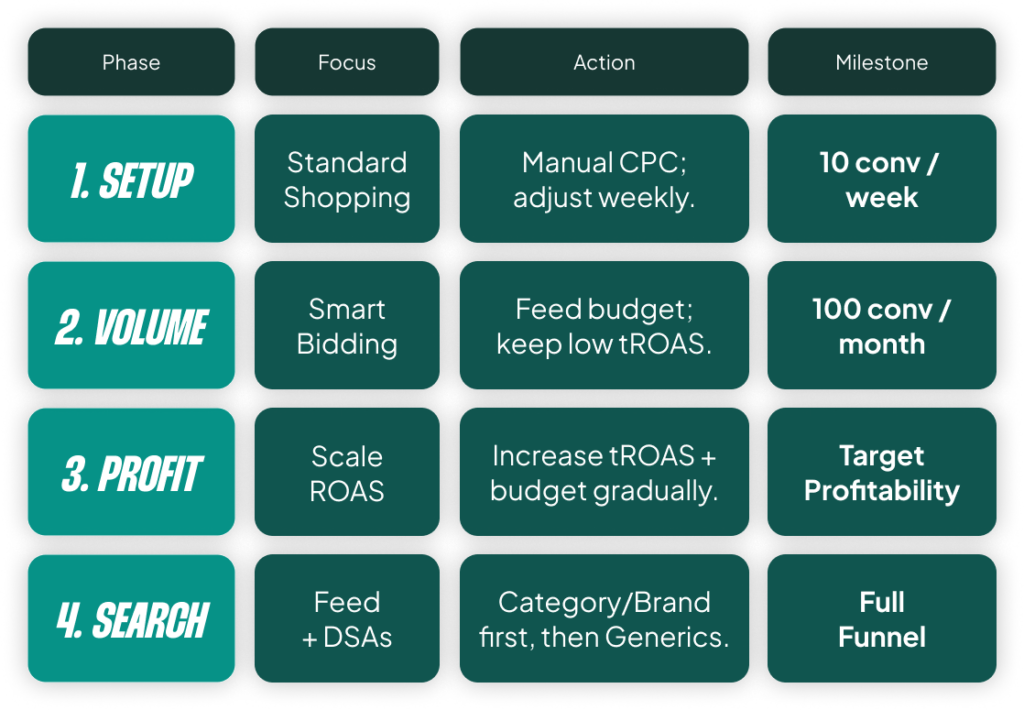
Phase 1: Manual Bidding to Build a Data Foundation
I start with a single Standard Shopping campaign on Manual CPC. Yes, I know I told you to start with PMax, but for most people, that’s the right call. I set bids conservatively and adjust them weekly based on performance. The goal is simple: get to 10 conversions per week. Once I hit that, I switch to a Smart Bidding tROAS strategy, but I set the target very low (e.g., a 2.0x target when my goal is 3.5x). I just want the algorithm to start balancing bids better than I can manually.
Phase 2: Building Volume with Smart Bidding
With a low ROAS target in place, I increase the budget week by week. My goal here is to get to 100 conversions per month. Until I hit that threshold, I rarely touch the ROAS target. I explain to the client that this initial low efficiency is the cost of acquiring data quickly.
Phase 3: Gradual ROAS Optimization
Once I’m at 100+ conversions per month, I start slowly increasing the ROAS target week by week. I push it until I’m at the lower end of my ultimate goal. The account now has a solid foundation of data and is performing efficiently.
Phase 4: Layering in Search Campaigns
Finally, I add Search. We typically use a feed-based setup so campaign creation is almost entirely automated. I start with category keywords and branded keywords (for third-party brands). Only after those are working for a couple of months do I even consider adding broad, generic keywords. They’re usually a waste of money in the early stages.
This entire process, from launch to a self-sustaining account, typically takes three to six months. After that, it moves into our normal optimization routines.
[TL;DR]
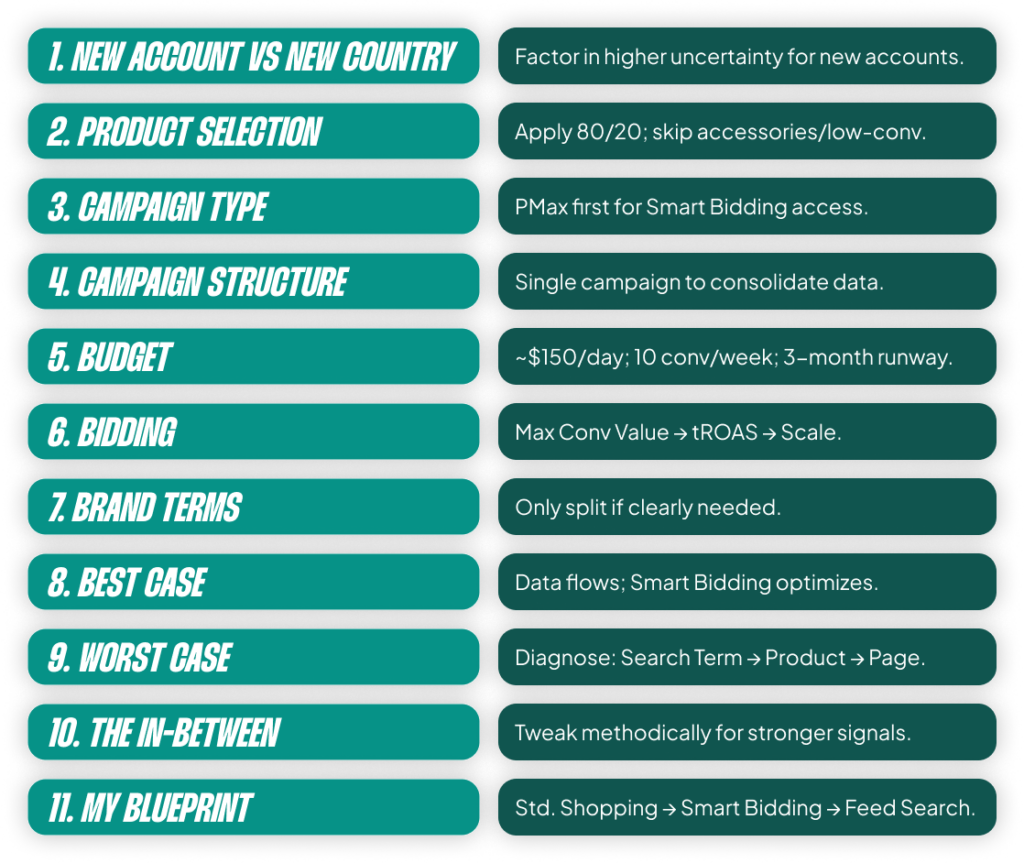
- The primary goal when launching a new account is to gather enough conversion data for Smart Bidding to become effective. Everything you do should serve that goal.
- For most advertisers, the safest and fastest path is to start with a single PMax campaign using the “Maximize conversion value” bid strategy.
- Set a budget that is high enough to get ~10 conversions per week but low enough that you can afford to run it for three months without panicking over poor initial results.
- If the account isn’t converting, methodically diagnose the funnel: Are the search terms relevant to the products shown? Does the product page match the user’s intent?
- Most accounts land in a “messy middle.” The key here is to make small, gradual tweaks to products, negative keywords, and bid targets to slowly build momentum.