Dansk
Dansk
This has long been one of the most misunderstood features Google has ever released. On the surface, it just sounds great. Everyone wants more new customers, right? Your entire business growth depends on it.
The problem is that it’s just not that simple. I’ve seen enough accounts to know that most advertisers just flip a switch, add a random value, and hope for the best, completely unaware of what’s happening under the hood. It’s time we took a deep dive into this feature so you can get the most out of it—and, just as importantly, know when to stay away.
Because in the end, I’ll share a surprising stat about existing customers that proves why a 100% focus on new ones can be a disaster for your business.
How the New Customer Acquisition Feature Actually Works
Let’s get the mechanics out of the way. The process is straightforward in theory. First, we have to tell Google who our existing customers are. The best practice is to use all your first-party data: Customer Match lists from Klaviyo or Shopify, conversion data, and especially Enhanced Conversions.
Smart Bidding then uses this information to distinguish between a new and an existing customer at the point of conversion. From there, we can tell the system to add an extra value when a conversion comes from a new customer. For instance, if a new customer makes an $89 purchase and we’ve set a $50 “new customer value,” Google’s algorithm sees that conversion as being worth $139.
This inflated value skews the bidding algorithm to prioritize auctions, keywords, products, and channels that it believes bring in more new customers. Overall, it’s a good feature that can help you focus your budget correctly. But before we praise it, there are three critical things you need to understand.
The Three Things Google Doesn’t Tell You
I believe everyone should know these three points before ever enabling this feature. Ignoring them is where most of the mistakes happen.
1. It’s Only as Good as Your Data
The entire feature hinges on Google’s ability to identify your existing customers. The less data you provide, the less accurate it will be. If Google can’t confidently match a user to your existing customer list, it will default to classifying them as a new customer. This isn’t inherently good or bad; it’s just how it works. But if your data is weak, you’ll be overvaluing conversions that aren’t actually new.

2. It Inflates Your Reported Revenue and ROAS
This is a big one. That extra $50 you add for a new customer? It gets baked into your total conversion value everywhere inside the Google Ads interface. If you export your data, that “fake” revenue comes with it.
Let’s do some simple math. Imagine you spend $100k and get 3,500 new customers and 1,500 existing customers.
- Scenario A (No Added Value): Your total reported revenue is $395,000. Your ROAS is 395%.
- Scenario B (With $50 Added Value): Your 3,500 new customers generate an extra $175,000 in “value” (3,500 x $50). Your total reported revenue is now $570,000. Your ROAS is 570%.
You’re still spending $100k, but the system now sees a 570% ROAS and will start bidding much more aggressively. When we ask the Google product managers about this, they say it’s because this is the value Smart Bidding uses, so it needs to be reflected in the reporting. I get the logic, but personally, I would have much preferred this to be in its own separate column. It completely messes with your ability to review performance trends year-over-year.
3. It Secretly Lowers Your ROAS Target
This is the part you absolutely cannot afford to misunderstand. Nowhere in the interface does Google explain that adding a new customer value is effectively lowering your ROAS target for those customers.
It’s a shame, because Google already has the data to show you this. It knows your new vs. existing customer ratio, so it could easily display a message like, “By adding a $50 value, your effective ROAS target for new customers will be reduced from 400% to 300%.”
Instead, we get a slightly confusing prompt asking if we want to “bid higher” for new customers. Of course we do. But we need to know the direct impact this has on our profitability targets. It’s a critical omission.
What This Feature Doesn’t Do
There are also a couple of common misconceptions about what this feature is for.
- It does not lower your cost for brand terms. That’s a completely different conversation about bidding strategy, not customer acquisition settings. Bidding higher for new customers searching your brand is just a way to increase your costs for no real gain.
- It does not lower your spend on retargeting audiences. Many people assume retargeting is only for existing customers. It’s absolutely not. If a new customer is in a retargeting audience, the system will still go after them aggressively with the added value.
So, Who Should Actually Use This?
Despite the pitfalls, this feature is powerful for the right kind of business. The big-picture question is: do new customers have a meaningfully larger lifetime value than existing ones?
Here are a few examples where the answer is a clear yes:
- Subscription Businesses: This is the obvious one. A new subscriber who pays every month for 12 or 18 months is far more valuable than a one-off purchase.
- High Repeat-Purchase E-commerce: Think consumables or brands with high loyalty. I’ve seen some of our clients at Savvy hit a 40% repeat purchase rate. In those cases, acquiring a new customer is an investment that pays off again and again.
- DTC Brands with a Large Retail Network: When you sell in a lot of physical stores, you end up competing with your retail partners for your own branded search terms. It’s often smarter to use your marketing budget to find net-new people who don’t know the brand yet, rather than fighting over the same pool of existing customers.
- Accounts Hitting a Growth Ceiling: It might sound crazy, but many businesses start hitting a limit on how much they can scale with Google Ads alone. At that point, distinguishing how much you’re willing to pay for a new customer versus an existing one can be a way to outgrow the market.
The Right Way to Implement New Customer Acquisition (A Step-by-Step Guide)
Simply applying a value and hoping for the best is a recipe for wasted ad spend. Here’s a methodical approach that actually works.
Phase 1: The Setup (Data is King)
First, create your existing customer audience. Fill it with two things: your Customer Match list (actual customers, not just email subscribers) and your conversion data (with Enhanced Conversions enabled). This is your foundation.
Phase 2: Establish Your Baseline (Don’t Skip This)
Once you trust your audience data, go into your campaign settings and add a tiny value for new customers—something like $0.01 or $1. The goal here isn’t to change bidding; it’s to start collecting data. Let this run for at least 28 days.
After a month, analyze the data. You want to establish a baseline for a few things:
- Are there meaningful differences between campaigns?
- Are you seeing more or less new customers than you expected, based on your business’s overall repeat rate?
- How does the new-to-existing ratio in Google Ads compare to your numbers in other attribution tools?
- Finally, what is your baseline new customer rate? Create a custom column to track this percentage.
Phase 3: The Experiment (Calculate, Don’t Guess)
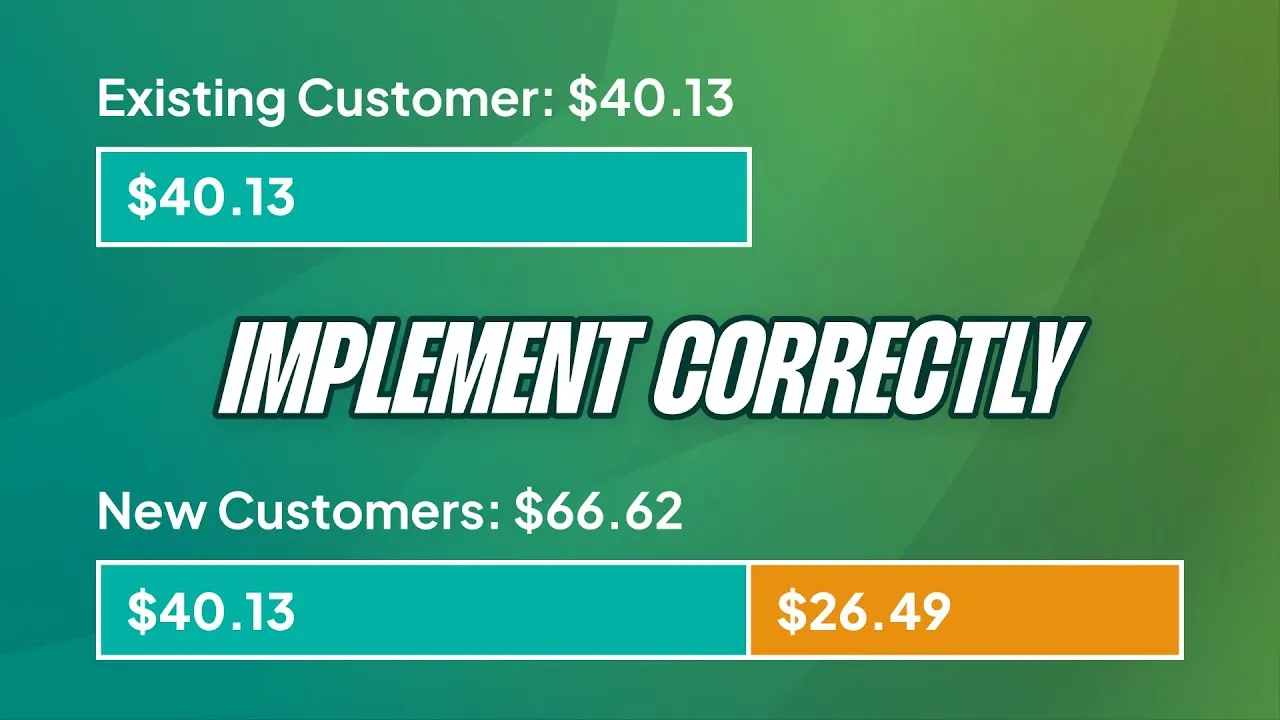
Now you can start adding a real value. This shouldn’t be a guess. It should be a calculation based on how much lower you’re willing to let your ROAS go for new customers. If your Average Order Value is $80 and your target ROAS is 400%, your target CPA is $20. Adding a $20 new customer value effectively lowers your ROAS target for those conversions to 300% (a $26.67 CPA).
Crucially, remember you are lowering your overall ROAS. If you have a tight blended ROAS target (e.g., you can only spend 20% of total revenue on marketing), you may need to simultaneously increase your overall ROAS target (say, to 450%) to balance things out. This tells the system to be stricter on existing customers while giving it more room on new ones.
Phase 4: Measure and Repeat (The Part Everyone Forgets)
Wait another 28 days (or longer). Your baseline new customer rate was 40%. Is it now 50%? 60%? Test a higher value. Test a lower one. See what happens.
I have yet to open an account where the new customer value has been systematically tested and adjusted over time. Everybody sets it and forgets it. This is where you get ahead. Follow the numbers, measure the impact, and repeat.
Be Careful: The Danger of Stacking Adjustments
One last thing to be careful of is stacking multiple bid adjustments. This is a concept from the old manual bidding days. If you’re using the new smart bidding explorations, seasonal bid adjustments, and new customer acquisition values, you have a lot of levers pulling at once. It can get messy and hard to diagnose performance. Just be aware of what you have running.
Advanced Alternatives to the Standard Setup
For those with enough data, there are a couple of other ways to approach this.
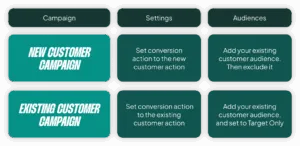
Option 1: Bid Only for New Customers
Instead of adding value, you can tell a campaign to only bid for new customers. This effectively means you split your campaigns in two: one for new acquisition, one for existing customers. This is an ideal solution for businesses with a heavy focus on new growth, but you need a lot of data. Splitting a campaign with 1,000 conversions/month is usually fine; splitting one with 200 is not a good idea.

Option 2: Send Lifetime Value (LTV) Instead of Revenue
This is quite advanced. Instead of transaction revenue, you can send a calculated LTV as the conversion value. For instance, you know that customers who first buy coffee beans have a higher LTV than those who buy a coffee pod. By sending that calculated LTV, you can steer Smart Bidding toward higher-value first purchases. If this sounds like a good fit for you, you probably already know what you need to do to set it up.
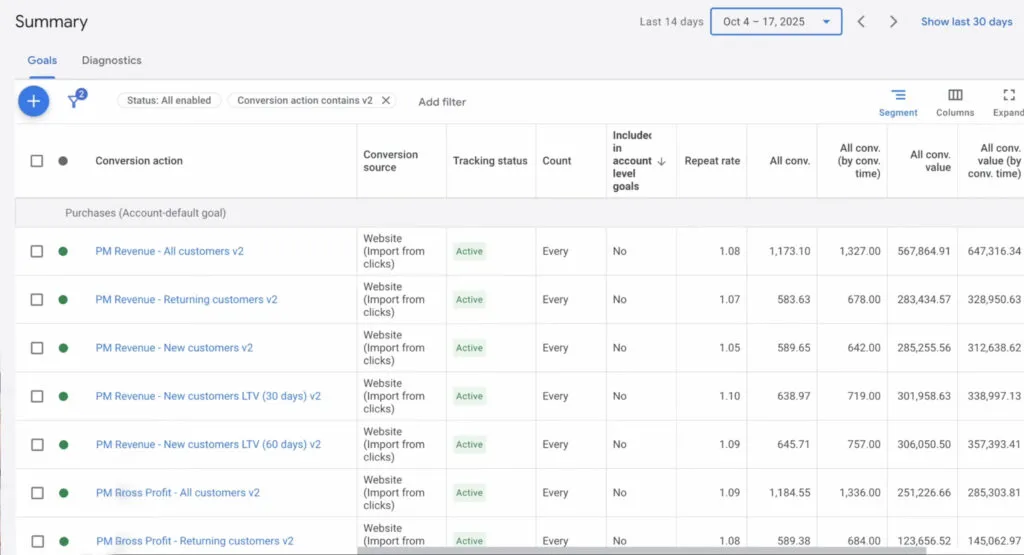
Option 3: The Dual Conversion Action Method
A few tools are now promoting a method where you create two separate conversion actions: one for “New Customer Purchase” and one for “Returning Customer Purchase.” Using server-side tracking, you fire the appropriate tag. While this gives you perfectly clean data, I’m not yet convinced it’s better than Google’s built-in system. It seems to force you into the campaign-split model from Option 1, and I’ve seen Google’s native identification be 98% accurate lately when set up correctly.
A Final, Critical Warning: Don’t Neglect Existing Customers
I want to end with this, because it’s incredibly important. One of our larger clients had a study done and found that 70% of their existing customers needed a paid media touchpoint to buy again.
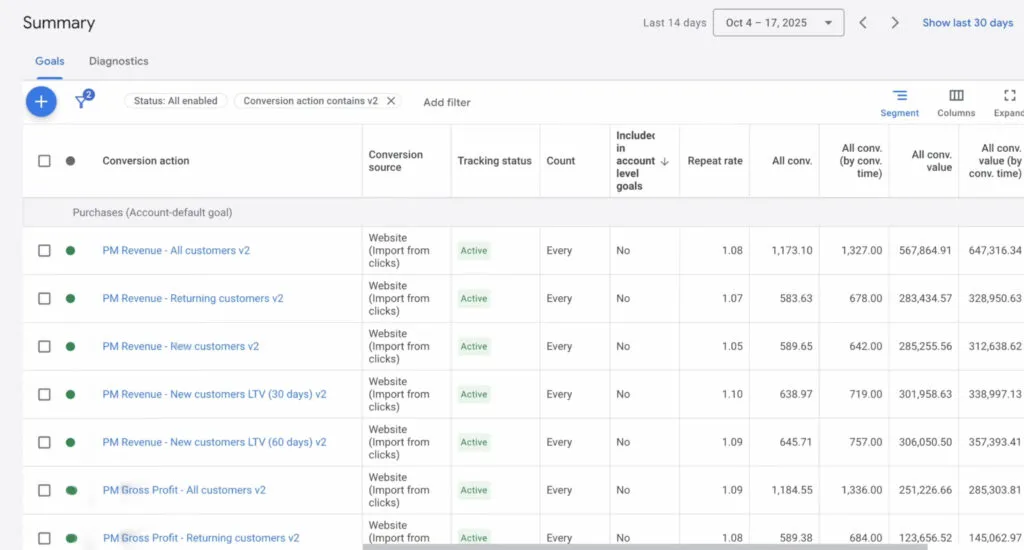
Before this study, they had excluded all existing customers from their Meta ads for six months. They quickly reverted that decision, but the damage was done and it hurt the business for nearly a year. During that time, their Google Ads account (which we managed) grew a lot because there was no way to exclude existing customers from Standard Shopping back then. We got them through that period without them getting hurt further.
Chasing new customers is essential for growth, but don’t do it at the expense of the customers who already love your brand.
[TL;DR]
- The New Customer Acquisition feature is only as good as the first-party data you feed it. Without accurate customer lists, it will misclassify users.
- Adding a “new customer value” inflates your reported conversion value and ROAS in Google Ads, which can distort your performance analysis.
- This feature effectively lowers your ROAS target for new customers. You must account for this in your overall profitability targets.
- The right way to use it is to first establish a baseline, then methodically test different values and measure the impact on your actual new customer rate.
- Don’t completely neglect existing customers. Data shows a huge percentage of them still need paid media touchpoints to make a repeat purchase.