Dansk
Dansk
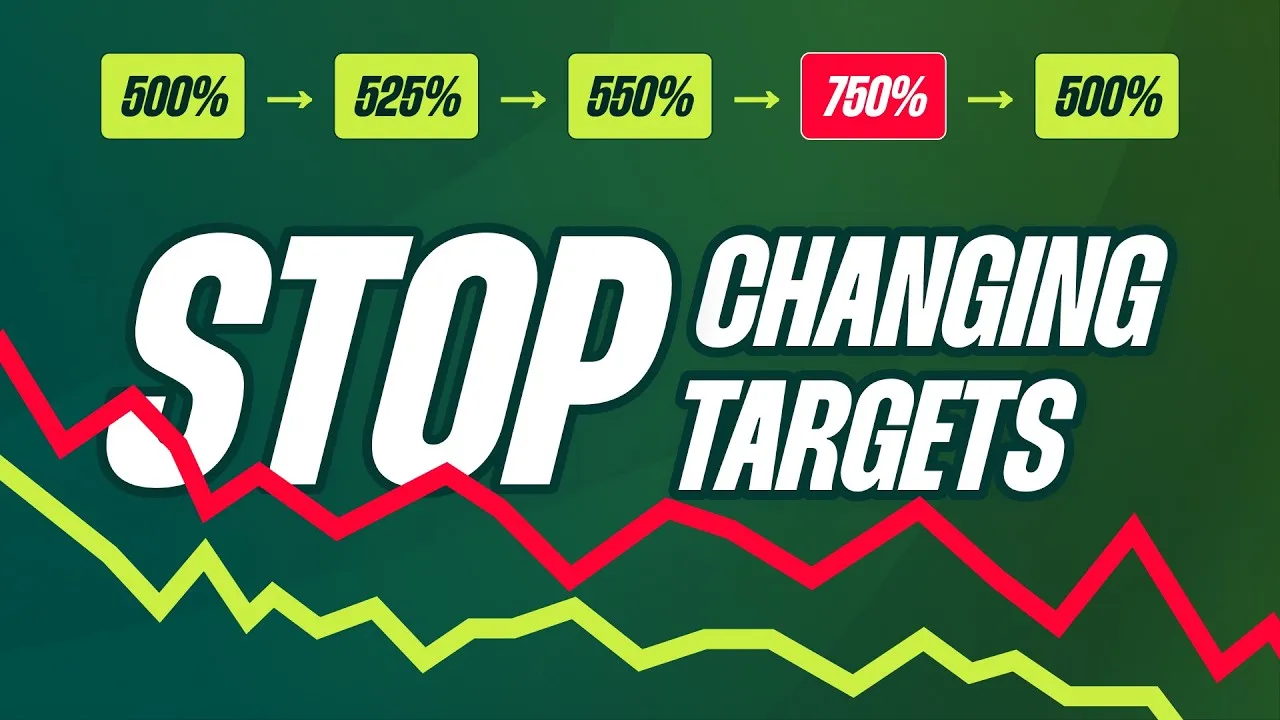
Stop guessing when and how much to adjust your Google Ads targets. This framework covers the four critical decisions for making Smart Bidding changes that actually work, without sending your account into a death spiral.
Most advertisers think the question they need to answer is “how often should I change my Smart Bidding targets?” That’s the wrong question. The real question is “will Smart Bidding even notice this change—and if it does, will it overreact?”
Smart Bidding thrives on stable signals it can use to course-correct. The more frequently you change targets, the harder you make its job. This often leads to a cycle of frustration where an advertiser makes a change, sees no reaction, and then overcorrects.
I see it in accounts all the time:
- Day 1: 500% → 525% (Too small)
- Day 3: 525% → 550% (Still too small)
- Day 4: 550% → 750% (Massive overcorrection)
- Day 8: 750% → 500% (Panicked reversal)
It starts with a change that’s too small, followed by a huge swing because a boss demanded that spend had to change now. But the real danger here, especially for smaller accounts, is the death spiral.
Go beyond the article
Why the video is better:
- See real examples from actual accounts
- Get deeper insights that can’t be conveyed in writing
- Learn advanced strategies for complex situations
The Smart Bidding Death Spiral
If you have a high volume of data (think 300-500+ conversions a month), you can afford to make a big mistake and then fix it. But smaller accounts are incredibly vulnerable. Here’s how the death spiral works:
- You increase the ROAS target too much.
- Conversions drop by 50%, and ROAS barely improves.
- The sudden drop in conversion volume makes Smart Bidding less efficient. ROAS now falls below the level it was at before you made any changes.
This is where you get screwed. You’re left with lower volume and lower ROAS. Your only way out is to drop the ROAS target even further just to get volume back, then slowly crawl your way back to efficiency. Here’s the framework I use to avoid this mess entirely.
My Smart Bidding Change Framework: 4 Core Decisions
My core playbook is simple: weekly updates on the same day of the week, with changes between 10-30%. But the real expertise comes from mastering four key decisions that inform those changes.
- How often: How frequently can I make changes without losing a clean read on the results?
- How much: Is the change I’m making big enough for the algorithm to even notice?
- Reference point: How far is my new target from the Projected ROAS?
- Alternative levers: Is changing the target even the right move, or is this a budget or CPC problem?
Mastering these four steps is what takes you from beginner-level to expert-level Smart Bidding management.
1. How Often: Aim for a Clean Read, Not Speed
Deciding how often to make changes has nothing to do with patience or avoiding the dreaded “learning mode” (which is mostly a thing of the past). It’s about getting clean data so you can understand the impact of your actions.
If you change a target on Monday and then again on Thursday, you have no idea what actually happened. Was the initial change too big, too small, or was the target the wrong lever in the first place? You’ve destroyed your ability to know what worked. Understanding the impact of your changes is a core skill, and this erases it.
The playbook here is simple:
- Weekly should be your core frequency. Pick a day and stick to it.
- Never change targets more than once per week unless you made an obvious, glaring mistake.
- Often, a ROAS change this week means you should not touch the target next week. Let it stabilize.
The only times I break this weekly cadence are for clear exceptions: I made a major error (moving the target way too much or too little), spend is spiraling out of control faster than expected, or tracking changed and artificially inflated conversion value.
2. How Much: The Nudge, Action, and Urgent Rule
The most common mistake I see is making changes that are too timid to have any effect. I categorize my changes into three levels of intent:
- 10% Change = A Nudge. This is a hint. You’re telling Smart Bidding you expect it to react over weeks, not days.
- 20% Change = An Action. This is a clear instruction. You expect a noticeable change in behavior.
- 30%+ Change = Urgent. This is a hard reset. You’re forcing a major, immediate shift.
However, these percentages are meaningless in a vacuum. A 20% change can be a powerful action or it can be nothing at all. It all depends on where Smart Bidding thinks it’s already heading.
3. The Reference Point: Projected ROAS, Not Actual ROAS
To determine how big of a change to make, you must use the Projected ROAS as your reference point. This is the ROAS that Smart Bidding expects to achieve after all conversion delays are accounted for. You can find it in the Bid Strategy Report.
Here’s why this matters. If your current ROAS target is 500% but your Projected ROAS is already 600%, increasing your target to 600% will do absolutely nothing. You’re just confirming what the algorithm already planned to do. Spend will not decrease.
As a rule of thumb, your new target needs to be at least 20% higher or lower than the Projected ROAS for Smart Bidding to take meaningful action. You need to create enough distance to change behavior without completely breaking auction participation.
A simple example:
- Current ROAS Target: 500%
- Projected ROAS: 520%
A 10% “nudge” to a 550% target probably does nothing, as it’s still very close to the 520% projection. However, a 20% “action” change to a 600% target creates enough distance. Smart Bidding should now start dropping lower-value auctions to find more efficiency. After a change like that, you wait a full week. If spend drops 15-20%, you leave it alone the next week to let it stabilize.
4. Alternative Levers: When Changing the Target is Wrong
Sometimes, the ROAS target is not the right lever to pull. If the problem is runaway spend or CPC inflation, forcing a target change can actually make things worse.
When Smart Bidding is running amok, you have other tools:
- Decrease the budget
- Decrease the Max Bid Limit
There are simple signs for when to use each. A higher ROAS target is the indirect way to reduce spend; a budget limit is the direct way.
Use a budget limit when spend is increasing faster than you can support, but your CPCs are relatively stable. Instead of guessing how high your ROAS target needs to be to rein in spend, you just tell the system how much it’s allowed to spend. Set the budget 10-20% below your desired level and watch if it reacts in 2-3 days.
Use a max bid limit when your spend is increasing because CPCs are inflating. A budget limit forces Smart Bidding into fewer auctions. A max bid limit does something different: it stops Smart Bidding from overpaying in its current auctions while still letting it explore new ones.
[TL;DR]
- Change Frequency: Stick to a weekly cadence. Changing targets more often corrupts your data and prevents you from knowing what impact your changes actually had.
- Change Size: Use the 10% (nudge), 20% (action), or 30%+ (urgent) rule to guide the size of your changes. Anything less than 10% will likely be ignored.
- Use Projected ROAS: The size of your change only matters relative to the Projected ROAS, not your current target. To force a real change, your new target should be at least 20% away from the projection.
- Use Alternative Levers: If spend is the primary issue, a direct budget limit is often better than an indirect ROAS target change. If CPCs are inflating, use a max bid limit to stop the system from overpaying.