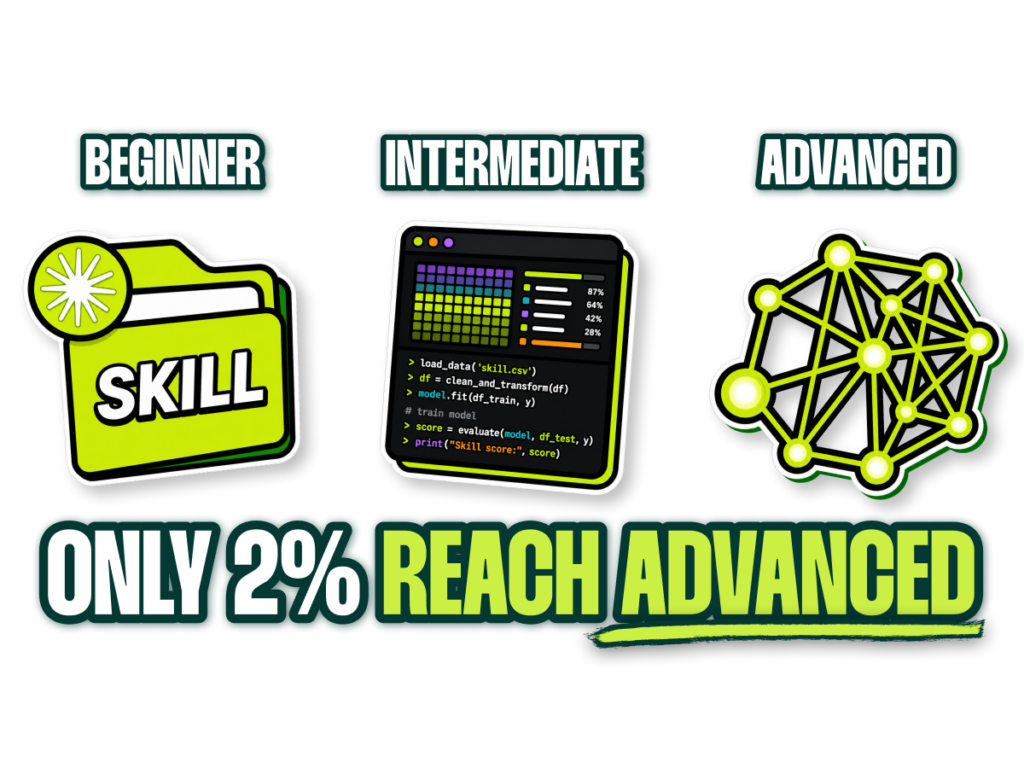
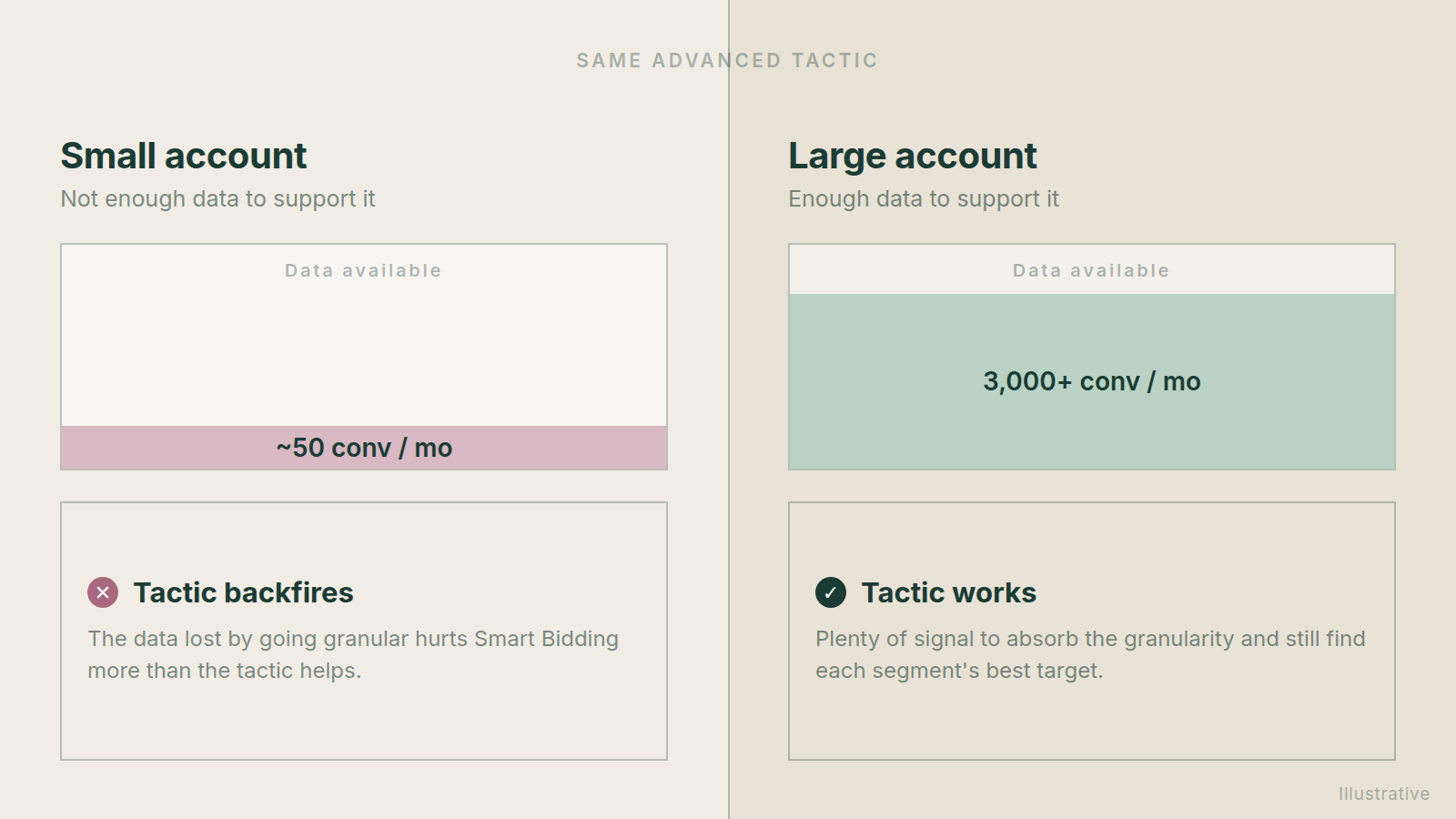
A common scenario I run into constantly is the specialist who calls themselves “advanced” and then applies advanced tactics to an account that can’t support them. No matter how sophisticated the tactic is, if it’s applied in the wrong circumstance, it’s the wrong tactic (and I’ll challenge you being advanced).
Automation becomes more valuable the more conversions you have.
You’d assume a large account generates far more waste than a small one, purely because there’s more money moving. In my experience, the opposite is usually true.
Smart Bidding and the rest of Google’s automation get exponentially better the more data you feed them:
I apologize for the visuals in this article. I forgot to tag our designer, so claude did them with the wrong color palette and I’m out of tokens for the day 😇
Go beyond the article
Why the video is better:
- See real examples from actual accounts
- Get deeper insights that can’t be conveyed in writing
- Learn advanced strategies for complex situations
The Only Rule That Actually Matters: Data Volume
When our larger coaching clients hear the old “you need a minimum of 30 conversions per month for Smart Bidding to work” line and start talking about splitting campaigns, I tell them they’re asking the wrong question.
The real question is how well it works at different data levels:
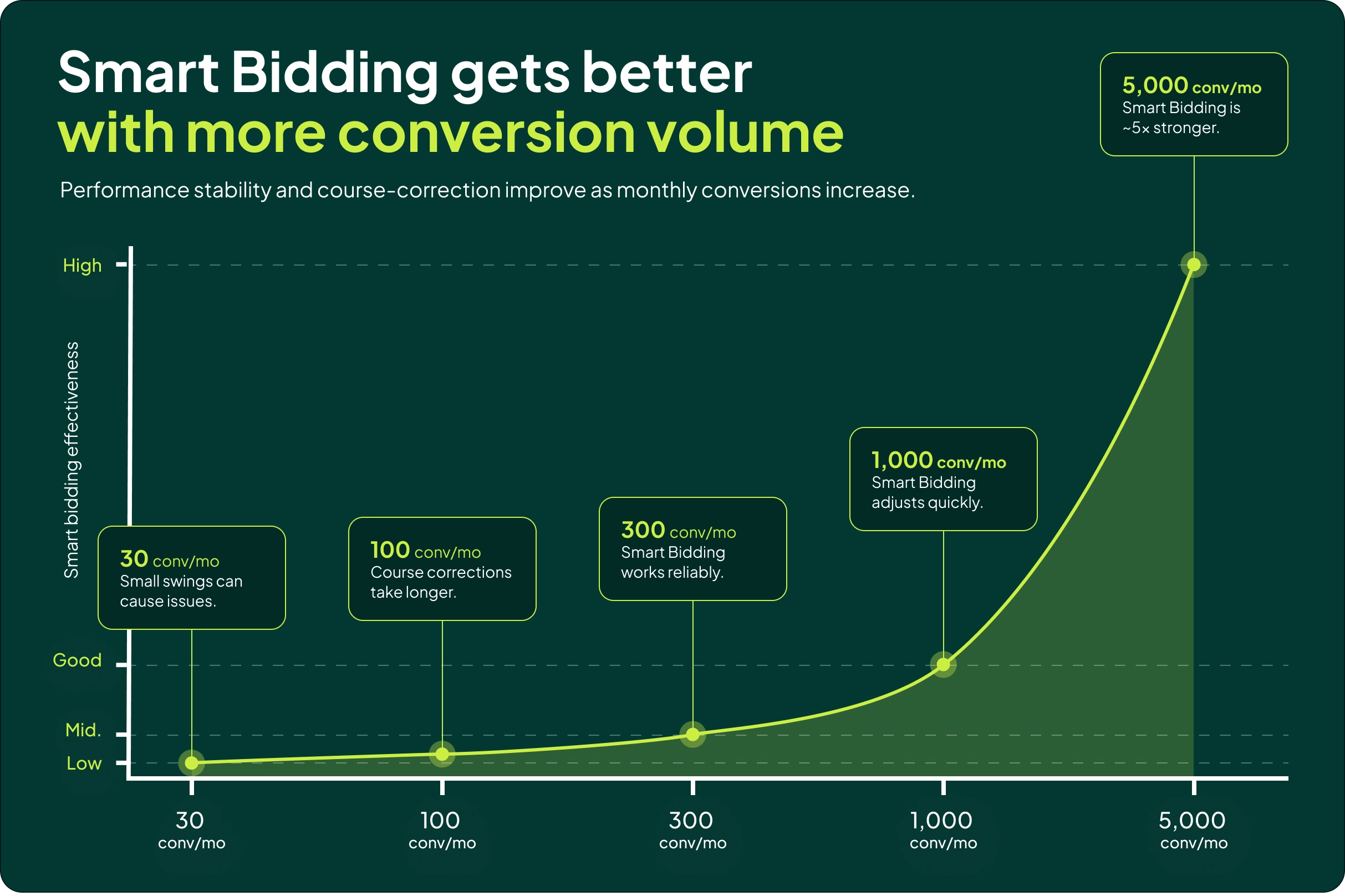
Roughly how I think about it:
- 30 conv/mo: Any fluctuation in performance causes issues.
- 100 conv/mo: It takes a while to course correct.
- 300 conv/mo: Smart Bidding is good.
- 1,000 conv/mo: Smart Bidding is great, and course corrects quickly.
- 5,000 conv/mo: Smart Bidding is stellar, and roughly 5x better than at 100 conversions per month.
Now apply that to structure.
If you take an account doing 1,000 conversions per month and split the bidding across 10 campaigns, you have effectively turned it into a 100 conversions per month account:
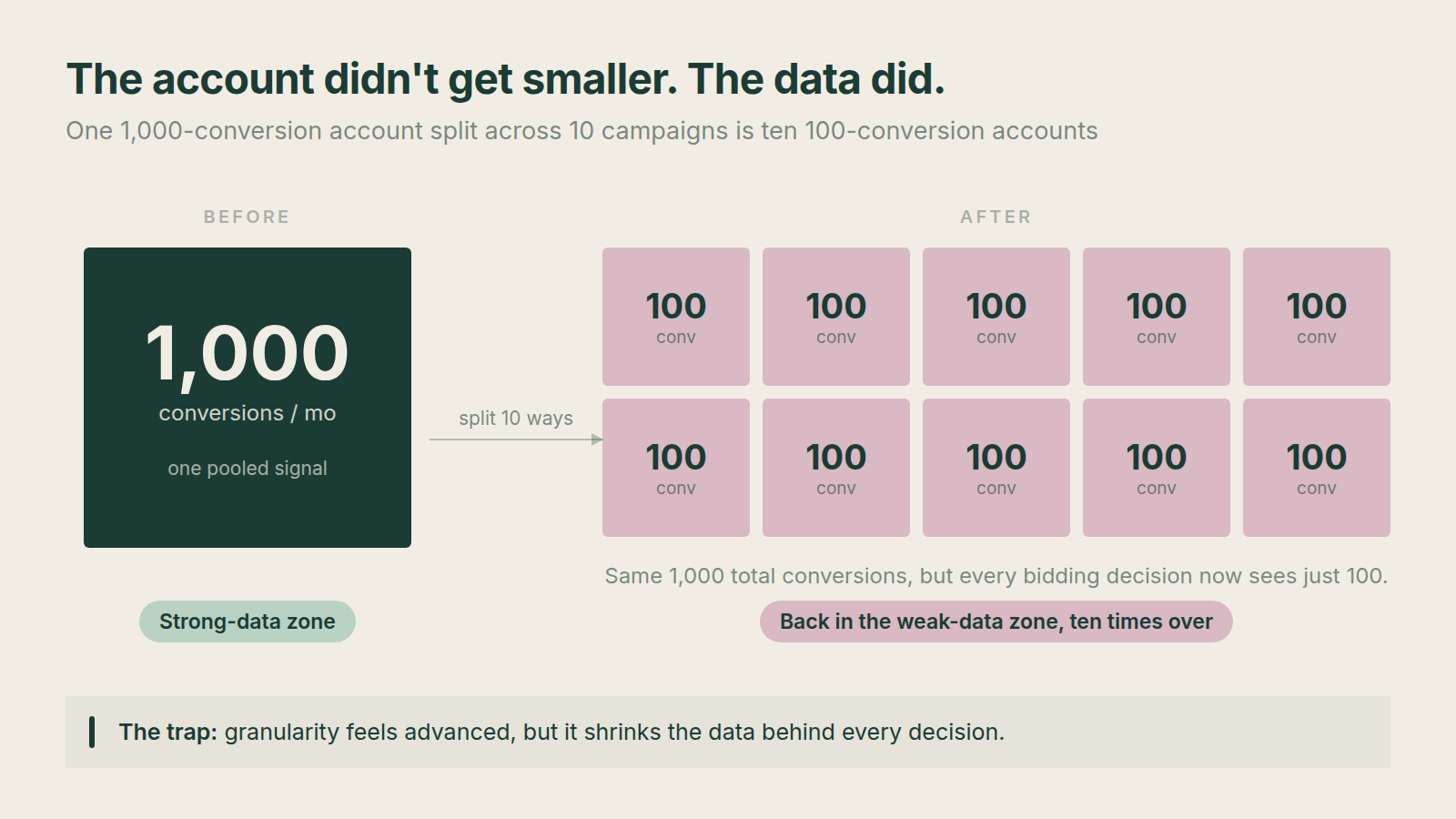
That’s the most blatant mistake I see when people work across small and large accounts. The account is exactly as big as it was, but the data feeding each campaign is a tenth of what it used to be.
Below are the six tactics where the right answer flips entirely depending on account size.
1. Segmentation, Campaign Structure and Smart Bidding
The first difference is how granular you should go.
This is where a lot of people try to look advanced and end up making Smart Bidding worse. Micro-managing small segments starves the algorithm, and the loss in data degrades performance more than the segmentation ever helps.
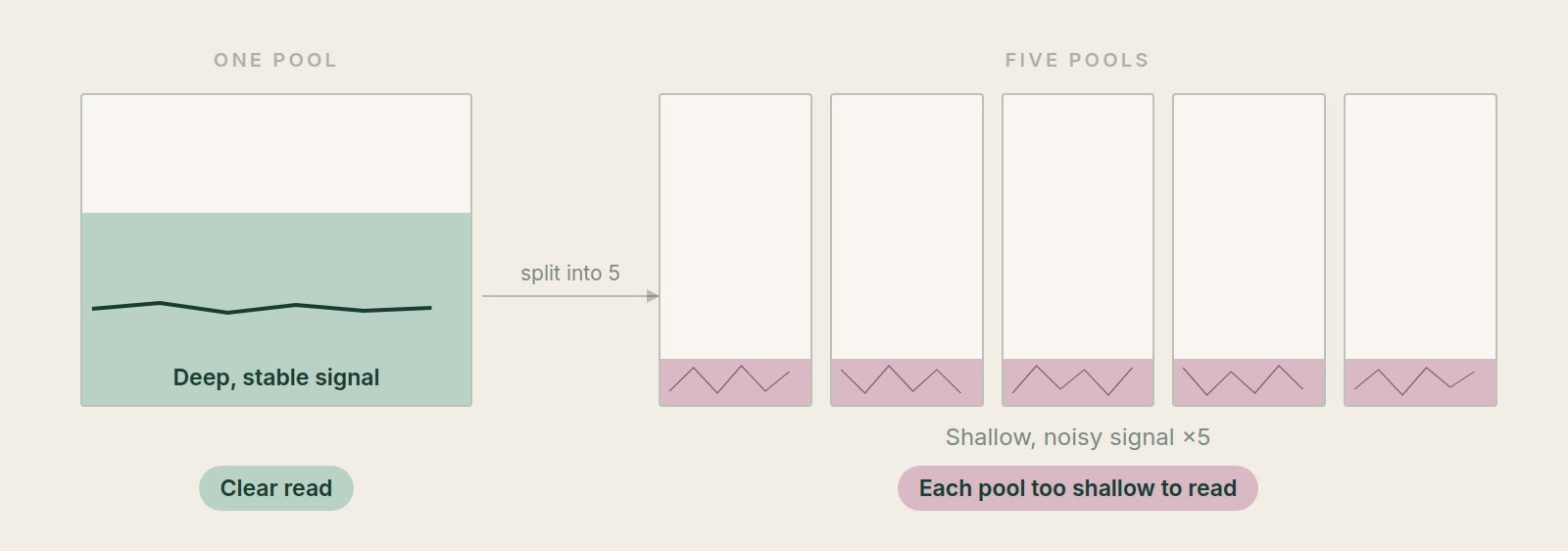
For a small account, simple is better. Fewer campaigns is better. Pooling your data is the entire game at this stage, so you want fewer opportunities to create different targets for different campaign groupings.
The same logic applies to nudging targets. If you have 50 conversions at a 500% ROAS target, switching to 550% will do nothing. You don’t have enough data for the system to confidently register the difference, so it takes far longer to react.
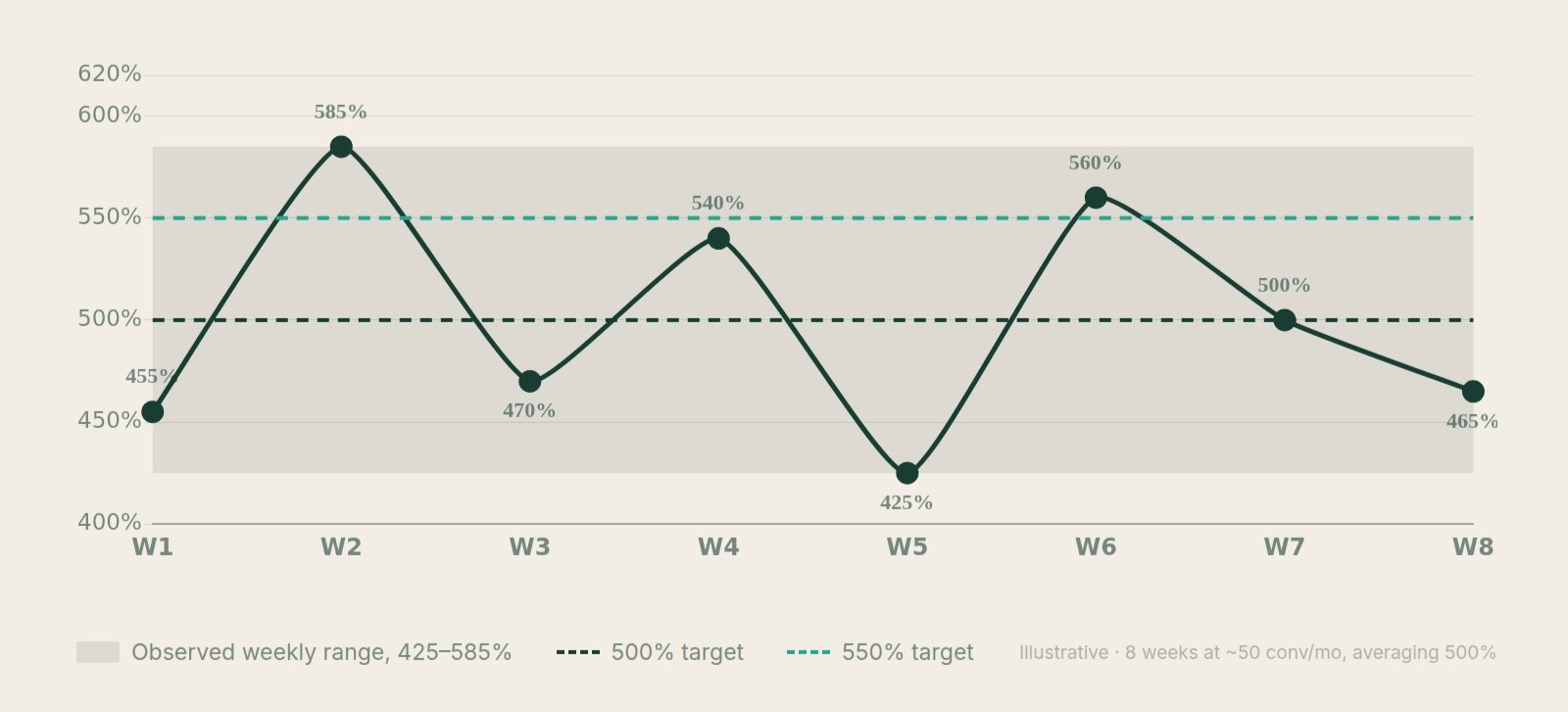
On larger accounts, it changes. Combining everything into one target means you can never find the local maximum for each segment. For some segments the ideal target is 420%. For others, you should be maximizing volume at 550%.
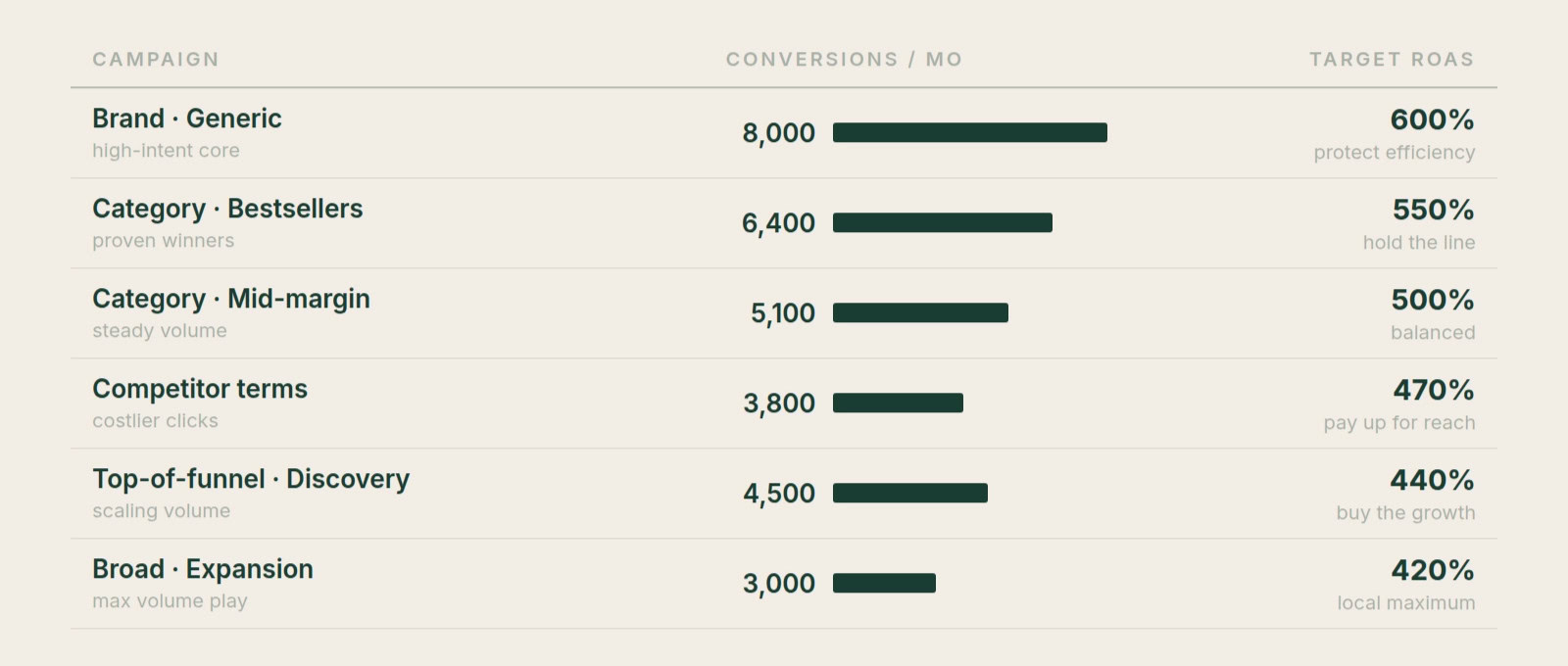
That’s where granularity starts to make sense. More granular is not always better, but it can be. Figuring out whether campaign A performs better at 450% versus 550% can unlock meaningful additional volume at a marginally lower ROAS. The biggest mistake here is still overdoing it, but at least on a large account you have the data to do something.
2. Broad Match (and AI Max)
This applies to both. If you’re reading this after AI Max has fully replaced Broad Match (which I believe it will), just mentally swap the terms.
Broad match works by sending signals to Smart Bidding about where to bid and where not to bid. When you have few conversions, you will burn a lot of money before the system narrows in on what works.
Run the numbers. If you’re getting 50 conversions per month on $1,000 in spend, then discovering another 50 conversions costs you another $1,000. That’s fewer than two conversions per day of learning signal.
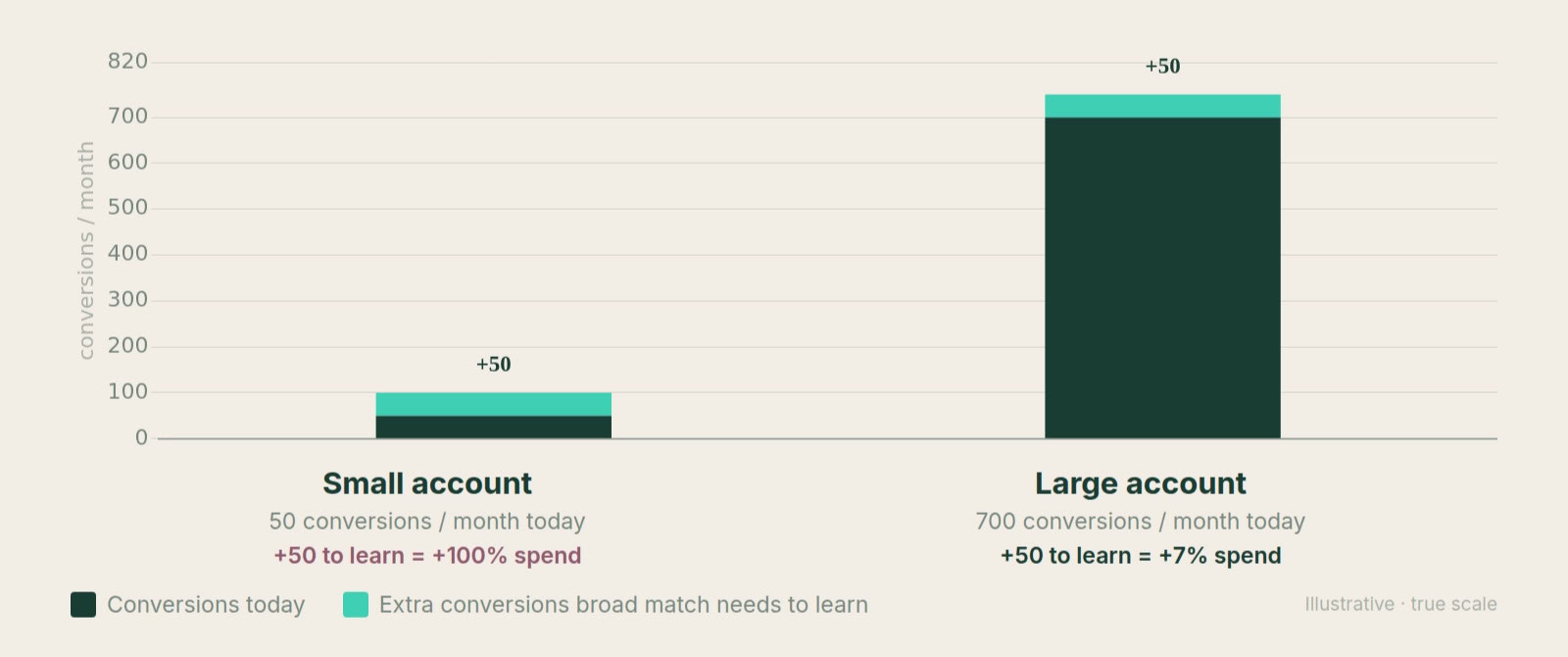
It’s hard to see how Smart Bidding finds what works fast enough at that pace. On top of that, you just doubled your spend, which is an enormous relative risk for a small advertiser.
The narrower your niche, the earlier you can move into broad match with little fear of waste.
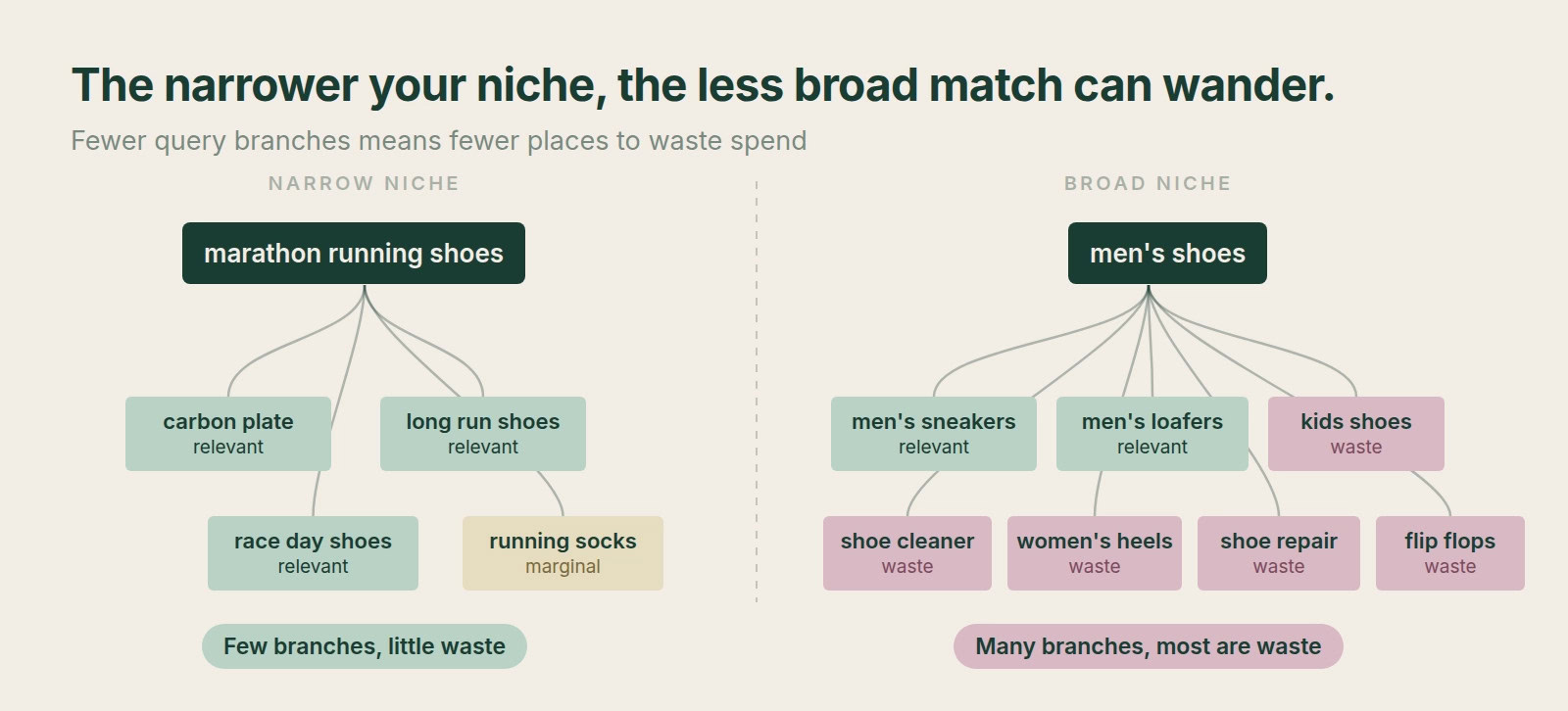
But in general, broad match is far more dangerous when the account is small.
On larger accounts, the logic inverts. Broad match lets you discover search queries you never thought of. Most of them will be less conversion-focused, because any PPC specialist worth putting on a large account has already found the bottom-funnel keywords. That’s exactly the point: to keep scaling, you have to move earlier in the funnel, which is unprofitable to attempt too early in an account’s life.
3. Brand Splits in Shopping and PMax
The question here is whether you should separate branded searches into their own campaigns in Shopping or Performance Max. For Search, the answer is always yes. For Shopping and PMax, it depends entirely on account size.
On small accounts, the less data you have, the more likely you are to hit the death spiral of too little data. The system can’t optimize, and it will often stop bidding on a search term simply because it missed ROAS for a week.
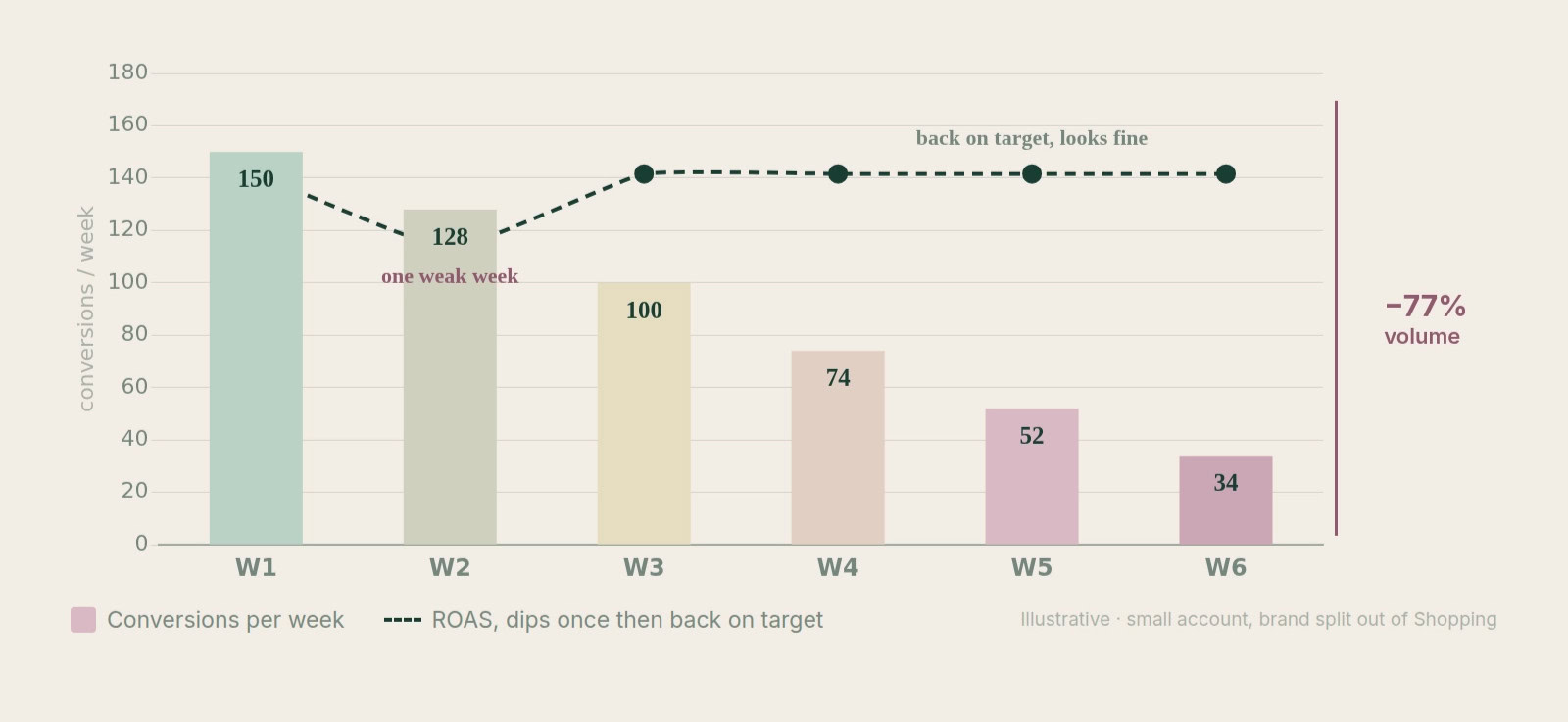
Keeping branded terms inside the campaign creates a baseline of conversion value that stops the system from overreacting. Every time it lowers bids on existing search terms, the ROAS from brand pushes the average higher, which gives the system room to keep bidding on temporarily underperforming terms.
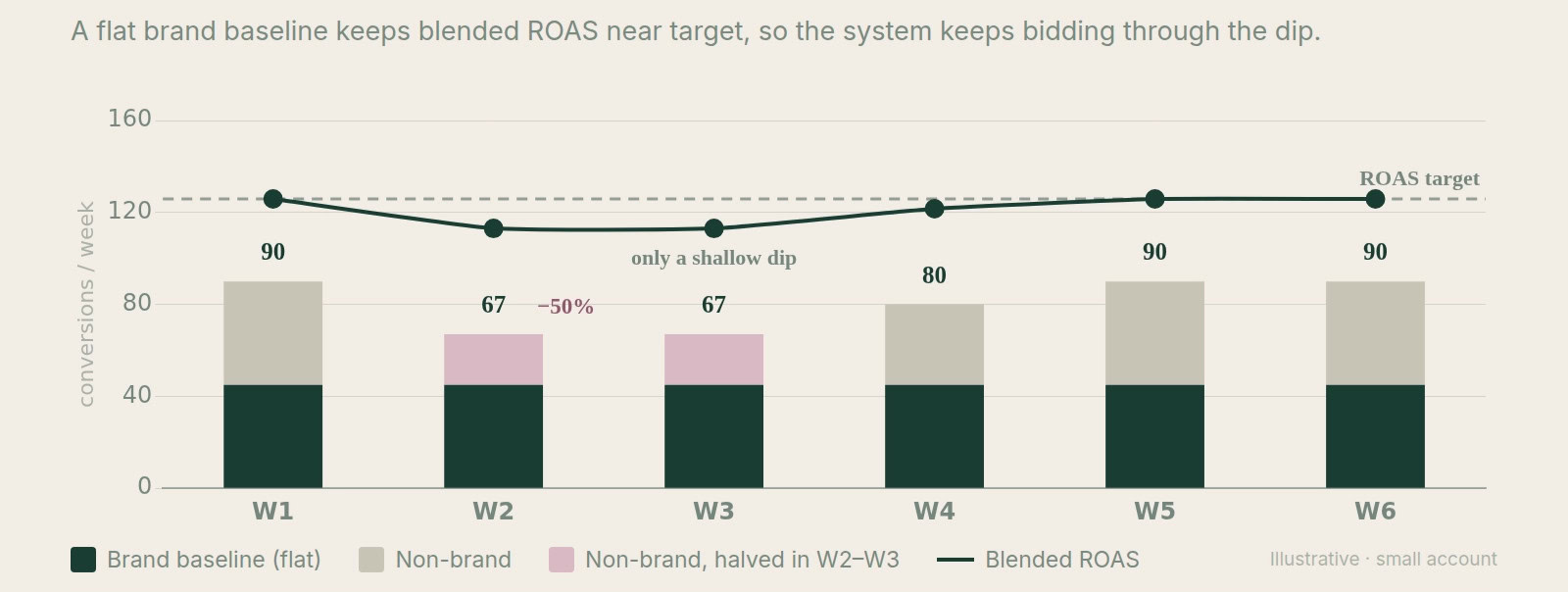
Doing the same thing on a large account is a mistake. You have plenty of data, so you don’t need brand propping you up. Worse, large accounts usually carry substantial brand search volume, which means brand waste is not something you can quietly ignore.
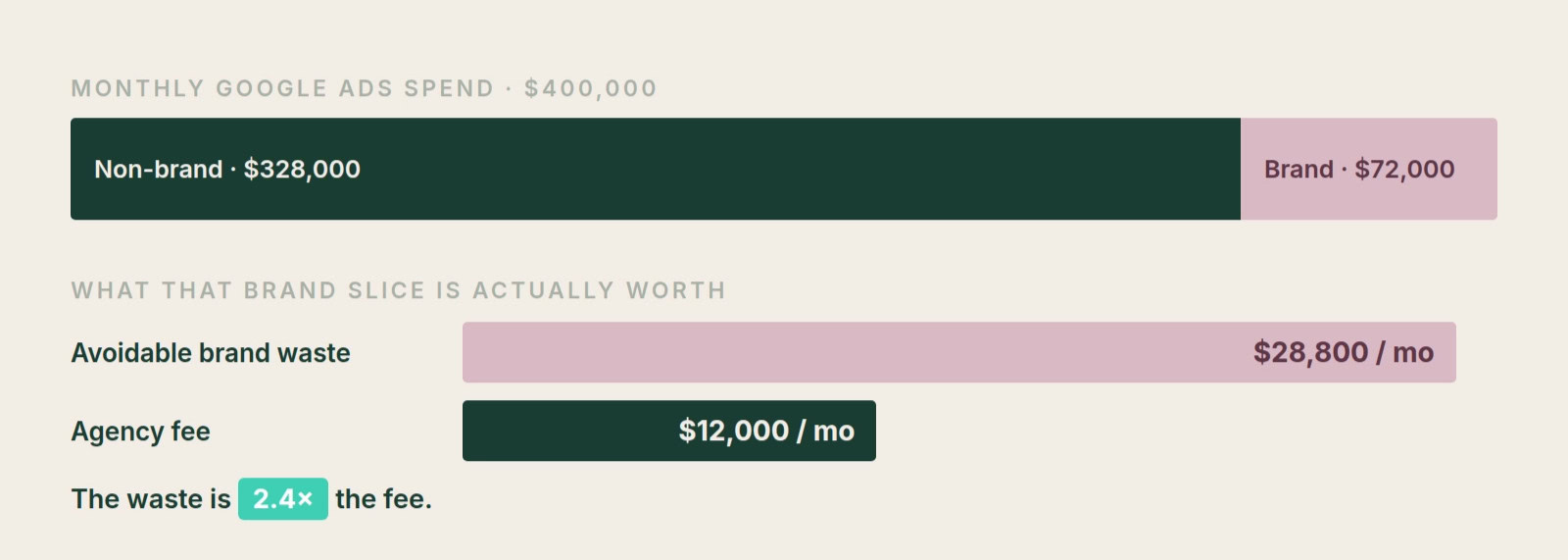
In many of the accounts we’ve taken over at Savvy, poorly managed branded searches were wasting more money than our entire fee. There is no defensible way for a freelancer or agency to let that continue.
4. Negative Keywords
Smart Bidding is largely responsible for bidding lower at the search term level, which reduces the need for negative keywords (I’ve made a whole video on why you should stop using them).
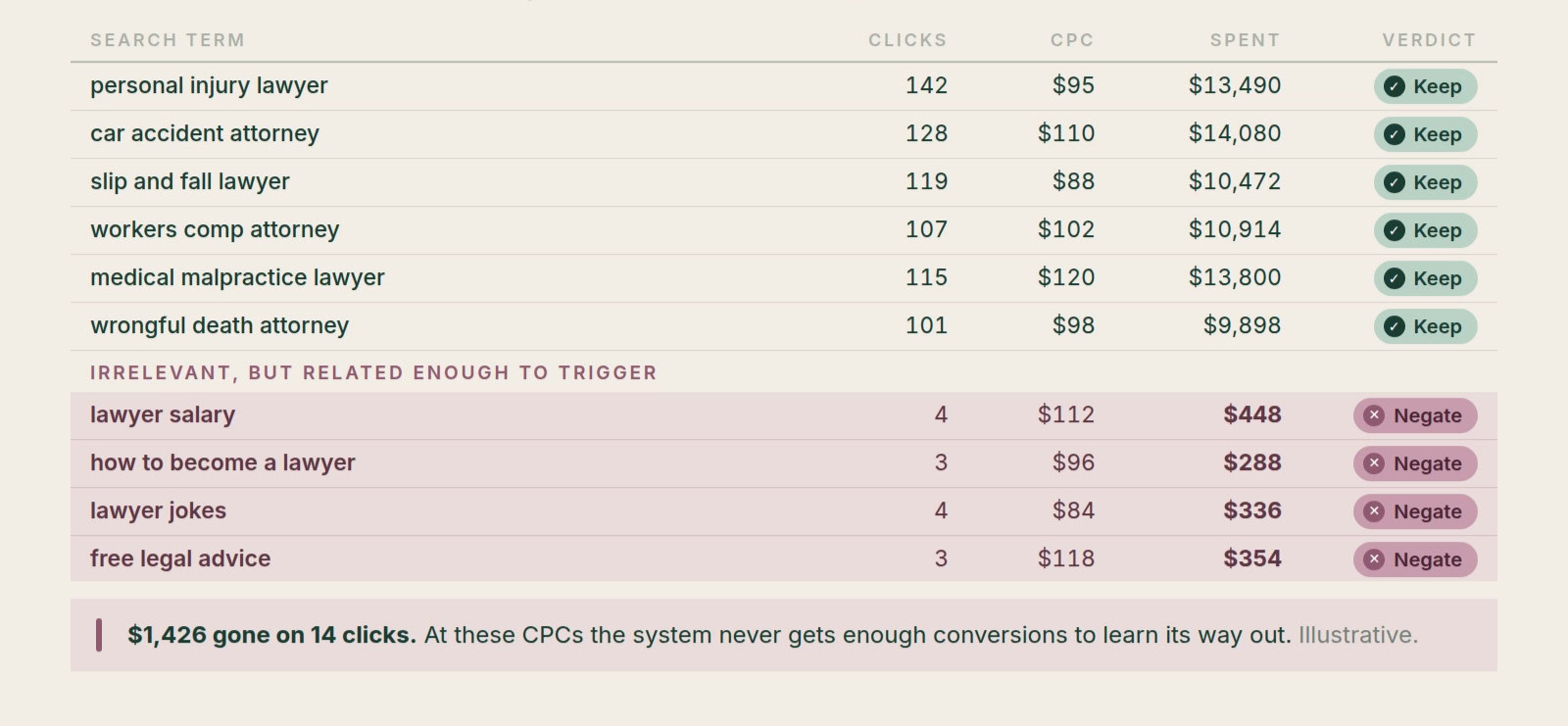
But on small accounts, the conversion signal simply isn’t there fast enough. If the system only has a handful of conversions to learn from, it can take far too long to realize a search term is bad. That’s where you still need to step in and do the manual work.
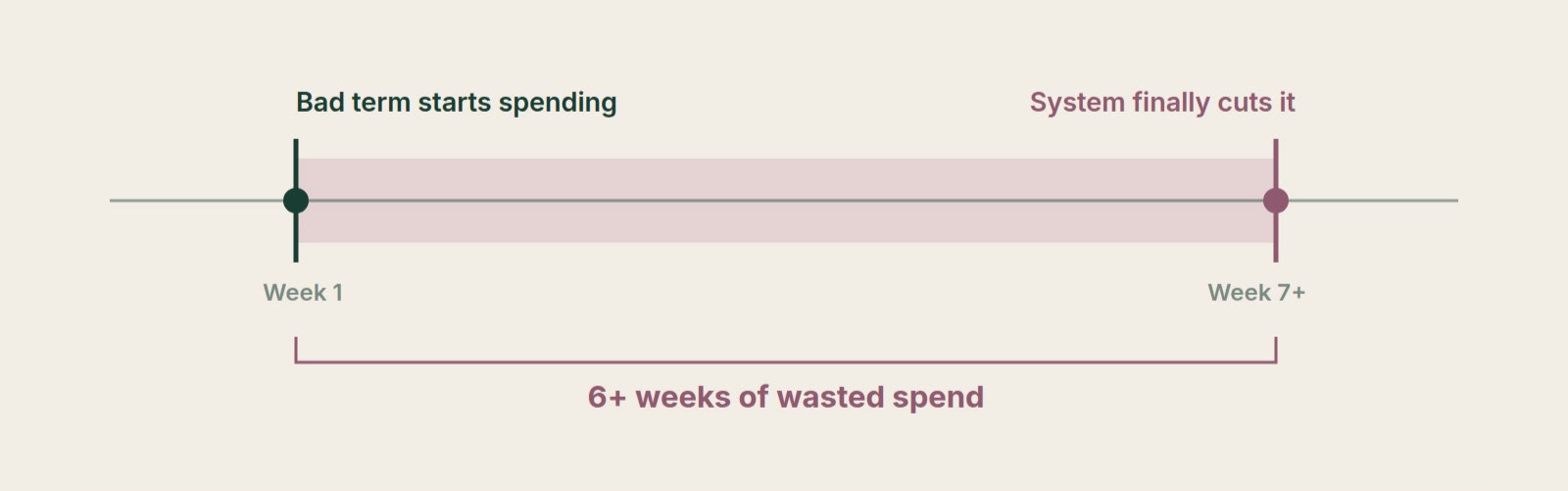
On large accounts, the opposite holds. You can add zero negative keywords and be perfectly fine.
We run several accounts at Savvy without any negative keywords at all. Waste sits below 5%, and we regularly see search terms that “should have been negated” six months ago now performing well.
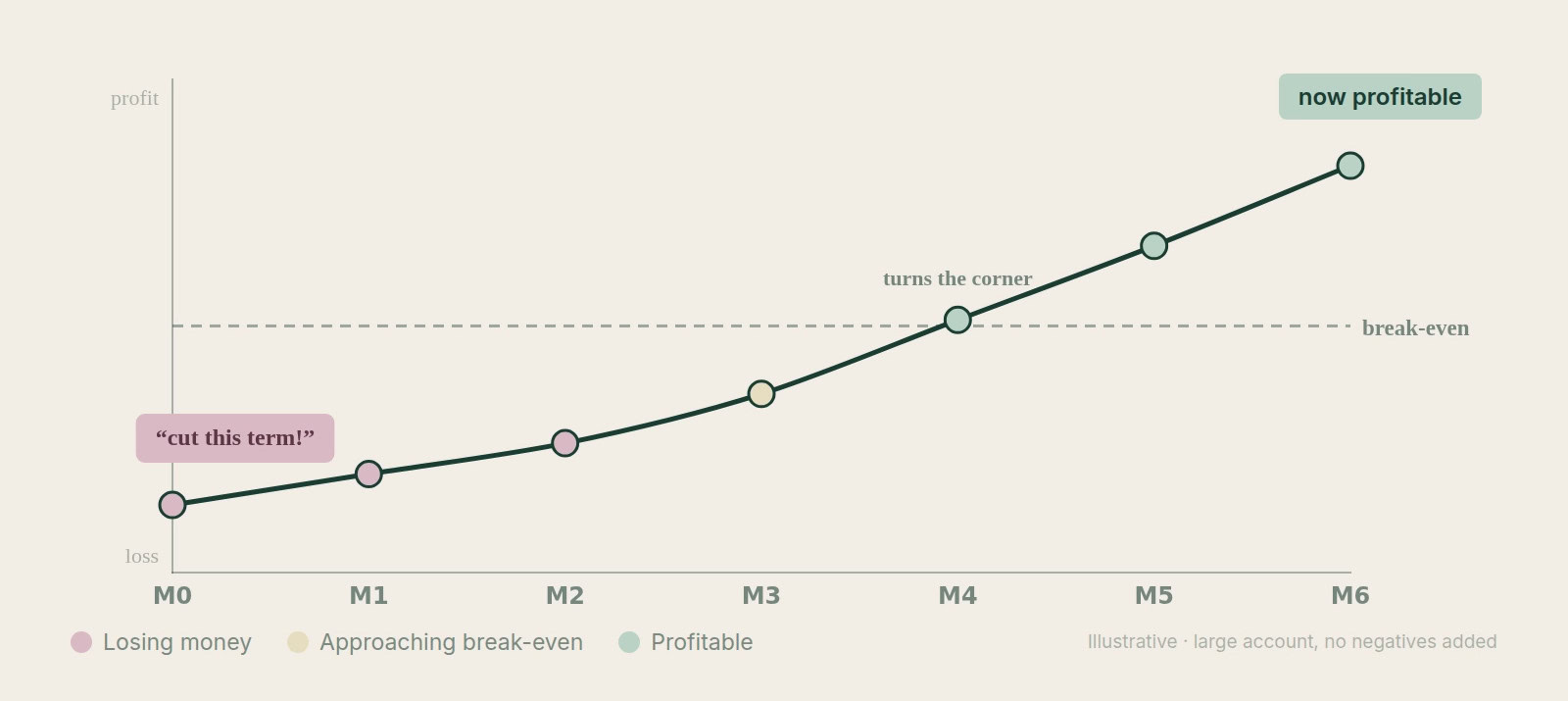
Letting Smart Bidding self-regulate has been a nice little unlock. The more data it has, the less you need to manually police every search term.
Of course, none of this applies to a lawyer paying $100 CPCs:
5. POAS Bidding
POAS bidding sounds like a no-brainer, but it can hurt an account that can’t support it.
Reporting on profit means reducing your conversion value by 2-4x while conversion volume stays the same.
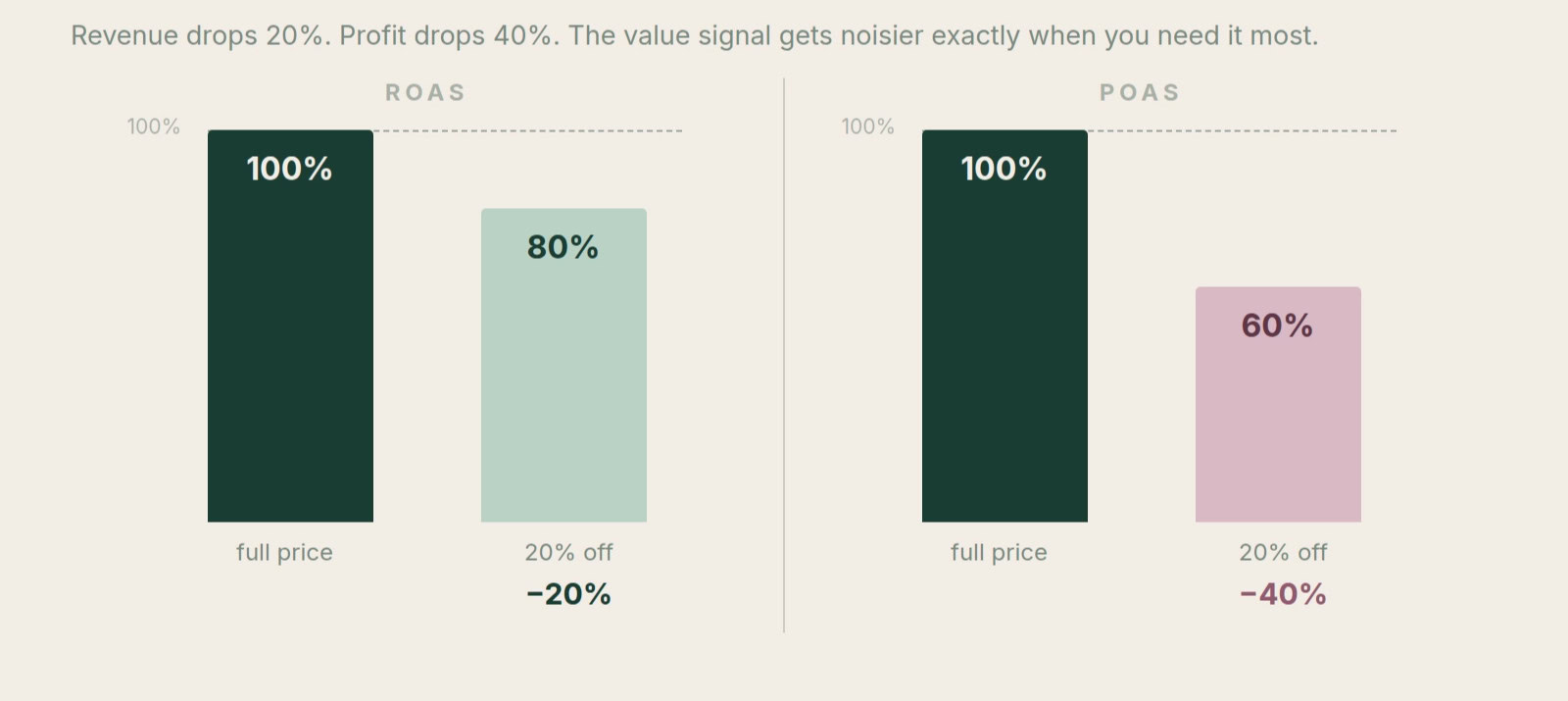
It also makes the data less stable. When you run a promotion, you’re not losing “20%” of conversion value.
You’re losing 40-60% of margin. That’s a much bigger swing for the system to absorb. Both effects can be killers for low-spending accounts.
The only reason to run POAS bidding on a small account is if you’ve analyzed your products and found large margin differences, meaning you can afford a lower ROAS on certain products:
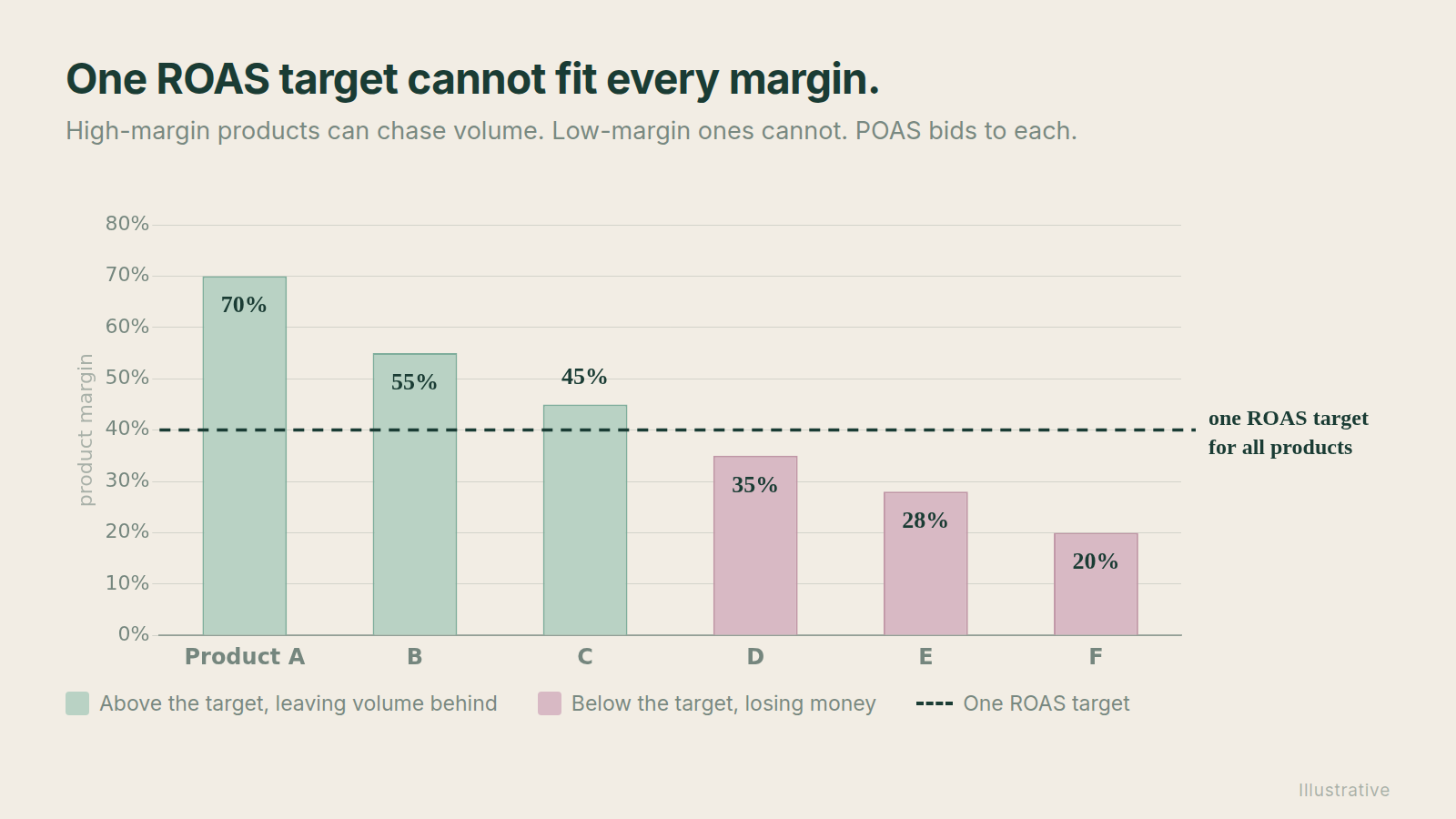
In that case, switching to POAS lets Smart Bidding act on margin data without splitting into multiple campaigns and diluting your data further.
On larger accounts? Go for it. You have the conversion volume and the value data for the system to work with, and the stability to survive a promotion week.
6. Optimization Cadence
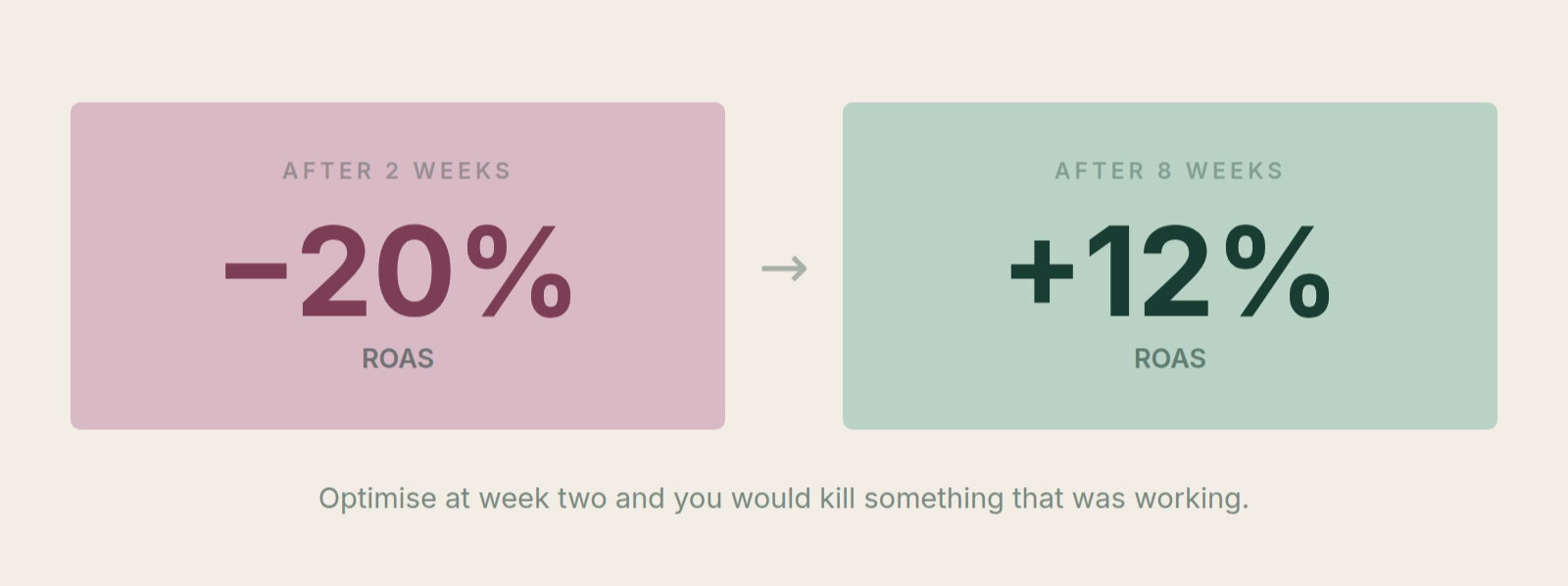
This one is the hardest, because waiting feels wrong. But trying to optimize an account before you have enough data to see what happened since your last change is a recipe for frustration and nothing else.
I promise you that extending optimization cycles from weekly to bi-weekly, monthly, and even quarterly for certain areas will be one of the best decisions you make on a small account:
Large accounts are a different story. Amazon was famous in the early days of the internet for having enough traffic to run split tests in days instead of weeks.
The more tests you can run, the faster you find better performance. Your optimization cycle works the same way, so set the cadence by how quickly the account produces reliable signal.
What Cross-Account Managers Get Wrong
The people I see move from small to large accounts usually start micro-managing, because suddenly there’s enough data to justify building lots of campaigns.
They’re also charging a higher fee, so they feel obligated to dig into the nitty gritty.
But big clients don’t pay you $150 an hour to make sure the sitelinks are perfect.
Read that again!
The biggest mistake when working across account sizes is applying the same best practices everywhere, creating so much granularity that the large account starts behaving like a small one.
You re-create the small-data problem inside a large-data account:
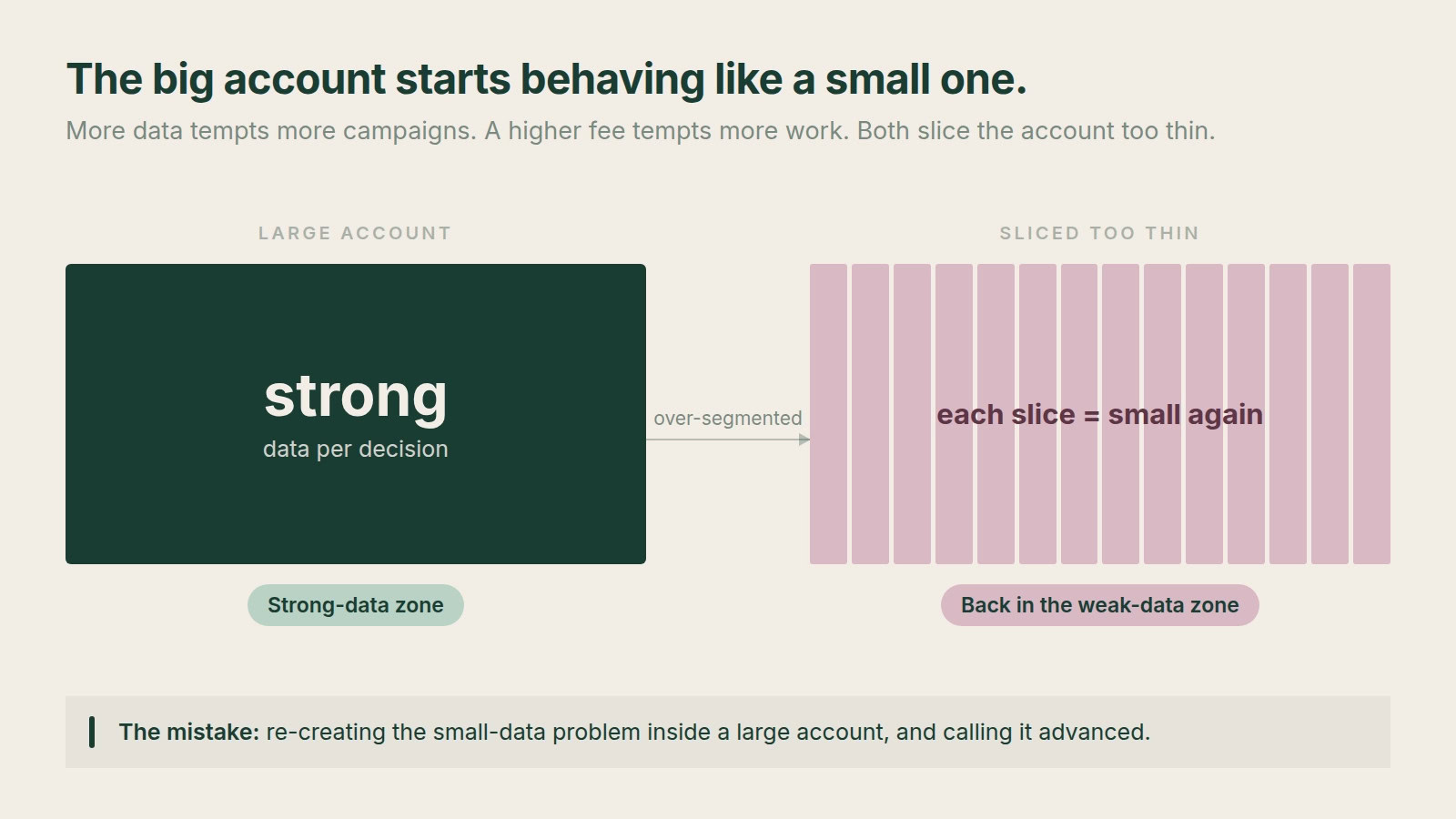
More data tempts more campaigns. A higher fee makes people feel obligated to do more. Both slice the account into segments too thin for Smart Bidding to handle.
The Rule to Take With You
Your data sets the rules. Knowing an advanced tactic exists doesn’t justify applying it to the account in front of you.
The job is not to use the most advanced tactic. The job is to use the tactic the account can actually support.
[TL;DR]
- Smart Bidding performance scales with data. At 5,000 conversions per month it’s roughly 5x better than at 100, so structure decisions matter more than tactic sophistication.
- Splitting a 1,000 conversion account across 10 campaigns turns it into a 100 conversion account, with a tenth of the data behind every bidding decision.
- Six tactics flip based on account size: segmentation, broad match/AI Max, brand splits in Shopping and PMax, negative keywords, POAS bidding, and optimization cadence.
- On small accounts: pool data, be careful with broad match, keep brand in for stability, use negatives, delay POAS, and slow your optimization cycle.
- On large accounts: granularity can unlock volume, broad match funds discovery, brand becomes hidden waste, negatives become largely unnecessary, and POAS is a clear yes.